Mybatis-01 1、mybatis概述 1.1、mybatis简介 MyBatis 是支持定制化 SQL、存储过程以及高级映射的优秀的持久层框架。
MyBatis 避免了几乎所有的 JDBC 代码和手动设置参数以及获取结果集。
MyBatis可以使用简单的XML或注解用于配置和原始映射,将接口和Java的POJO(Plain Old Java Objects,普通的Java对象)映射成数据库中的记录.
1.2、mybatis历史 原是apache的一个开源项目iBatis, 2010年6月这个项目由apache software foundation 迁移到了google code,随着开发团队转投Google Code旗下,ibatis3.x正式更名为Mybatis ,代码于2013年11月迁移到Github(下载地址见后)。
iBATIS一词来源于“internet”和“abatis”的组合,是一个基于Java的持久层框架。iBATIS提供的持久层框架包括SQL Maps和Data Access Objects(DAO)
1.3、为什么要使用mybatis。 MyBatis是一个半自动化的持久化层框架。
jdbc编程—当我们使用jdbc持久化的时候,sql语句被硬编码到java代码中。这样耦合度太高。代码不易于维护。在实际项目开发中会经常添加sql或者修改sql,这样我们就只能到java代码中去修改。
对开发人员而言,核心sql还是需要自己优化
sql和java编码分开,功能边界清晰,一个专注业务、一个专注数据。
可以使用简单的XML或注解用于配置方法的sql语句,将接口和Java的POJO映射成数据库中的记录。成为业务代码+底层数据库的媒介
2、mybatis的Hello 示例程序 2.1、创建一个数据库和一个单表 1 2 3 4 5 6 7 8 9 10 11 12 13 14 15 16 17 18 19 drop database if exists mybatis;create database mybatis;create table t_user(int primary key auto_increment,varchar (50 ),int insert into t_user(`last_name`,`sex`) values ('wzg168' ,1 );select * from t_user;
2.2、Mybatis程序示例: 先导包:
junit_4.12.jar
mybatis-3.5.1.jar
mysql-connector-java-5.1.7-bin.jar
org.hamcrest.core_1.3.0.jar
编写User对象
1 2 3 4 5 public class User private Integer id;private String lastName;private Integer sex;
在src源码目录下创建mybatis-config.xml配置文件
1 2 3 4 5 6 7 8 9 10 11 12 13 14 15 16 17 18 19 20 21 22 23 24 25 26 27 28 29 30 <?xml version="1.0" encoding="UTF-8" ?> <!DOCTYPE configuration PUBLIC "-//mybatis.org//DTD Config 3.0//EN" "http://mybatis.org/dtd/mybatis-3-config.dtd" > <configuration > <environments default ="development" > <environment id ="development" > <transactionManager type ="JDBC" /> <dataSource type ="POOLED" > <property name ="driver" value ="com.mysql.jdbc.Driver" /> <property name ="url" value ="jdbc:mysql://localhost:3306/mybatis" /> <property name ="username" value ="root" /> <property name ="password" value ="root" /> </dataSource > </environment > </environments > <mappers > <mapper resource ="com/atguigu/mybatis/hello/mapper/UserMapper.xml" /> </mappers > </configuration >
编写Mapper接口
1 2 3 4 5 6 7 8 9 10 package com.atguigu.mybatis.hello.mapper;import com.atguigu.mybatis.hello.pojo.User;public interface UserMapper public User queryUserById (Integer id)
在mapper接口同一包下创建对应的sql配置文件 UserMapper.xml
1 2 3 4 5 6 7 8 9 10 11 12 13 14 15 16 17 18 19 20 21 22 23 24 25 26 <?xml version="1.0" encoding="UTF-8" ?> <!DOCTYPE mapper PUBLIC "-//mybatis.org//DTD Mapper 3.0//EN" "http://mybatis.org/dtd/mybatis-3-mapper.dtd" > <mapper namespace ="com.atguigu.mybatis.hello.mapper.UserMapper" > <select id ="queryUserById" resultType ="com.atguigu.mybatis.hello.pojo.User" > </select > </mapper >
测试
1 2 3 4 5 6 7 8 9 10 11 12 13 14 15 16 17 18 19 20 21 22 23 24 25 26 27 28 29 30 31 32 33 34 35 36 37 38 39 package com.atguigu.mybatis.hello.test;import com.atguigu.mybatis.hello.mapper.UserMapper;import com.atguigu.mybatis.hello.pojo.User;import org.apache.ibatis.io.Resources;import org.apache.ibatis.session.SqlSession;import org.apache.ibatis.session.SqlSessionFactory;import org.apache.ibatis.session.SqlSessionFactoryBuilder;import org.junit.Test;import java.io.IOException;import java.io.InputStream;public class MybatisTest @Test public void test () throws IOException "mybatis-config.xml" );new SqlSessionFactoryBuilder().build(resourceAsStream);try {1 );finally {
这个Helloworld 在编写的时候需要注意的以下几个点** 1 Mapper接口和Mapper.xml配置文件在同一个包下
2 Mapper接口文件名和Mapper.xml文件名要一致!!!
3 Mapper.xml配置文件名的名称空间取值一定是Mapper接口的全类名.
4 Mapper.xml配置文件中的id值一定要和mapper接口的方法名一致
5 mapper.xml配置文件中的参数类型一定要和mapper接口的参数类型一致
6 Mapper.xml配置文件中的返回值类型,必须要和Mapper接口的返回值类型一致
给mybatis程序添加日志操作:
1 先导入jar包:
log4j-1.2.17.jar
2 在src源码目录下创建log4j.properties
1 2 3 4 5 6 7 log4j.rootLogger =DEBUG, stdout log4j.appender.stdout =org.apache.log4j.ConsoleAppender log4j.appender.stdout.layout =org.apache.log4j.PatternLayout log4j.appender.stdout.layout.ConversionPattern =%5p [%t] - %m%n
3、mybatis的增,删,改,查实现 UserMapper接口:
1 2 3 4 5 6 7 8 9 10 11 12 13 public interface UserMapper public User queryUserById (Integer id) public List<User> queryUsers () public int saveUser (User user) public int updateUser (User user) public int deleteUserById (Integer id)
UserMapper.xml配置文件:
1 2 3 4 5 6 7 8 9 10 11 12 13 14 15 16 17 18 19 20 21 22 23 24 25 26 27 28 29 30 31 32 33 34 35 36 37 38 39 40 41 42 43 44 45 46 47 48 <?xml version="1.0" encoding="UTF-8" ?> <!DOCTYPE mapper PUBLIC "-//mybatis.org//DTD Mapper 3.0//EN" "http://mybatis.org/dtd/mybatis-3-mapper.dtd" > <mapper namespace ="com.atguigu.mybatis.hello.mapper.UserMapper" > <select id ="queryUserById" resultType ="com.atguigu.mybatis.hello.pojo.User" > </select > <select id ="queryUsers" resultType ="com.atguigu.mybatis.hello.pojo.User" > </select > <insert id ="saveUser" parameterType ="com.atguigu.mybatis.hello.pojo.User" > </insert > <update id ="updateUser" parameterType ="com.atguigu.mybatis.hello.pojo.User" > </update > <delete id ="deleteUserById" > </delete > </mapper >
测试代码:
1 2 3 4 5 6 7 8 9 10 11 12 13 14 15 16 17 18 19 20 21 22 23 24 25 26 27 28 29 30 31 32 33 34 35 36 37 38 39 40 41 42 43 44 45 46 47 48 49 50 51 52 53 54 55 56 57 58 59 60 61 62 63 64 65 66 67 68 69 70 71 72 73 74 75 76 77 78 79 80 81 82 83 84 85 86 87 88 89 90 91 92 93 94 95 96 97 98 99 100 101 102 103 104 105 106 107 108 109 110 111 112 113 114 115 116 117 118 119 120 121 122 123 124 125 126 127 128 129 130 131 132 package com.atguigu.mybatis.hello.test;import com.atguigu.mybatis.hello.mapper.UserMapper;import com.atguigu.mybatis.hello.pojo.User;import org.apache.ibatis.io.Resources;import org.apache.ibatis.session.SqlSession;import org.apache.ibatis.session.SqlSessionFactory;import org.apache.ibatis.session.SqlSessionFactoryBuilder;import org.junit.Before;import org.junit.Test;import java.io.IOException;import java.io.InputStream;public class MybatisTest static SqlSessionFactory sqlSessionFactory;@Before public void init () throws IOException "mybatis-config.xml" );new SqlSessionFactoryBuilder().build(resourceAsStream);@Test public void queryUserById () throws IOException "queryUserById" );try {1 );finally {@Test public void saveUser () throws IOException try {int count = mapper.saveUser(new User(null , "wzg168" , 1 ));" 影响的行数 => " + count);finally {@Test public void queryUsers () try {for (User user : mapper.queryUsers()) {finally {@Test public void updateUser () try {new User(4 , "Abc168" , 0 ));finally {@Test public void deleteUserById () try {4 );finally {
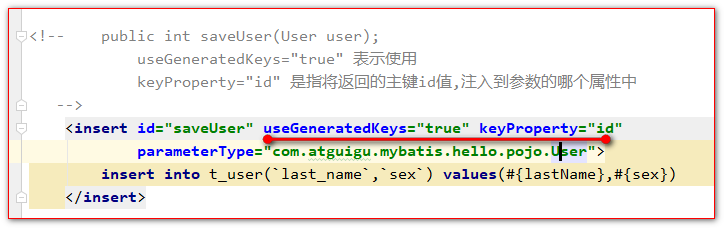
插入记录并返回主键
<selectKey> 标签的使用selectKey标签,它可以在语句的标签里面再定义一个查询语句。
这个查询语句,主要用于查询生成的主键
1 2 3 4 5 6 7 8 9 10 11 12 13 14 15 16 17 18 <insert id ="saveUser" parameterType ="com.atguigu.mybatis.hello.pojo.User" > <selectKey order ="AFTER" keyProperty ="id" resultType ="int" > </selectKey > </insert >
Oracle数据库的用法
select 序列名.nextval as id from dual
注解@MapKey的使用。 @MapKey可以把返回的结果转换为map对象,
并指定一个属性做为key( key是唯一的,所以指定的属性值要唯一 )
Mapper接口:
1 2 @MapKey("id") public Map<Integer,User> queryUsersForMap ()
Mapper.xml配置文件:
1 2 3 4 5 <select id ="queryUsersForMap" resultType ="com.atguigu.mybatis.hello.pojo.User" > </select >
测试代码:
1 2 3 4 5 6 7 8 9 10 11 12 13 14 15 16 17 18 19 @Test public void queryUsersForMap () try {for (Map.Entry<Integer, User> entry : integerUserMap.entrySet()) {finally {
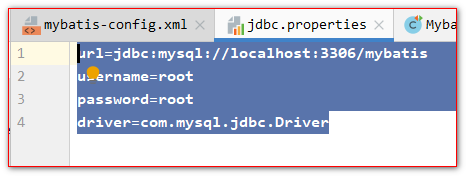
5、mybatis的核心配置之properties 1 2 3 4 5 6 7 8 9 10 <properties resource ="jdbc.properties" > </properties >
6、mybatis的核心配置之settings 这是 MyBatis 中极为重要的调整设置,它们会改变 MyBatis 的运行时行为。下表描述了设置中各项的意图、默认值等。
6.1、所有mybatis的settings设置选项
设置参数 描述 有效值 默认值
cacheEnabled
该配置影响的所有映射器中配置的缓存的全局开关。
true | false
true
lazyLoadingEnabled
延迟加载的全局开关。当开启时,所有关联对象都会延迟加载。 特定关联关系中可通过设置fetchType属性来覆盖该项的开关状态。
true | false
false
aggressiveLazyLoading
当启用时,对任意延迟属性的调用会使带有延迟加载属性的对象完整加载;反之,每种属性将会按需加载。
true | false
true
multipleResultSetsEnabled
是否允许单一语句返回多结果集(需要兼容驱动)。
true | false
true
useColumnLabel
使用列标签代替列名。不同的驱动在这方面会有不同的表现, 具体可参考相关驱动文档或通过测试这两种不同的模式来观察所用驱动的结果。
true | false
true
useGeneratedKeys
允许 JDBC 支持自动生成主键,需要驱动兼容。 如果设置为 true 则这个设置强制使用自动生成主键,尽管一些驱动不能兼容但仍可正常工作(比如 Derby)。
true | false
False
autoMappingBehavior
指定 MyBatis 应如何自动映射列到字段或属性。 NONE 表示取消自动映射;PARTIAL 只会自动映射没有定义嵌套结果集映射的结果集。 FULL 会自动映射任意复杂的结果集(无论是否嵌套)。
NONE, PARTIAL, FULL
PARTIAL
autoMappingUnknownColumnBehavior
Specify the behavior when detects an unknown column (or unknown property type) of automatic mapping target. · NONE: Do nothing · WARNING: Output warning log (The log level of'org.apache.ibatis.session.AutoMappingUnknownColumnBehavior'must be set to WARN) · FAILING: Fail mapping (Throw SqlSessionException)
NONE, WARNING, FAILING
NONE
defaultExecutorType
配置默认的执行器。SIMPLE 就是普通的执行器;REUSE 执行器会重用预处理语句(prepared statements); BATCH 执行器将重用语句并执行批量更新。
SIMPLE REUSE BATCH
SIMPLE
defaultStatementTimeout
设置超时时间,它决定驱动等待数据库响应的秒数。
Any positive integer
Not Set (null)
defaultFetchSize
Sets the driver a hint as to control fetching size for return results. This parameter value can be override by a query setting.
Any positive integer
Not Set (null)
safeRowBoundsEnabled
允许在嵌套语句中使用分页(RowBounds)。 If allow, set the false.
true | false
False
safeResultHandlerEnabled
允许在嵌套语句中使用分页(ResultHandler)。 If allow, set the false.
true | false
True
mapUnderscoreToCamelCase
是否开启自动驼峰命名规则(camel case)映射,即从经典数据库列名 A_COLUMN 到经典 Java 属性名 aColumn 的类似映射。
true | false
False
localCacheScope
MyBatis 利用本地缓存机制(Local Cache)防止循环引用(circular references)和加速重复嵌套查询。 默认值为 SESSION,这种情况下会缓存一个会话中执行的所有查询。 若设置值为 STATEMENT,本地会话仅用在语句执行上,对相同 SqlSession 的不同调用将不会共享数据。
SESSION | STATEMENT
SESSION
jdbcTypeForNull
当没有为参数提供特定的 JDBC 类型时,为空值指定 JDBC 类型。 某些驱动需要指定列的 JDBC 类型,多数情况直接用一般类型即可,比如 NULL、VARCHAR 或 OTHER。
JdbcType enumeration. Most common are: NULL, VARCHAR and OTHER
OTHER
lazyLoadTriggerMethods
指定哪个对象的方法触发一次延迟加载。
A method name list separated by commas
equals,clone,hashCode,toString
defaultScriptingLanguage
指定动态 SQL 生成的默认语言。
A type alias or fully qualified class name.
org.apache.ibatis.scripting.xmltags.XMLDynamicLanguageDriver
callSettersOnNulls
指定当结果集中值为 null 的时候是否调用映射对象的 setter(map 对象时为 put)方法,这对于有 Map.keySet() 依赖或 null 值初始化的时候是有用的。注意基本类型(int、boolean等)是不能设置成 null 的。
true | false
false
logPrefix
指定 MyBatis 增加到日志名称的前缀。
Any String
Not set
logImpl
指定 MyBatis 所用日志的具体实现,未指定时将自动查找。
SLF4J | LOG4J | LOG4J2 | JDK_LOGGING | COMMONS_LOGGING | STDOUT_LOGGING | NO_LOGGING
Not set
proxyFactory
指定 Mybatis 创建具有延迟加载能力的对象所用到的代理工具。
CGLIB | JAVASSIST
JAVASSIST (MyBatis 3.3 or above)
vfsImpl
Specifies VFS implementations
Fully qualified class names of custom VFS implementation separated by commas.
Not set
useActualParamName
Allow referencing statement parameters by their actual names declared in the method signature. To use this feature, your project must be compiled in Java 8 with -parameters option. (Since: 3.4.1)
true | false
true
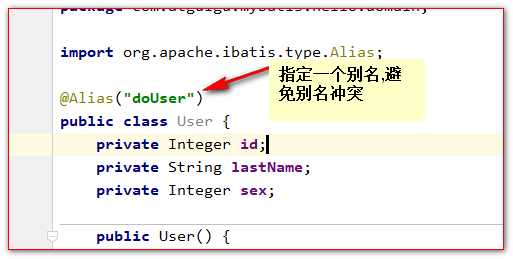
mybatis的核心配置之typeAliases 我们在编写sql的配置文件中,经常会出现大量的相同的全类名。
这些全类名都是一样的字符串,我们就可以给一个类型定义一个简短的别名。去使用这个别名表示一个具体的类型。
1 2 3 4 5 6 7 8 9 10 11 12 13 14 15 16 <typeAliases > <package name ="com.atguigu.mybatis.hello.pojo" /> <package name ="com.atguigu.mybatis.hello.domain" /> </typeAliases >
mybatis的核心配置之typeHandlers
类型处理器 Java 类型 JDBC 类型
BooleanTypeHandlerjava.lang.Boolean, boolean数据库兼容的 BOOLEAN
ByteTypeHandlerjava.lang.Byte, byte数据库兼容的 NUMERIC 或 BYTE
ShortTypeHandlerjava.lang.Short, short数据库兼容的 NUMERIC 或 SHORT INTEGER
IntegerTypeHandlerjava.lang.Integer, int数据库兼容的 NUMERIC 或 INTEGER
LongTypeHandlerjava.lang.Long, long数据库兼容的 NUMERIC 或 LONG INTEGER
FloatTypeHandlerjava.lang.Float, float数据库兼容的 NUMERIC 或 FLOAT
DoubleTypeHandlerjava.lang.Double, double数据库兼容的 NUMERIC 或 DOUBLE
BigDecimalTypeHandlerjava.math.BigDecimal数据库兼容的 NUMERIC 或 DECIMAL
StringTypeHandlerjava.lang.StringCHAR, VARCHAR
ClobReaderTypeHandlerjava.io.Reader-
ClobTypeHandlerjava.lang.StringCLOB, LONGVARCHAR
NStringTypeHandlerjava.lang.StringNVARCHAR, NCHAR
NClobTypeHandlerjava.lang.StringNCLOB
BlobInputStreamTypeHandlerjava.io.InputStream-
ByteArrayTypeHandlerbyte[]数据库兼容的字节流类型
BlobTypeHandlerbyte[]BLOB, LONGVARBINARY
DateTypeHandlerjava.util.DateTIMESTAMP
DateOnlyTypeHandlerjava.util.DateDATE
TimeOnlyTypeHandlerjava.util.DateTIME
SqlTimestampTypeHandlerjava.sql.TimestampTIMESTAMP
SqlDateTypeHandlerjava.sql.DateDATE
SqlTimeTypeHandlerjava.sql.TimeTIME
ObjectTypeHandlerAny
OTHER 或未指定类型
EnumTypeHandlerEnumeration Type
VARCHAR-任何兼容的字符串类型,存储枚举的名称(而不是索引)
EnumOrdinalTypeHandlerEnumeration Type
任何兼容的 NUMERIC 或 DOUBLE 类型,存储枚举的索引(而不是名称)。
8、mybatis的核心配置之environments 1 2 3 4 5 6 7 8 9 10 11 12 13 14 15 16 17 18 19 20 21 22 23 24 25 26 27 28 29 30 <environments default ="development" > <environment id ="development" > <transactionManager type ="JDBC" /> <dataSource type ="POOLED" > <property name ="driver" value ="${driver}" /> <property name ="url" value ="${url}" /> <property name ="username" value ="${username}" /> <property name ="password" value ="${password}" /> </dataSource > </environment > </environments >
9、mybatis的核心配置之databaseIdProvider MyBatis 可以根据不同的数据库厂商执行不同的语句,这种多厂商的支持是基于映射语句中的 databaseId 属性。 MyBatis 会加载不带 databaseId 属性和带有匹配当前数据库 databaseId 属性的所有语句。
1 2 3 4 5 6 7 <databaseIdProvider type ="DB_VENDOR" > <property name ="SQL Server" value ="sqlserver" /> <property name ="MySQL" value ="mysql" /> <property name ="DB2" value ="db2" /> <property name ="Oracle" value ="oracle" /> </databaseIdProvider >
mybatis提供了一个类VendorDatabaseIdProvider,中的getDatabaseId() 方法用于获取数据库的标识。
property 标签name属性是获取数据库ID标识。
property 标签value属性是我们给mybatis定义的一个简短的标识。
9.1、databaseId测试 1 2 3 4 5 6 7 8 9 10 11 12 13 14 15 <select id ="queryUsers" resultType ="user" > </select > <select id ="queryUsers" resultType ="user" databaseId ="mysql" > </select > <select id ="queryUsers" resultType ="user" databaseId ="oracle" > </select >
10、mybatis的核心配置之Mappers mappers标签专门用来引入sql的配置文件 mapper.xml配置文件
1 2 3 4 5 6 7 8 9 10 11 12 13 14 15 16 17 18 19 20 <mappers > <package name ="com.atguigu.mybatis.hello.mapper" /> </mappers >