今日目标
能够完成索引库的操作:新增、查询、删除
能够完成映射操作:配置映射,查看映射
能够完成文档的操作:新增、修改、删除
能完成请求体查询:基本查询、结果过滤、高亮查询,分页及排序
ES前置准备Lombok讲解
第一章 Elasticsearch集群 1.1 单点的问题 单台服务器,往往都有最大的负载能力,超过这个阈值,服务器性能就会大大降低甚至不可用。单点的elasticsearch也是一样,那单点的es服务器存在哪些可能出现的问题呢?
单台机器存储容量有限
单服务器容易出现单点故障,无法实现高可用
单服务的并发处理能力有限
所以,为了应对这些问题,我们需要对elasticsearch搭建集群
集群中节点数量没有限制,大于等于2个节点就可以看做是集群了。一般出于高性能及高可用方面来考虑集群中节点数量都是3个以上。
1.2 相关概念 1.2.1 集群 cluster 一个集群就是由一个或多个节点组织在一起,它们共同持有整个的数据,并一起提供索引和搜索功能。一个集群由一个唯一的名字标识,这个名字默认就是“Elasticsearch”。这个名字是重要的,因为一个节点只能通过指定某个集群的名字,来加入这个集群
1.2.2 节点 node 一个节点是集群中的一个服务,作为集群的一部分,它存储数据,参与集群的索引和搜索功能。和集群类似,一个节点也是由一个名字来标识的。这个名字对于管理工作来说挺重要的,因为在这个管理过程中,你会去确定网络中的哪些服务对应于Elasticsearch集群中的哪些节点。
一个节点可以通过配置集群名称的方式来加入一个指定的集群。默认情况下,每个节点都会被安排加入到一个叫做“Elasticsearch”的集群中,这意味着,如果你在你的网络中启动了若干个节点,并假定它们能够相互发现彼此,它们将会自动地形成并加入到一个叫做“Elasticsearch”的集群中。在一个集群里,只要你想,可以拥有任意多个节点。
1.2.3 分片和复制 shards&replicas(副本) 为了解决索引占用空间过大(1TB以上)这个问题,Elasticsearch提供了将索引划分成多份的能力,这些份就叫做分片。当你创建一个索引的时候,你可以指定你想要的分片的数量。
为了提高分片高可用,Elasticsearch允许创建分片的一份或多份拷贝,这些拷贝叫做复制分片,或者直接叫复制。
默认情况下,Elasticsearch中的每个索引被分片5个主分片和1个复制,这意味着,如果你的集群中至少有两个节点,你的索引将会有5个主分片和另外5个复制分片(1个完全拷贝),这样的话每个索引总共就有10个分片。
ElasticSearch7.x之后,如果不指定索引分片,默认会创建1个分片
1.3 (伪)集群的搭建 1.3.1 准备三台Elasticsearch服务器 创建Elasticsearch-cluster文件夹,在内部复制三个Elasticsearch服务
1.3.2 修改每台服务器配置 修改Elasticsearch-cluster\node*\config\Elasticsearch.yml配置文件
node1节点: 1 2 3 4 5 6 7 8 9 10 11 12 13 cluster.name: my-Elasticsearch node.name: node-1 network.host: 127.0 .0 .1 http.port: 9201 transport.tcp.port: 9301 discovery.zen.ping.unicast.hosts: ["127.0.0.1:9301" ,"127.0.0.1:9302" ,"127.0.0.1:9303" ]
node2节点: 1 2 3 4 5 6 7 8 9 10 11 12 13 cluster.name: my-Elasticsearch node.name: node-2 network.host: 127.0 .0 .1 http.port: 9202 transport.tcp.port: 9302 discovery.zen.ping.unicast.hosts: ["127.0.0.1:9301" ,"127.0.0.1:9302" ,"127.0.0.1:9303" ]
node3节点: 1 2 3 4 5 6 7 8 9 10 11 12 13 cluster.name: my-Elasticsearch node.name: node-3 network.host: 127.0 .0 .1 http.port: 9203 transport.tcp.port: 9303 discovery.zen.ping.unicast.hosts: ["127.0.0.1:9301" ,"127.0.0.1:9302" ,"127.0.0.1:9303" ]
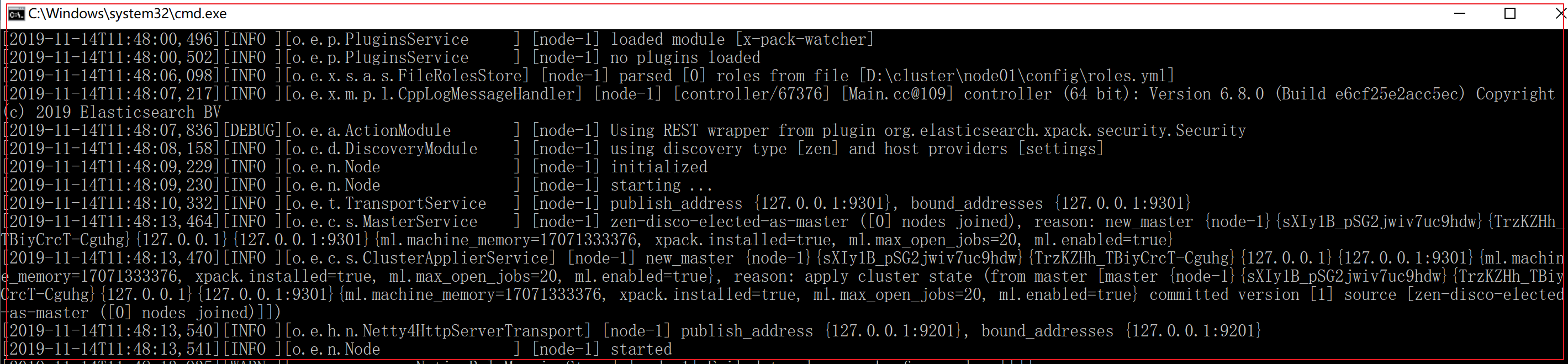
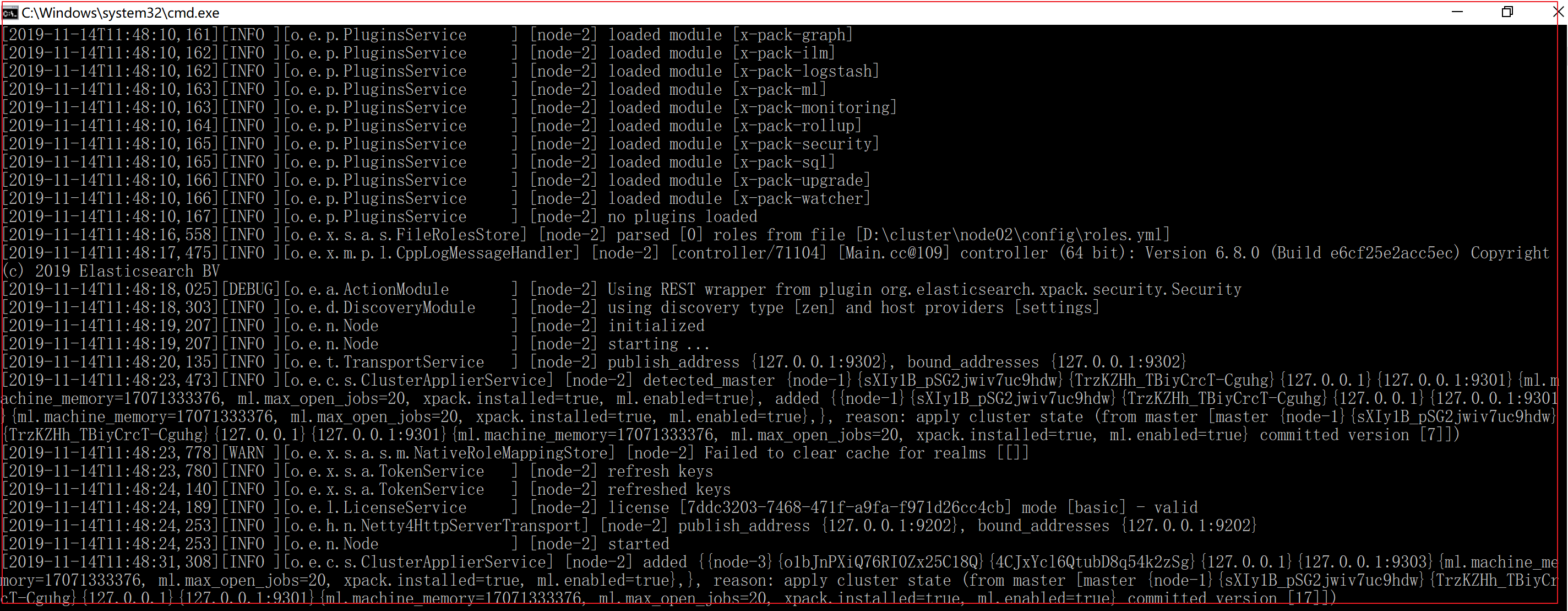
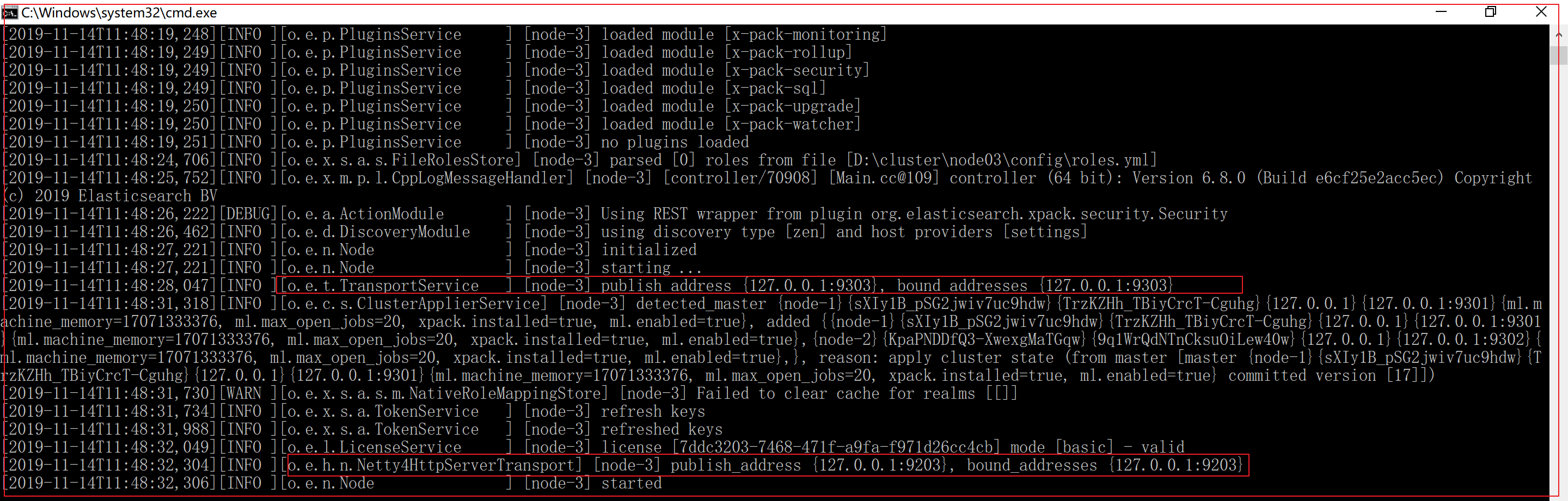
1.3.3 启动各个节点服务器 双击cluster\node*\bin\Elasticsearch.bat
启动节点1:
启动节点2:
启动节点3:
1.3.4 集群测试 创建索引和配置映射 1 2 3 4 5 6 7 8 9 10 11 12 13 14 15 16 17 18 19 20 21 22 23 24 25 PUT /heima2"settings" :{},"mappings" :{"goods" :{"properties" :{"title" :{"type" :"text" ,"analyzer" :"ik_max_word" "subtitle" :{"type" :"text" ,"analyzer" :"ik_max_word" "images" :{"type" :"keyword" ,"index" :"false" "price" :{"type" :"float"
添加文档 1 2 3 4 5 6 POST /heima2/goods"title" :"小米手机" ,"images" :"http://image.leyou.com/12479122.jpg" ,"price" :2699.00
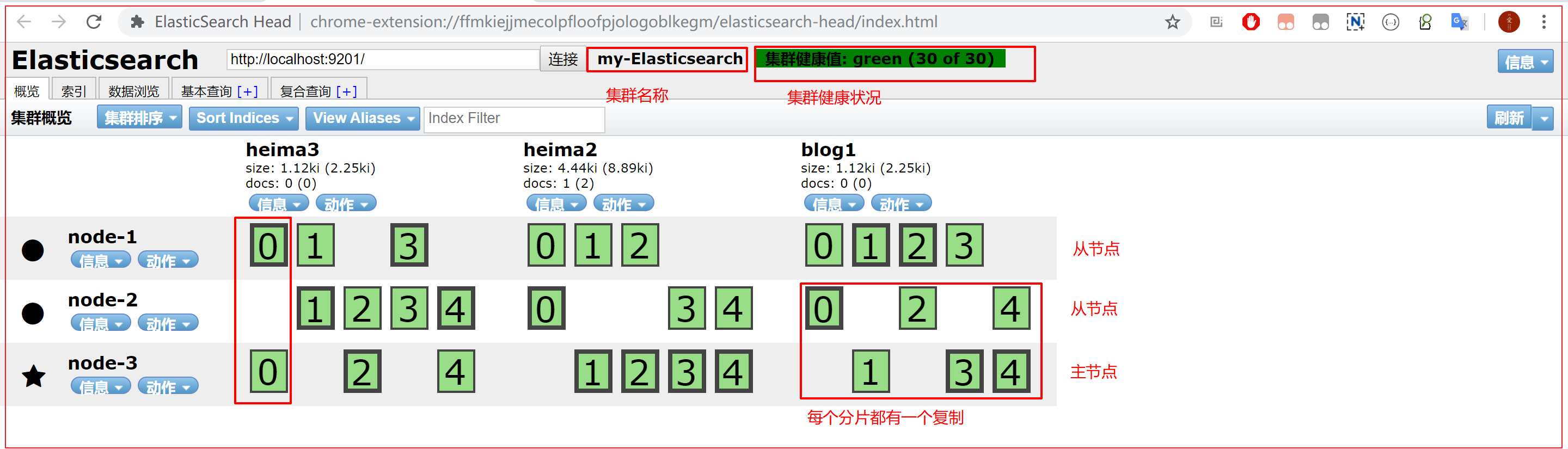
可以通过elasticsearch-head插件查看集群健康状态,有以下三个状态:
所有的主分片和副本分片都已分配。你的集群是 100% 可用的。
所有的主分片已经分片了,但至少还有一个副本是缺失的。不会有数据丢失,所以搜索结果依然是完整的。不过,你的高可用性在某种程度上被弱化。如果 更多的 分片消失,你就会丢数据了。把 yellow 想象成一个需要及时调查的警告。
至少一个主分片(以及它的全部副本)都在缺失中。这意味着你在缺少数据:搜索只能返回部分数据,而分配到这个分片上的写入请求会返回一个异常。
第二章 ElasticSearch高级Rest客户端 前面章节,我们学习了大量的命令操作Elasticsearch,本章我们将详细的介绍Spirng Boot整合Elasticsearch,通过Java代码操作ElasticSearch。
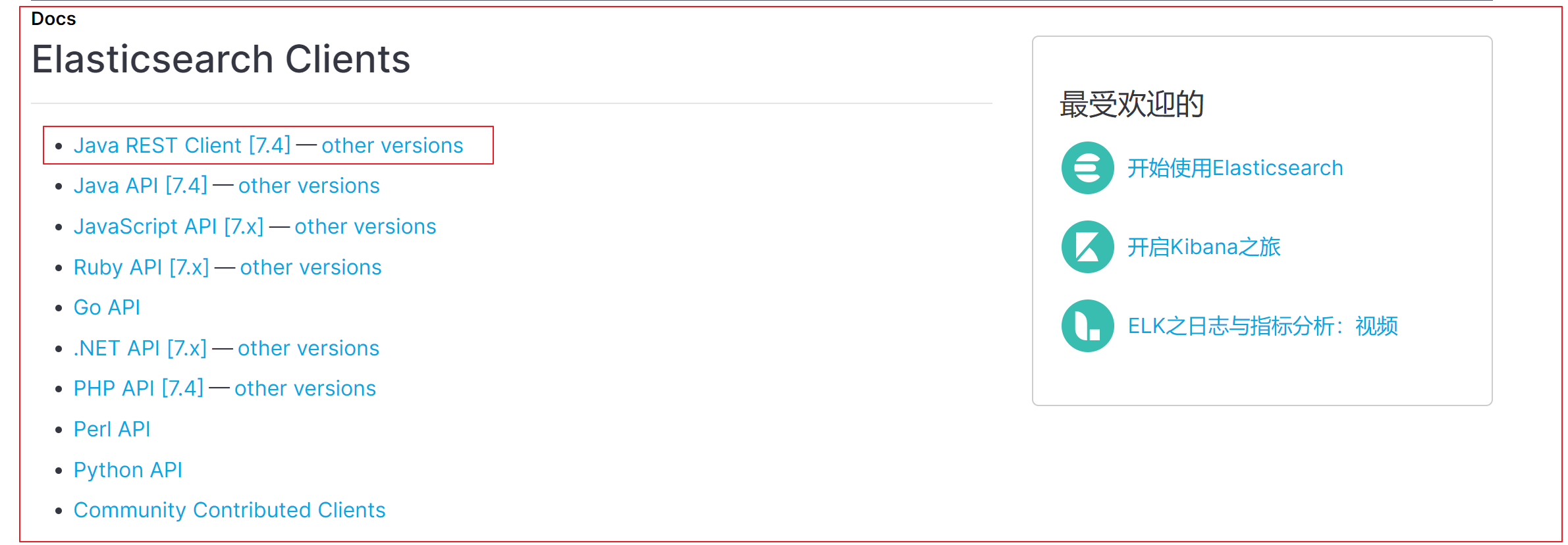
2.1 客户端开发环境搭建 Spring Boot集成Elasticsearch的时候,我们需要引入高阶客户端【elasticsearch-rest-high-level-client】【elasticsearch-rest-client】和【elasticsearch】来操作Elasticsearch,在引入起步依赖的时候,需要严格注意 Elasticsearch和起步依赖的版本关系,否则在使用过程中会出很多问题
搭建步骤:
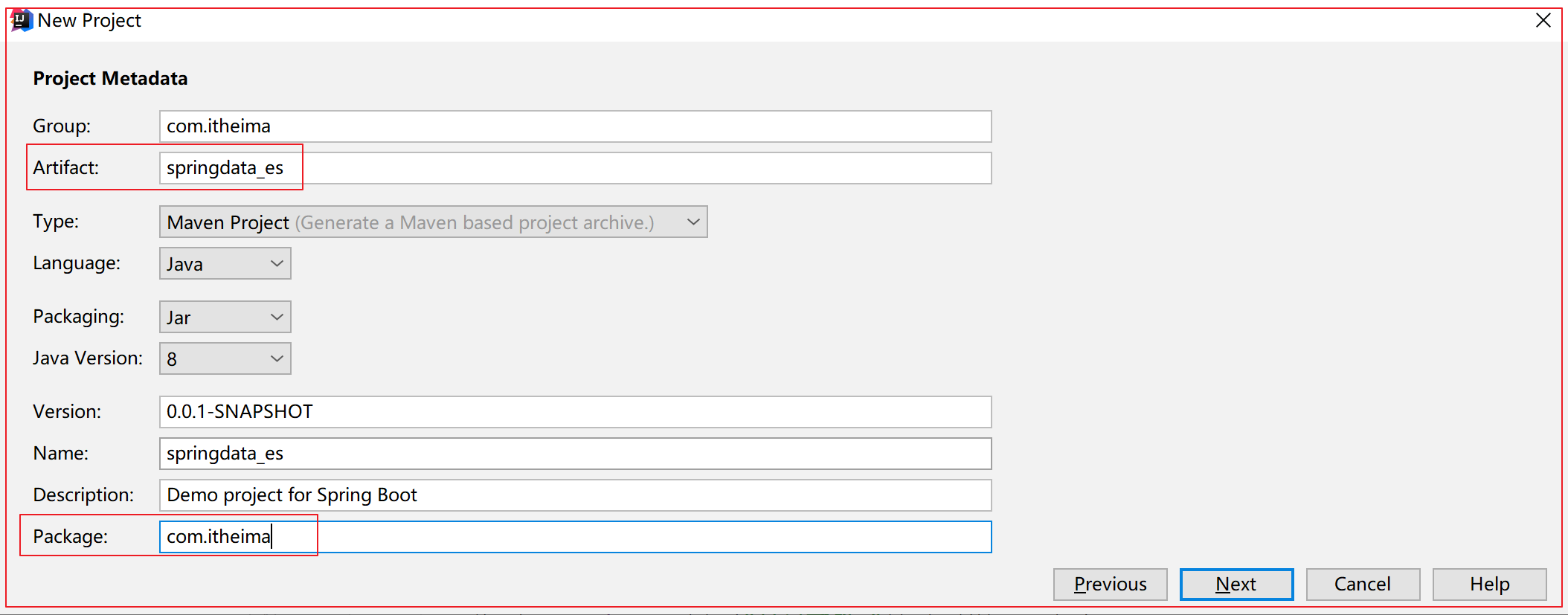
创建SpringBoot的项目,勾选starter配置
配置Maven依赖坐标
将ElasticSearch的客户端对象,注入Spring的容器
配置ElasticSearch,服务地址,端口号
搭建过程:
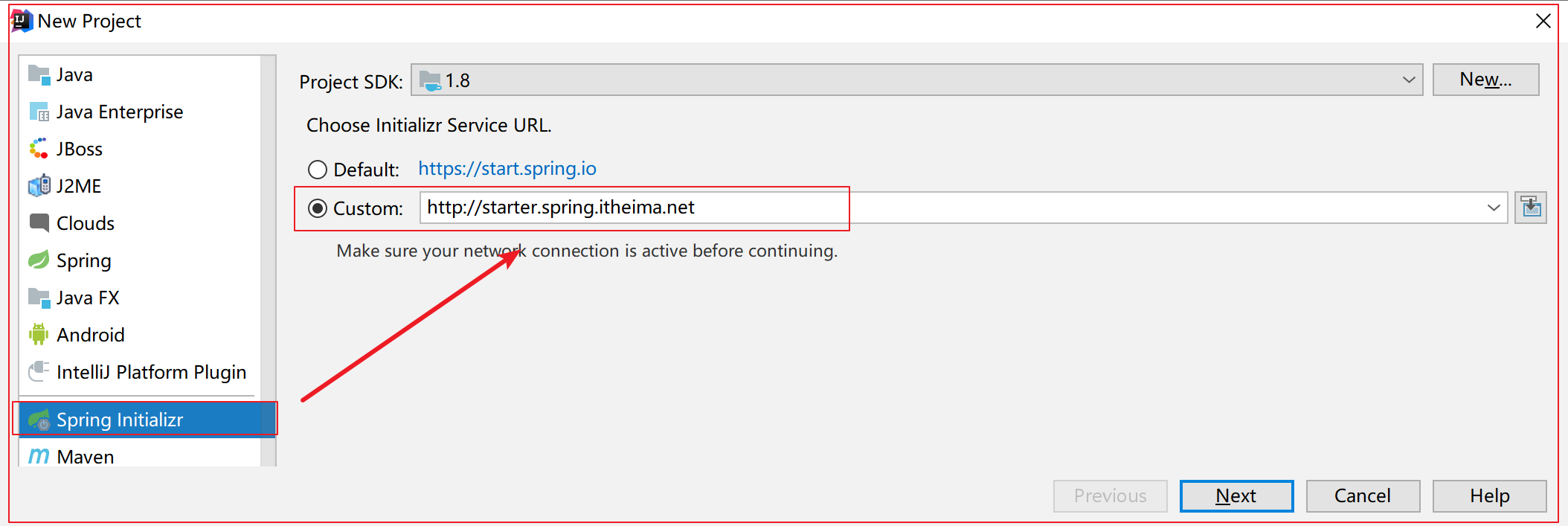
创建SpringBoot的项目,勾选starter配置
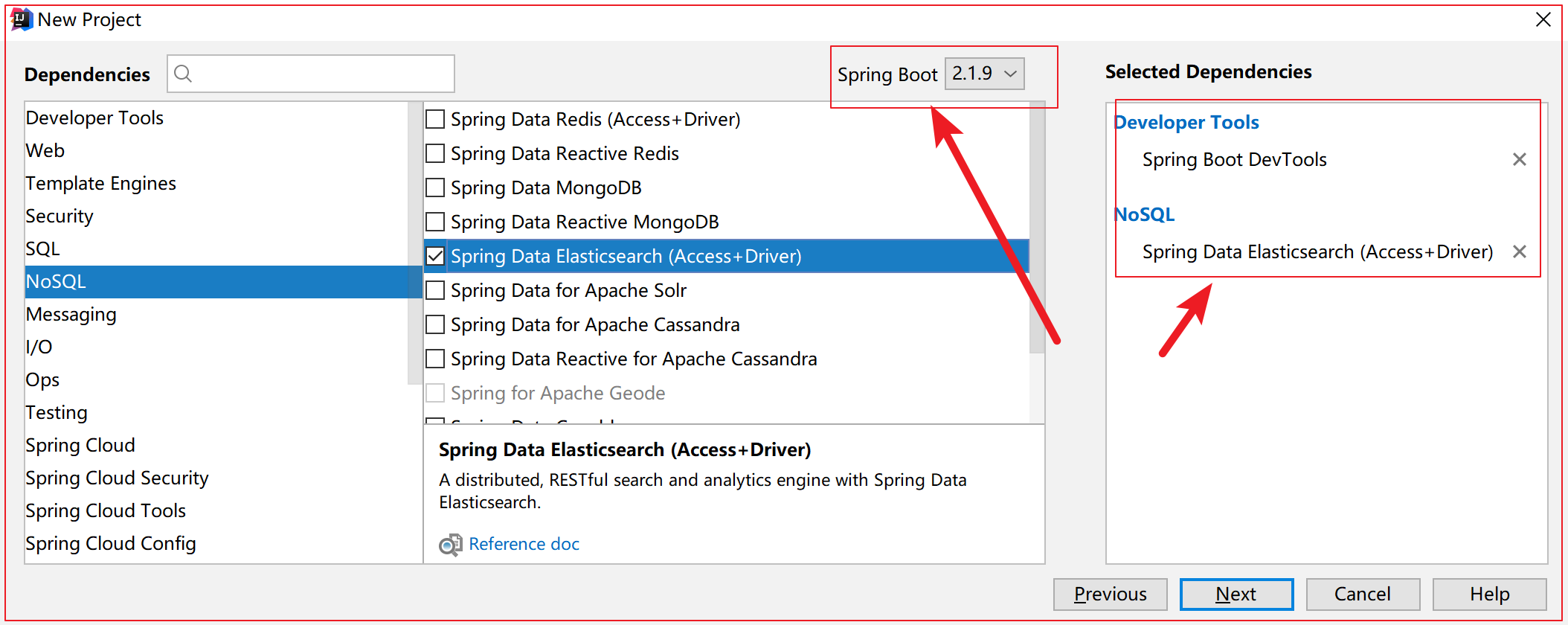
选黑马spring Initializr
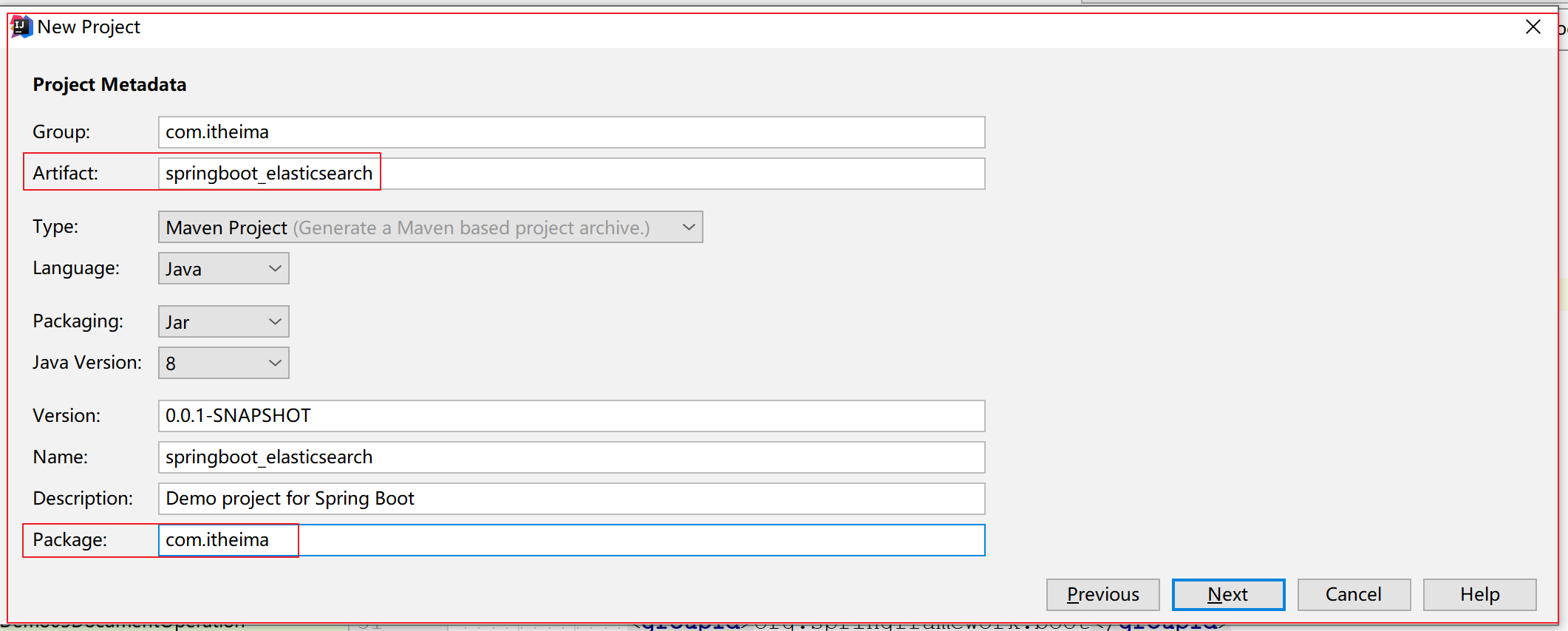
配置项目信息
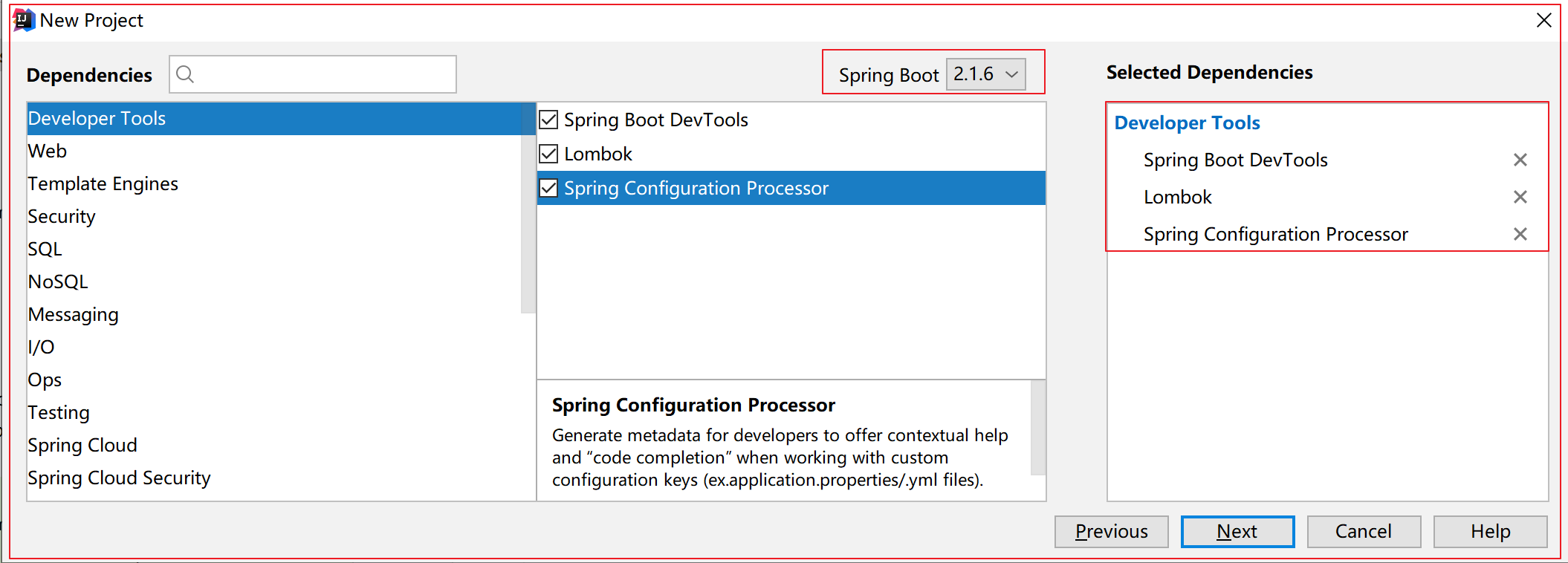
勾选starter,开发者工具、Lombok、配置文件映射处理器
配置Maven依赖坐标
1 2 3 4 5 6 7 8 9 10 11 12 13 14 15 16 17 18 <dependency > <groupId > org.elasticsearch.client</groupId > <artifactId > elasticsearch-rest-high-level-client</artifactId > <version > 6.8.0</version > </dependency > <dependency > <groupId > org.elasticsearch.client</groupId > <artifactId > elasticsearch-rest-client</artifactId > <version > 6.8.0</version > </dependency > <dependency > <groupId > org.elasticsearch</groupId > <artifactId > elasticsearch</artifactId > <version > 6.8.0</version > </dependency >
将ElasticSearch的客户端对象,注入Spring的容器
1 2 3 4 5 6 7 8 9 10 11 12 13 14 15 16 17 18 19 @Configuration @ConfigurationProperties(prefix = "elasticsearch") @Component public class ElasticSearchConfig private String host;private Integer port;@Bean(destroyMethod = "close") public RestHighLevelClient client () new HttpHost(host, port, "http" ));new RestHighLevelClient(restClientBuilder);return restHighLevelClient;
配置ElasticSearch,服务地址,端口号
1 2 3 4 5 6 elasticsearch.host =127.0.0.1 elasticsearch.port =9200 logging.level.com.itheima =debug
2.2 创建索引索引库 1、新增索引库 目标:使用ElasticSearch的高阶客户端,编写Java代码,创建索引库
分析:
Java high level客户端的操作,是模仿我们通过发送请求调用RESTful接口调用的方式,本质还是请求获取响应。
1 2 3 4 5 6 7 8 9 10 11 12 13 14 15 16 17 18 19 20 21 22 23 24 25 26 27 28 29 30 31 32 33 34 35 @RunWith(SpringRunner.class) @SpringBootTest public class Demo01IndexOperation @Autowired private RestHighLevelClient client;@Test public void create () throws IOException new CreateIndexRequest("heima3" );"index:" +response.index());"acknowledged:" +response.isAcknowledged());
执行结果 :
发送请求中,传入请求对象的同时还设置了一个RequestOptions对象的静态成员变量DEFAULT。其含义是,配置当前请求选项为默认值。
其中RequestOptions对象的作用是用来配置请求,主要配置项目有请求头,缓冲区大小(默认100M),异常处理器(warningsHandler)。默认情况下,缓冲区大小100MB,请求头及异常处理器为空。
2、查看索引库 1 2 3 4 5 6 7 8 9 10 11 12 13 14 15 16 17 18 19 20 21 @Test public void getIndex () throws IOException new GetIndexRequest("heima4" );"aliases: " +response.getAliases());"settings: " +response.getSettings());"mappings: " +response.getMappings());
执行结果 :
3、删除索引库 1 2 3 4 5 6 7 8 9 10 11 12 13 14 15 16 17 18 19 @Test public void delete () throws IOException new DeleteIndexRequest("heima2" );"acknowledged::" +response.isAcknowledged());
执行结果 :
2.3 配置映射 当配置Spring的ioc容器中的RestHighLevelClient对象的销毁执行方法之后,每次容器销毁对象时,必然会执行close方法,所以我们在使用完对象,可以不用每次手动关闭客户端。
1、配置映射 RestHighLevelClient配置映射,与kibana略有区别。在客户端中配置映射,不支持设置类型type。不设置type,并不代表没有,而是默认的type为_doc。
1 2 3 4 5 6 7 8 9 10 11 12 13 14 15 16 17 18 19 20 21 22 23 24 25 26 27 28 29 30 31 32 33 34 35 36 37 38 39 40 41 42 43 44 45 46 47 48 49 50 51 52 53 54 55 56 57 @RunWith(SpringRunner.class) @SpringBootTest public class Demo02MappingOperation @Autowired private RestHighLevelClient client;@Test public void putMappingMethodOne () throws IOException new PutMappingRequest("heima4" );"properties" )"title" )"type" ,"text" ).field("analyzer" ,"ik_max_word" )"subtitle" )"type" ,"text" ).field("analyzer" ,"ik_max_word" )"category" )"type" ,"keyword" )"brand" )"type" ,"keyword" )"images" )"type" ,"keyword" ).field("index" ,false )"price" )"type" ,"float" )"acknowledged::" +response.isAcknowledged());
执行结果 :
第二种方式:
1 2 3 4 5 6 7 8 9 10 11 12 13 14 15 16 17 18 19 @Test public void putMappingMethodTwo () throws IOException new PutMappingRequest("heima5" );"{\"properties\":{\"title\":{\"type\":\"text\",\"analyzer\":\"ik_max_word\"},\"subtitle\":{\"type\":\"text\",\"analyzer\":\"ik_max_word\"},\"category\":{\"type\":\"keyword\"},\"brand\":{\"type\":\"keyword\"},\"price\":{\"type\":\"float\"},\"images\":{\"type\":\"keyword\",\"index\":false}}}" , XContentType.JSON);"acknowledged::" +response.isAcknowledged());
执行结果 :
2、查看映射 1 2 3 4 5 6 7 8 9 10 11 12 13 14 15 16 17 18 19 @Test public void getMapping () throws IOException new GetMappingsRequest();"heima4" );"mappings::" +response.mappings());"Source::" +response.mappings().get("heima4" ).getSourceAsMap());
执行结果 :
2.4 文档操作 1、创建文档 创建实体:
1 2 3 4 5 6 7 8 9 10 public class Goods private Long id;private String title;private String subtitle;private String category;private String brand;private Double price;private String images;
创建操作代码:
1 2 3 4 5 6 7 8 9 10 11 12 13 14 15 16 17 18 19 20 21 22 23 24 25 26 27 28 29 30 31 32 33 34 35 36 37 38 39 40 41 42 43 44 45 46 47 48 49 @RunWith(SpringRunner.class) @SpringBootTest public class Demo03DocumentOperation @Autowired private RestHighLevelClient client;@Test public void createDoc () throws IOException new IndexRequest();"heima4" );"_doc" );"1" );new Goods(1l ,"小米手机" ,"小米" ,"手机" ,"小米" ,19999.0 ,"http://image.leyou.com/12479122.jpg" );new ObjectMapper().writeValueAsString(good);"_index::" +response.getIndex());"_type::" +response.getType());"_id::" +response.getId());"result::" +response.getResult());
执行结果 :
不设置主键ID:
2、修改文档 主键id相同,修改数据
1 2 3 4 5 6 7 8 9 10 11 12 13 14 15 16 17 18 19 20 21 22 23 24 25 26 27 28 29 30 31 32 33 34 @Test public void updateDoc () throws IOException new UpdateRequest();"heima4" );"_doc" );"1" );new Goods(1l ,"大米手机" ,"炒米" ,"手机" ,"小米" ,999.0 ,"http://image.leyou.com/12479122.jpg" );new ObjectMapper().writeValueAsString(good);"_index::" +response.getIndex());"_type::" +response.getType());"_id::" +response.getId());"result::" +response.getResult());
执行结果 :
3、根据id查询文档 1 2 3 4 5 6 7 8 9 10 11 12 13 14 15 16 17 18 19 20 21 22 23 24 25 26 27 28 @Test public void getDoc () throws IOException new GetRequest();"heima4" );"_doc" );"1" );"_index::" +response.getIndex());"_type::" +response.getType());"_id::" +response.getId());"_source::" +response.getSourceAsString());
执行结果 :
4、删除文档 1 2 3 4 5 6 7 8 9 10 11 12 13 14 15 16 17 18 19 20 21 22 23 24 @Test public void deleteDoc () throws IOException new DeleteRequest();"heima4" );"1" );"_doc" );"_index::" +response.getIndex());"_type::" +response.getType());"_id::" +response.getId());"_result::" +response.getResult());
执行结果 :
5、批量操作bulk 1 2 3 4 5 6 7 8 9 10 11 12 13 14 15 16 17 18 19 20 21 22 23 24 25 26 27 28 29 30 31 32 33 34 35 36 37 38 39 40 41 42 43 44 45 46 47 48 49 50 51 52 53 54 55 @RunWith(SpringRunner.class) @SpringBootTest public class Demo04BulkOperation @Autowired private RestHighLevelClient client;@Test public void createDoc () throws IOException new BulkRequest();new IndexRequest().id("1" ).type("_doc" ).index("heima3" ).source(XContentType.JSON,"id" ,1L ,"title" ,"大米手机" ,"category" ,"手机" ,"brand" ,"小米" ,"price" ,"2699.00" ,"images" ,"http://baidu.com" );new IndexRequest().id("2" ).type("_doc" ).index("heima3" ).source(XContentType.JSON,"id" ,2L ,"title" ,"大米手机" ,"category" ,"手机" ,"brand" ,"小米" ,"price" ,"2699.00" ,"images" ,"http://baidu.com" );"took::" +response.getTook());"Items::" +response.getItems());@Test public void bulkDelete () throws IOException new BulkRequest();new DeleteRequest().id("1" ).type("_doc" ).index("heima3" ));new DeleteRequest().id("2" ).type("_doc" ).index("heima3" ));"took::" +response.getTook());"Items::" +response.getItems());
执行结果 :
第三章 高级Rest客户端-请求体查询 模拟数据 1 2 3 4 5 6 7 8 9 10 11 12 13 14 15 16 @Test public void initData () throws IOException new BulkRequest();new IndexRequest().type("_doc" ).index("heima3" ).source(XContentType.JSON,"title" ,"大米手机" ,"images" ,"http://image.leyou.com/12479122.jpg" ,"price" ,3288 ,"category" ,"手机" ,"brand" ,"小米" ));new IndexRequest().type("_doc" ).index("heima3" ).source(XContentType.JSON,"title" ,"小米手机" ,"images" ,"http://image.leyou.com/12479122.jpg" ,"price" ,2699 ,"category" ,"手机" ,"brand" ,"小米" ));new IndexRequest().type("_doc" ).index("heima3" ).source(XContentType.JSON,"title" ,"小米电视4A" ,"images" ,"http://image.leyou.com/12479122.jpg" ,"price" ,4288 ,"category" ,"手机" ,"brand" ,"小米" ));new IndexRequest().type("_doc" ).index("heima3" ).source(XContentType.JSON,"title" ,"华为手机" ,"images" , "http://image.leyou.com/12479122.jpg" ,"price" , 5288 ,"subtitle" , "小米" ,"category" ,"手机" ,"brand" ,"小米" ));new IndexRequest().type("_doc" ).index("heima3" ).source(XContentType.JSON,"title" ,"apple手机" ,"images" ,"http://image.leyou.com/12479122.jpg" ,"price" ,5899.00 ,"category" ,"手机" ,"brand" ,"小米" ));"took::" +response.getTook());"Items::" +response.getItems());
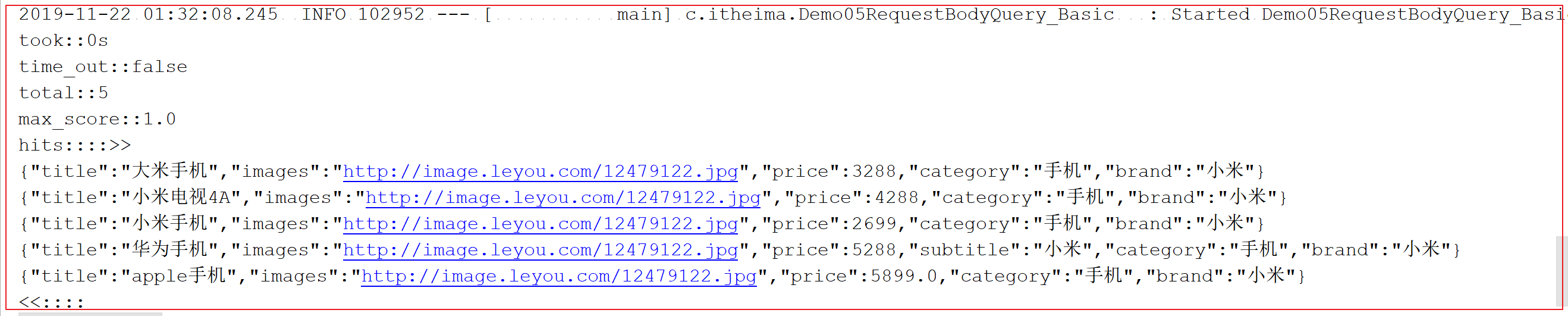
3.1 基本查询 1、匹配查询(matchAll) 1 2 3 4 5 6 7 8 9 10 11 12 13 14 15 16 17 18 19 20 21 22 23 24 25 26 27 28 29 30 31 32 33 34 35 36 37 38 39 40 41 42 43 44 45 46 47 48 49 50 51 52 53 @RunWith(SpringRunner.class) @SpringBootTest public class Demo05RequestBodyQuery_Basic @Autowired private RestHighLevelClient client;@Test public void matchAllQuery () throws IOException new SearchRequest();"_doc" );"heima4" );new SearchSourceBuilder();"took::" +response.getTook());"time_out::" +response.isTimedOut());"total::" +hits.getTotalHits());"max_score::" +hits.getMaxScore());"hits::::>>" );for (SearchHit hit : hits) {"<<::::" );
执行结果 :
2、匹配查询(match) 1 2 3 4 5 6 7 8 9 10 11 12 13 14 15 16 17 18 19 20 21 22 23 24 25 26 27 28 29 30 31 32 33 34 35 36 37 38 39 40 41 42 43 44 @Test public void matchQuery () throws IOException new SearchRequest();"_doc" );"heima4" );new SearchSourceBuilder();"title" , "小米手机" )public void printResult (SearchResponse response) "took::" +response.getTook());"time_out::" +response.isTimedOut());"total::" +hits.getTotalHits());"max_score::" +hits.getMaxScore());"hits::::>>" );for (SearchHit hit : hits) {"<<::::" );
执行结果 :
3、匹配查询(multi_match) 1 2 3 4 5 6 7 8 9 10 11 12 13 14 15 16 17 18 19 20 21 22 23 24 25 26 27 28 @Test public void mulitMatchQuery () throws IOException new SearchRequest();"_doc" );"heima4" );new SearchSourceBuilder();"小米" , "title" , "subtitle" );
执行结果 :
4、关键词精确匹配查询(term) 1 2 3 4 5 6 7 8 9 10 11 12 13 14 15 16 17 18 19 20 21 22 23 24 25 26 27 @Test public void termQuery () throws IOException new SearchRequest();"_doc" );"heima4" );new SearchSourceBuilder();"title" , "小米" ));
执行结果 :
5、多关键词精确匹配查询(terms) 1 2 3 4 5 6 7 8 9 10 11 12 13 14 15 16 17 18 19 20 21 22 23 24 25 26 27 @Test public void termsQuery () throws IOException new SearchRequest();"_doc" );"heima4" );new SearchSourceBuilder();"title" , "手机" , "小米" ));
执行结果 :
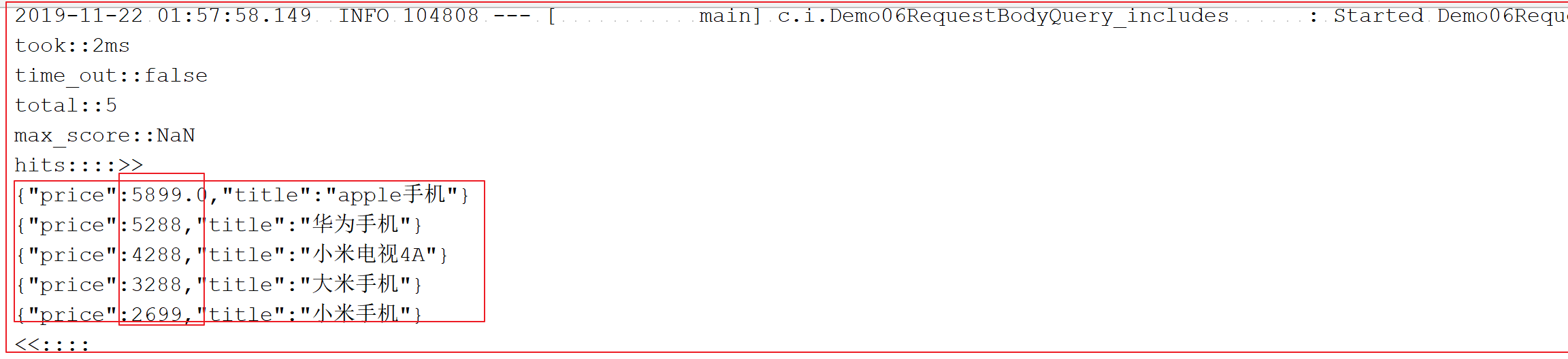
3.2 结果过滤,排序,分页 1 2 3 4 5 6 7 8 9 10 11 12 13 14 15 16 17 18 19 20 21 22 23 24 25 26 27 28 29 30 31 32 33 34 35 36 37 38 39 40 41 42 43 44 45 46 47 48 49 50 51 52 53 54 55 56 57 58 59 60 61 62 63 @RunWith(SpringRunner.class) @SpringBootTest public class Demo06RequestBodyQuery_includes @Autowired private RestHighLevelClient client;@Test public void includesSources () throws IOException new SearchRequest();"_doc" );"heima4" );new SearchSourceBuilder();"title" ,"price" ,"images" };"images" };"price" );0 );5 );public void printResult (SearchResponse response) "took::" +response.getTook());"time_out::" +response.isTimedOut());"total::" +hits.getTotalHits());"max_score::" +hits.getMaxScore());"hits::::>>" );for (SearchHit hit : hits) {"<<::::" );
执行结果 :
3.3 高级查询 1、布尔查询(bool) 目标:查询title中必须包含小米,一定不含有电视,应该含有手机的所有商品
1 2 3 4 5 6 7 8 9 10 11 12 13 14 15 16 17 18 19 20 21 22 23 24 25 26 27 28 29 30 31 32 33 34 35 36 37 38 39 40 41 42 43 44 45 46 47 48 @RunWith(SpringRunner.class) @SpringBootTest public class Demo07QueryHighLevel @Autowired private RestHighLevelClient client;@Test public void boolQuery () throws IOException new SearchRequest();"_doc" );"heima4" );new SearchSourceBuilder();"title" ,"小米" ));"title" ,"电视" ));"title" ,"手机" ));
执行结果 :
2、范围查询(range) 目标:查询价格大于2千,小于4千的所有商品
1 2 3 4 5 6 7 8 9 10 11 12 13 14 15 16 17 18 19 20 21 22 23 24 25 26 27 28 29 30 31 32 33 @Test public void rangeQuery () throws IOException new SearchRequest();"_doc" );"heima4" );new SearchSourceBuilder();"price" );2000 );4000 );
执行结果 :
3、模糊查询(fuzzy) 1 2 3 4 5 6 7 8 9 10 11 12 13 14 15 16 17 18 19 20 21 22 23 24 25 26 27 28 29 @Test public void fuzzyQuery () throws IOException new SearchRequest().types("_doc" ).indices("heima4" );new SearchSourceBuilder();"title" , "appla" );
执行结果 :
3.4 高亮查询(Highlighter) 1 2 3 4 5 6 7 8 9 10 11 12 13 14 15 16 17 18 19 20 21 22 23 24 25 26 27 28 29 30 31 32 33 34 35 36 37 38 39 40 41 42 43 44 45 46 47 48 49 50 51 52 53 54 55 56 57 58 @RunWith(SpringRunner.class) @SpringBootTest public class Demo08HighLighterQuery @Autowired private RestHighLevelClient client;@Test public void highLighterQuery () throws IOException new SearchRequest().types("_doc" ).indices("heima4" );new SearchSourceBuilder();"title" , "小米" );new HighlightBuilder();"<font color='red'>" );"</font>" );"title" );"took::" +response.getTook());"time_out::" +response.isTimedOut());"total::" +hits.getTotalHits());"max_score::" +hits.getMaxScore());"hits::::>>" );for (SearchHit hit : hits) {"<<::::" );
执行结果 :
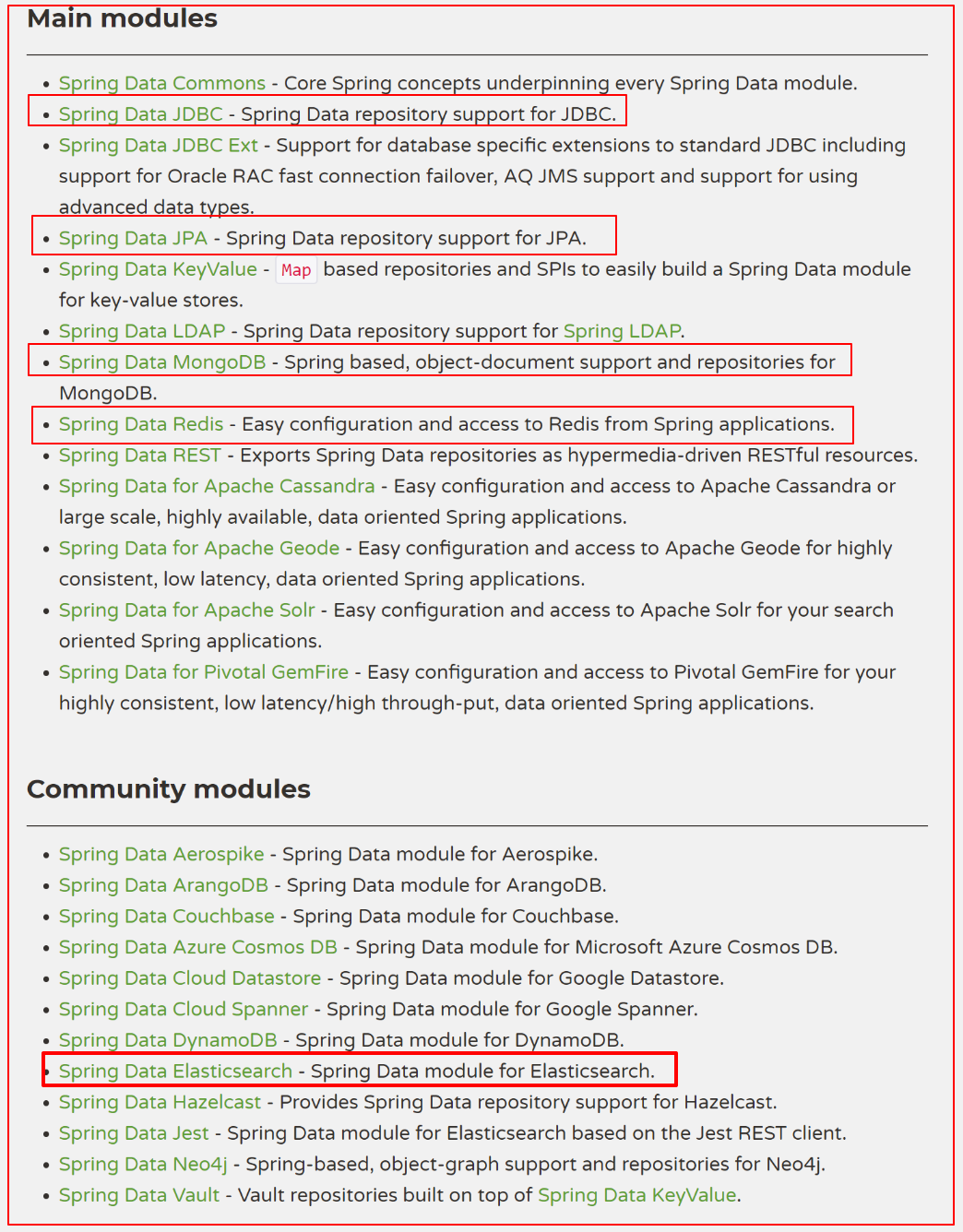
第四章 Spring Data ElasticSearch 使用 4.1 Spring Data ElasticSearch简介 4.1.1 什么是Spring Data Spring Data是一个用于==简化持久层数据访问==的开源框架。其主要目标是使得对数据的访问变得方便快捷 。 Spring Data可以极大的简化数据操作的写法,可以在几乎不用写实现的情况下,实现对数据的访问和操作。包括CRUD外,还包括如分页、排序等一些常用的功能,几乎可以节省持久层代码80%以上的编码工作量。
Spring Data的官网:http://projects.spring.io/spring-data/
Spring Data常用的功能模块如下:
4.1.2 什么是Spring Data ElasticSearch Spring Data ElasticSearch 基于 spring data API 简化 elasticSearch操作,将原始操作elasticSearch的客户端API 进行封装 。Spring Data为Elasticsearch项目提供集成搜索引擎。Spring Data Elasticsearch POJO的关键功能区域为中心的模型与Elastichsearch交互文档和轻松地编写一个存储库数据访问层。
官方网站:http://projects.spring.io/spring-data-elasticsearch/
这个在高版本中已经废弃,官方建议我们使用:High Level REST Client ,也就是说跟文章这里的2.1配置RestHighLevelClient一样就行了。新版的spring-data-elasticsearch中,ElasticsearchRestTemplate代替了原来的ElasticsearchTemplate。
用来操作ElasticSearch的框架,使得开发更加便捷
4.2 环境搭建 实现步骤:
创建SpringBoot的项目
勾选starter依赖坐标
编写持久层接口GoodDao,编写pojo实体类
配置文件,集群配置,ElasticSearch服务地址http://127.0.0.1:9300
实现过程:
创建SpringBoot的项目
勾选starter依赖坐标
编写持久层接口GoodDao,编写pojo实体类
1 2 public interface GoodDao
pojo实体类,商品good
1 2 3 4 5 6 7 8 9 public class Good private Long id;private String title;private String category;private String brand;private Double price;private String images;
配置文件,集群配置,ElasticSearch服务地址http://127.0.0.1:9300
1 2 3 4 spring.data.elasticsearch.cluster-name =elasticsearch spring.data.elasticsearch.cluster-nodes =127.0.0.1:9300
4.3 常用操作 1、创建索引库操作 几个用到的注解:
@Document:声明索引库配置
indexName:索引库名称
type:类型名称,默认是“docs”
shards:分片数量,默认5
replicas:副本数量,默认1
@Id:声明实体类的id
@Field:声明字段属性
type:字段的数据类型
analyzer:指定分词器类型
index:是否创建索引 默认为true
store:是否存储 默认为false
实体类配置:
1 2 3 4 5 6 7 8 9 10 11 12 13 14 15 16 17 18 19 20 21 22 23 24 25 26 27 28 29 30 31 @Document(indexName = "heima4",type = "goods",shards = 5,replicas = 1) public class Good @Id private Long id;@Field(type = FieldType.Text,analyzer = "ik_max_word") private String title;@Field(type = FieldType.Keyword) private String category;@Field(type = FieldType.Keyword) private String brand;@Field(type = FieldType.Double) private Double price;@Field(type = FieldType.Keyword,index = false) private String images;
测试类:
1 2 3 4 5 6 7 8 9 10 11 12 13 14 15 16 17 18 19 20 21 22 23 24 25 26 27 28 29 30 31 @RunWith(SpringRunner.class) @SpringBootTest public class SpringdataEsIndex @Autowired private ElasticsearchTemplate elasticsearchTemplate;@Test public void createIndexAndPutMapping () boolean indexResult = elasticsearchTemplate.createIndex(Good.class);"创建索引结果:" +indexResult);"配置映射结果:" +indexResult);@Test public void deleteIndex ()
2、文档的常见增删改查 继承ElasticsearchRespository模板接口
1 2 3 4 5 6 public interface GoodDao extends ElasticsearchRepository <Good ,Long >
测试类代码:
1 2 3 4 5 6 7 8 9 10 11 12 13 14 15 16 17 18 19 20 21 22 23 24 25 26 27 28 29 30 31 32 33 34 35 36 37 38 39 40 41 42 43 44 45 46 47 48 49 50 51 52 53 54 55 56 57 58 59 60 61 62 63 64 65 66 67 68 69 70 71 72 73 74 75 76 77 78 79 80 81 82 83 84 85 86 87 88 89 90 91 92 93 94 @RunWith(SpringRunner.class) @SpringBootTest public class SpringdataEsGoodCRUD @Autowired private GoodDao goodDao;@Test public void save () new Good();1l );"小米手机" );"手机" );"小米" );19999.0 );"http://image.leyou.com/12479122.jpg" );@Test public void update () new Good();1l );"小米手机" );"手机" );"小米" );9999.0 );"http://image.leyou.com/12479122.jpg" );@Test public void delete () new Good();1l );@Test public void findById () 2l ).get();@Test public void findAll () for (Good good : goods) {@Test public void saveAll () new ArrayList<>();for (int i = 0 ; i < 100 ; i++) {new Good();long ) i);"[" +i+"]小米手机" );"手机" );"小米" );19999.0 +i);"http://image.leyou.com/12479122.jpg" );@Test public void findByPageable () new Sort(Sort.Direction.DESC,"id" );int currentPage=2 ;int pageSize = 100 ;for (Good good : goodPage.getContent()) {
3、Search查询 ElasticSearch的search方法中QueryBuilders,就是第一章中的查询对象构建对象QueryBuilders。QueryBuilders具备的能力,search方法都具备。所以,在这里重复内容不赘述,仅举例term查询。
1 2 3 4 5 6 7 8 9 10 11 12 13 14 15 16 17 18 19 20 21 22 23 24 25 26 27 28 29 30 31 32 33 34 35 36 37 38 39 40 @RunWith(SpringRunner.class) @SpringBootTest public class SpringdataEsSearch @Autowired private GoodDao goodDao;@Test public void termQuery () "title" , "小米" );for (Good g : goods) {@Test public void termQueryByPage () int currentPage= 0 ;int pageSize = 5 ;"title" , "小米" );for (Good g : goods) {
4、自定义方法名称查询 GoodsRepository提供了非常强大的自定义查询功能;只要遵循SpringData提供的语法,我们可以任意定义方法声明;
查询语法:findBy+字段名+Keyword+字段名+….
Keyword
Sample
Elasticsearch Query String
AndfindByNameAndPrice{"bool" : {"must" : [ {"field" : {"name" : "?"}}, {"field" : {"price" : "?"}} ]}}
OrfindByNameOrPrice{"bool" : {"should" : [ {"field" : {"name" : "?"}}, {"field" : {"price" : "?"}} ]}}
IsfindByName{"bool" : {"must" : {"field" : {"name" : "?"}}}}
NotfindByNameNot{"bool" : {"must_not" : {"field" : {"name" : "?"}}}}
BetweenfindByPriceBetween{"bool" : {"must" : {"range" : {"price" : {"from" : ?,"to" : ?,"include_lower" : true,"include_upper" : true}}}}}
BeforefindByPriceBefore{"bool" : {"must" : {"range" : {"price" : {"from" : null,"to" : ?,"include_lower" : true,"include_upper" : true}}}}}
AfterfindByPriceAfter{"bool" : {"must" : {"range" : {"price" : {"from" : ?,"to" : null,"include_lower" : true,"include_upper" : true}}}}}
LikefindByNameLike{"bool" : {"must" : {"field" : {"name" : {"query" : "?*","analyze_wildcard" : true}}}}}
StartingWithfindByNameStartingWith{"bool" : {"must" : {"field" : {"name" : {"query" : "?*","analyze_wildcard" : true}}}}}
EndingWithfindByNameEndingWith
{"bool" : {"must" : {"field" : {"name" : {"query" : "*?","analyze_wildcard" : true}}}}}
InfindByNameIn(Collection<String>names){"bool" : {"must" : {"bool" : {"should" : [ {"field" : {"name" : "?"}}, {"field" : {"name" : "?"}} ]}}}}
NotInfindByNameNotIn(Collection<String>names){"bool" : {"must_not" : {"bool" : {"should" : {"field" : {"name" : "?"}}}}}}
OrderByfindByNameOrderByNameDesc{"sort" : [{ "name" : {"order" : "desc"} }],"bool" : {"must" : {"field" : {"name" : "?"}}}
持久层接口:
1 2 3 4 5 6 7 8 9 10 11 12 13 14 15 public interface GoodDao extends ElasticsearchRepository <Good ,Long > List<Good> findAllByTitleAndPrice (String title,Double price) ;List<Good> findByPriceBetween (Double lowPrice,Double highPrice) ;
测试类:
1 2 3 4 5 6 7 8 9 10 11 12 13 14 15 16 17 18 19 20 21 22 23 24 25 26 27 28 29 30 31 32 33 34 35 36 37 38 @RunWith(SpringRunner.class) @SpringBootTest public class SpringdataEsCustomMethodQuery @Autowired private GoodDao goodDao;@Test public void findAllByTitleAndPrice () "小米" ;20023.0 ;for (Good g : goods) {@Test public void findPriceBetween () double lowPrice = 3000.0 ;double highPrice = 20000.0 ;for (Good g : goods) {
总结
能够完成索引库的操作:新增、查询、删除
能够完成映射操作:配置映射,查看映射
能够完成文档的操作:新增、修改、删除
能完成请求体查询:基本查询、结果过滤、高亮查询,分页及排序
脑裂
聚合