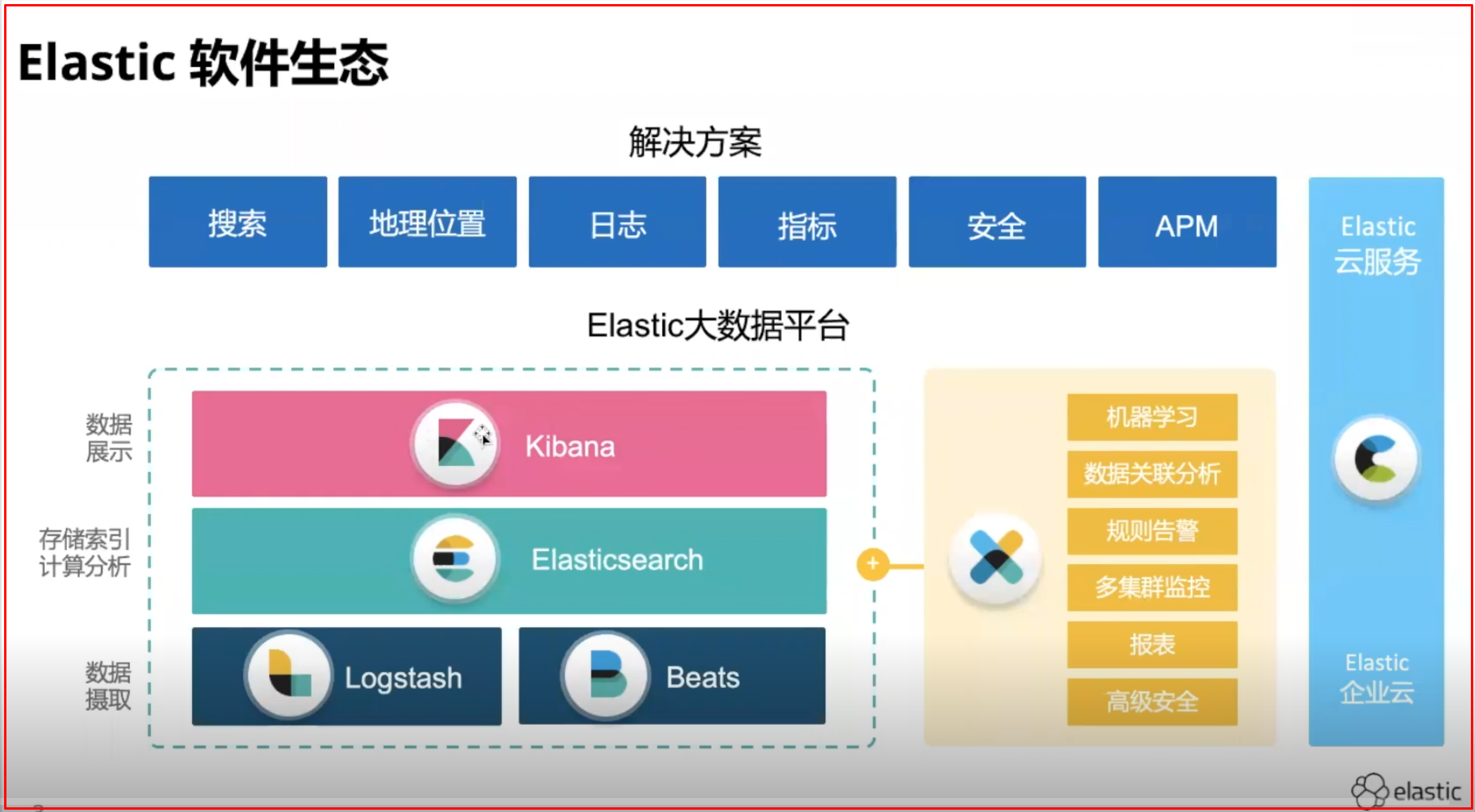
!!!其他的ElasticSearch笔记!!! 飞书文档:
https://pvkxuvo04g.feishu.cn/file/boxcnmEzQkn0G1oWuQyxSj3puKh
今日目标
理解Elasticsearch的作用
能够安装Elasticsearch服务
理解Elasticsearch的相关概念
能够使用Postman发送Restful请求操作Elasticsearch
理解分词器的作用
能够使用Elasticsearch集成IK分词器
第一章 Elasticsearch简介 1.1 什么是Elasticsearch Elaticsearch,简称为es, es是一个开源的==高扩展的分布式全文检索引擎 ==,它可以近乎实时的检索数据;本身扩展性很好,可以扩展到上百台服务器,处理PB级别的数据。ES使用Java开发。Lucene作为其核心来实现所有索引和搜索的功能,但是它的目的是通过简单的RESTful API来隐藏Lucene的复杂性,从而让全文搜索变得简单。
1.2 Elasticsearch的使用案例
百度:百度目前广泛使用Elasticsearch作为文本数据分析,采集百度所有服务器上的各类指标数据及用户自定义数据,通过对各种数据进行多维分析展示,辅助定位分析实例异常或业务层面异常。目前覆盖百度内部20多个业务线(包括casio、云分析、网盟、预测、文库、直达号、钱包、风控等),单集群最大100台机器,200个ES节点,每天导入30TB+数据
新浪使用ES 分析处理32亿条实时日志
阿里使用ES 构建挖财自己的日志采集和分析体系
2013年初,GitHub抛弃了Solr,采用Elasticsearch 来做PB级的搜索。 “GitHub使用Elasticsearch搜索20TB的数据,包括13亿文件和1300亿行代码”
维基百科:启动以Elasticsearch为基础的核心搜索架构
SoundCloud:“SoundCloud使用Elasticsearch为1.8亿用户提供即时而精准的音乐搜索服务”
1.3 Es企业使用场景 企业使用场景一般分为2种情况:
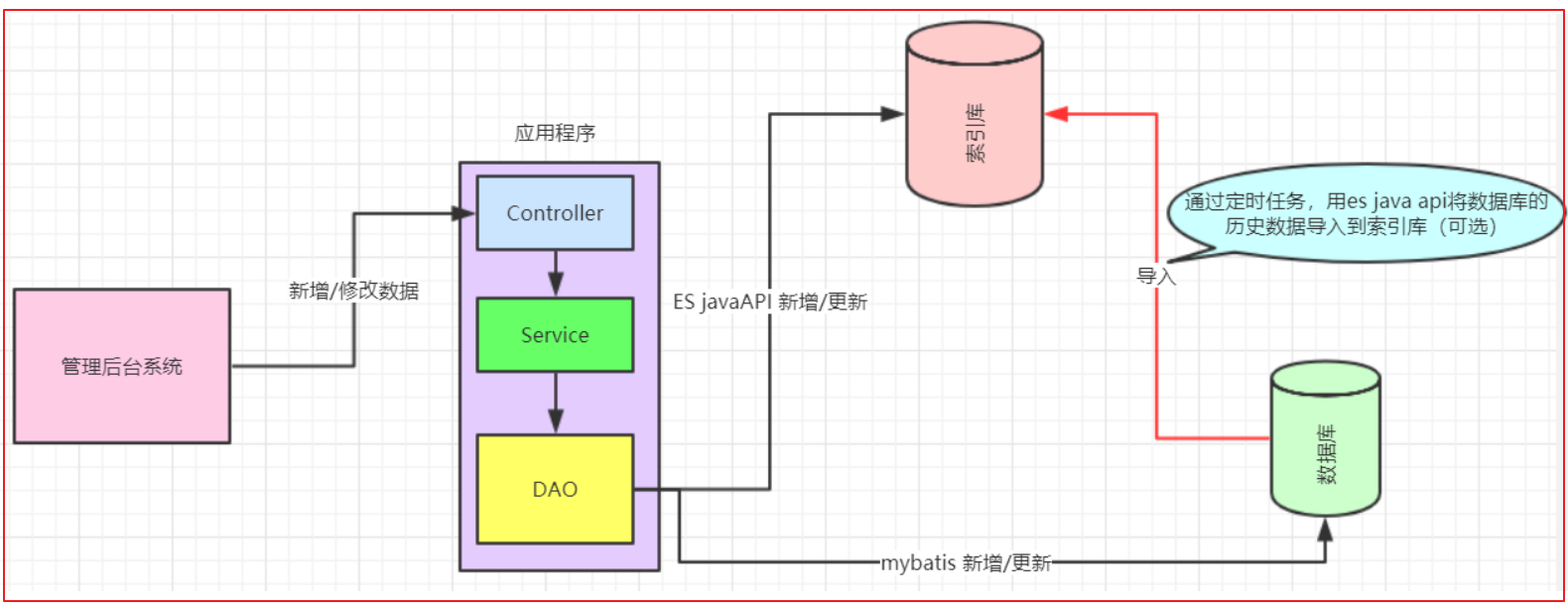
1、已经上线的系统: 模块搜索功能使用数据库查询实现,但是已经出现性能问题,或者不满足产品的高亮相关度排序需求时。这种情况就会对系统的查询功能进行技术改造,转而使用全文检索,而es就是首选。改造业务流程如图:
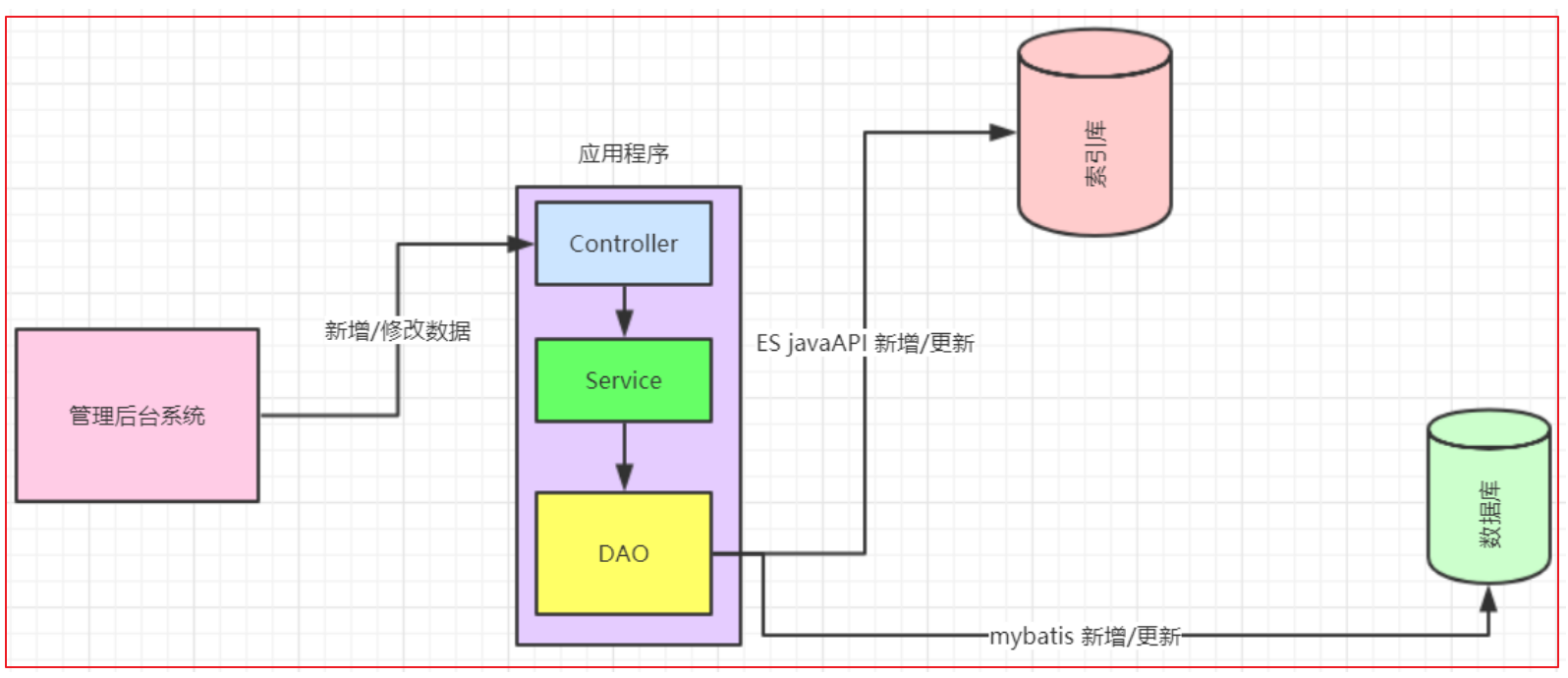
2、系统新增加的模块: 产品一开始就要实现高亮相关度排序等全文检索的功能。针对这种情况,企业实现功能业务流程如图:
3、索引库存什么数据 索引库的数据是用来搜索用的,里面存储的数据和数据库一般不会是完全一样的,一般都比数据库的数据少。
那索引库存什么数据呢?
以业务需求为准,需求决定页面要显示什么字段以及会按什么字段进行搜索,那么这些字段就都要保存到索引库中。
第二章 相关软件的安装 2.1 Elasticsearch安装 1、下载ES压缩包 目前Elasticsearch最新的版本是7.4.2,我们使用6.8.0版本,建议使用JDK1.8及以上
Elasticsearch分为Linux和Window版本,基于我们主要学习的是Elasticsearch的Java客户端的使用,所以我们课程中使用的是安装较为简便的Window版本,项目上线后,公司的运维人员会安装Linux版的ES供我们连接使用。
Elasticsearch的官方地址:https://www.elastic.co/cn/downloads/past-releases
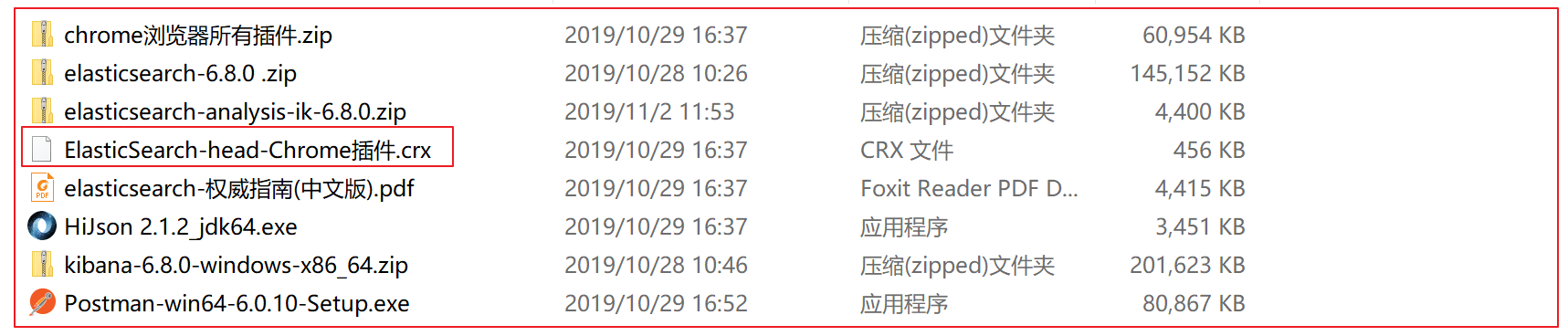
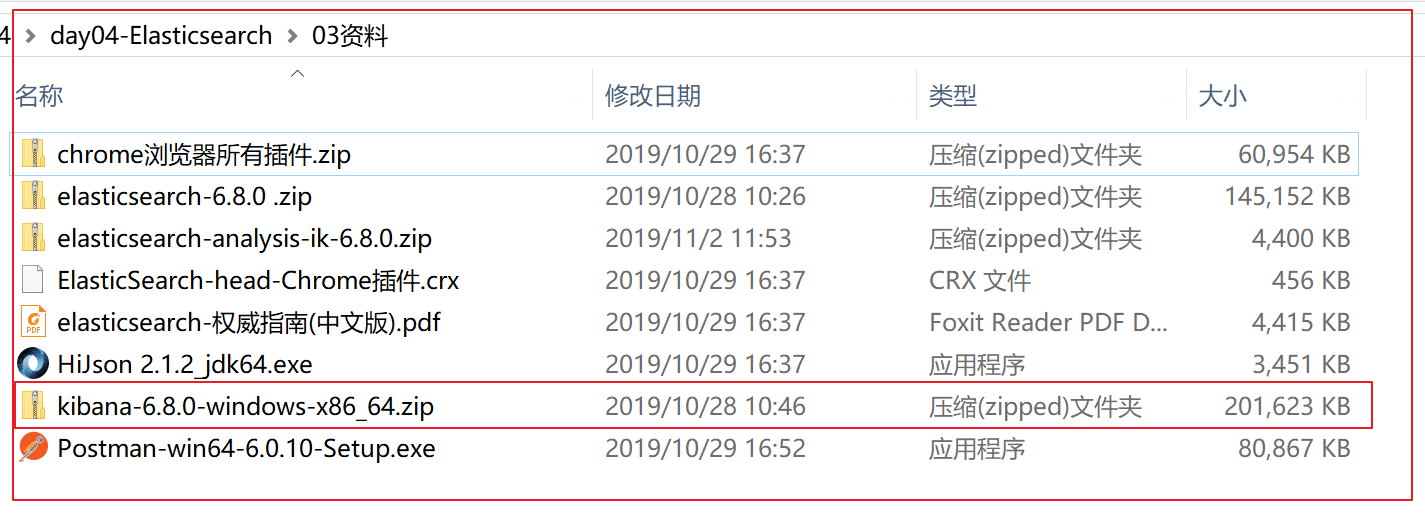
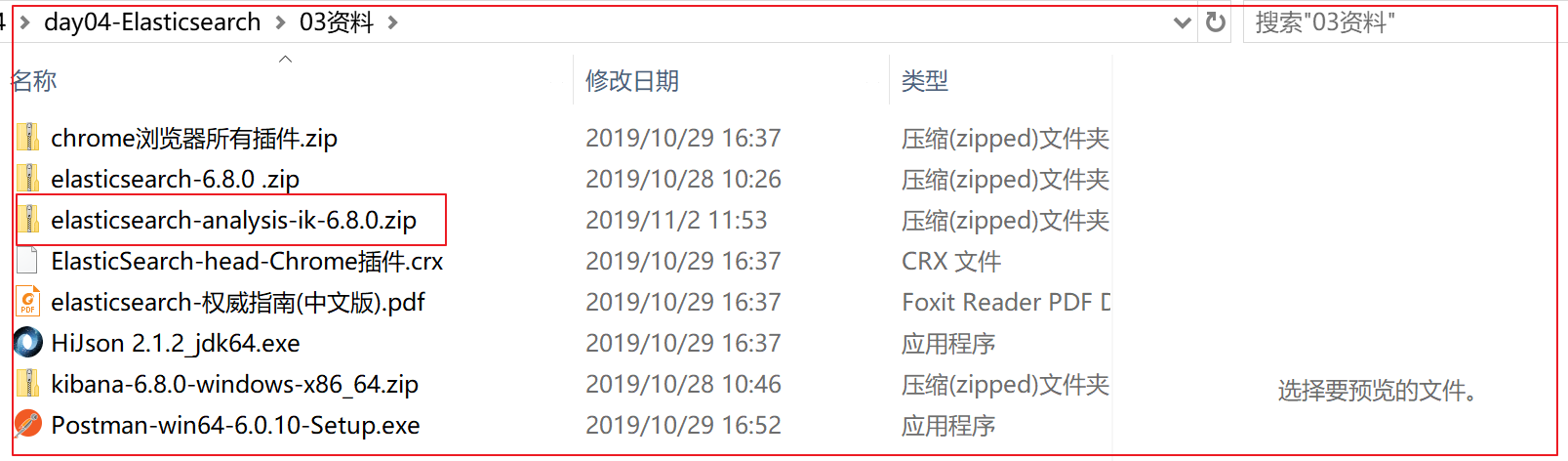
在资料中已经提供了下载好的6.8.0的压缩包:
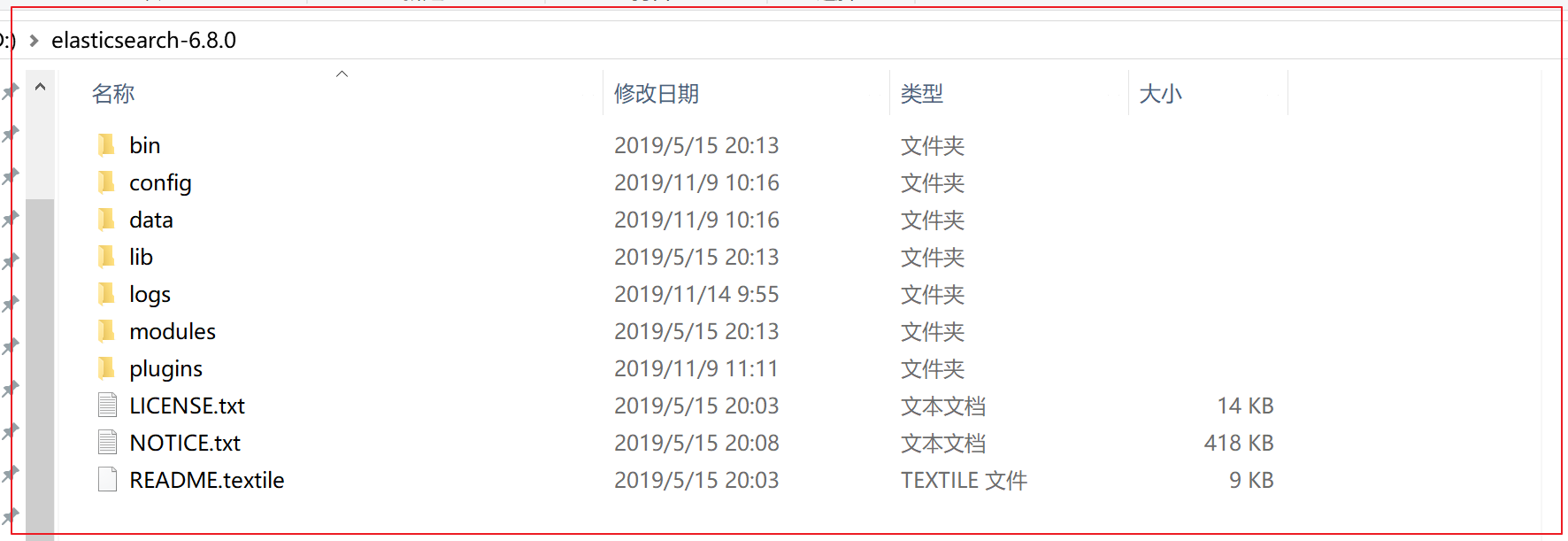
2、安装ES服务 Window版的Elasticsearch的安装很简单,类似Window版的Tomcat,解压开即安装完毕,解压后的Elasticsearch的目录结构如下:
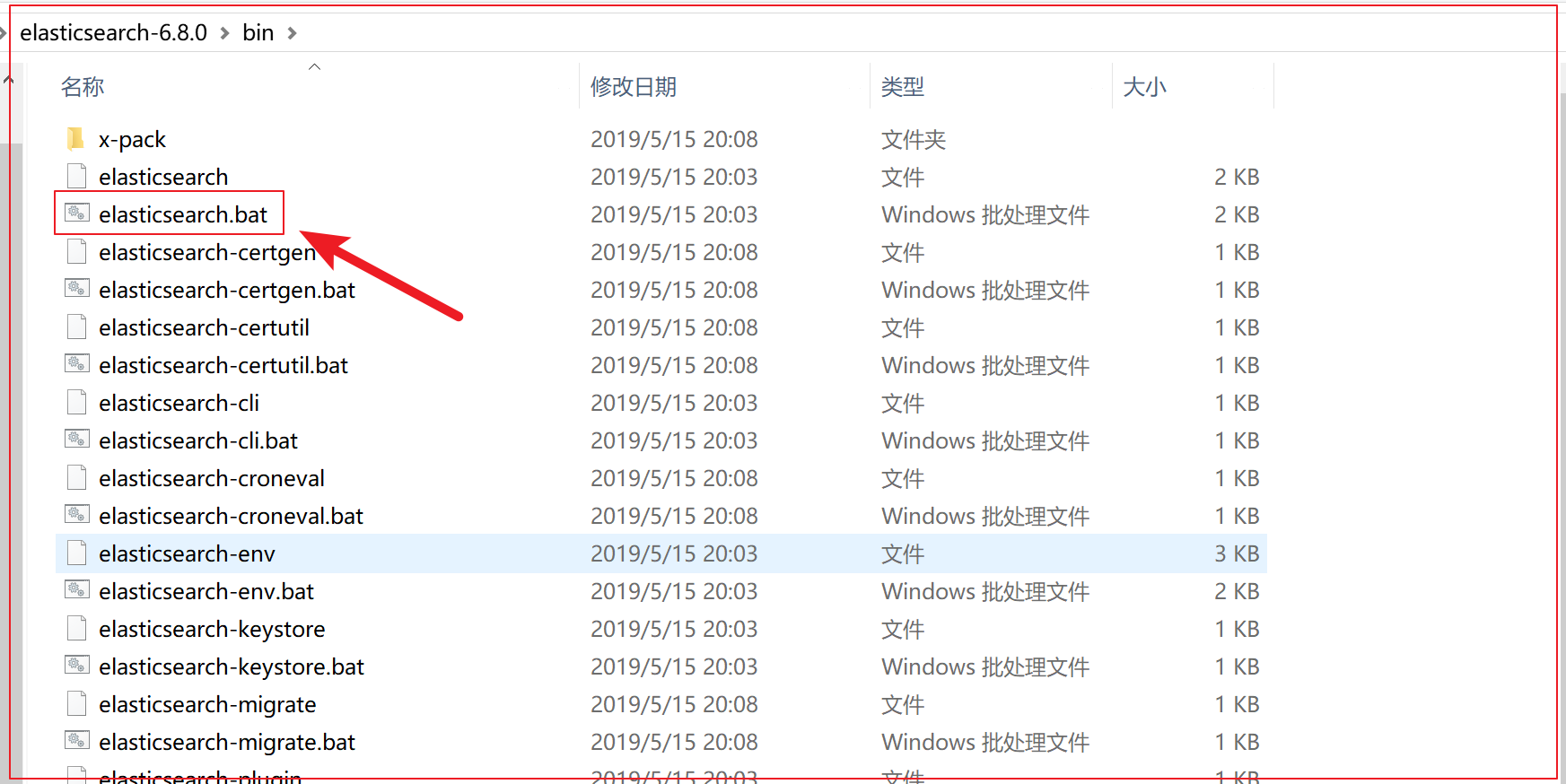
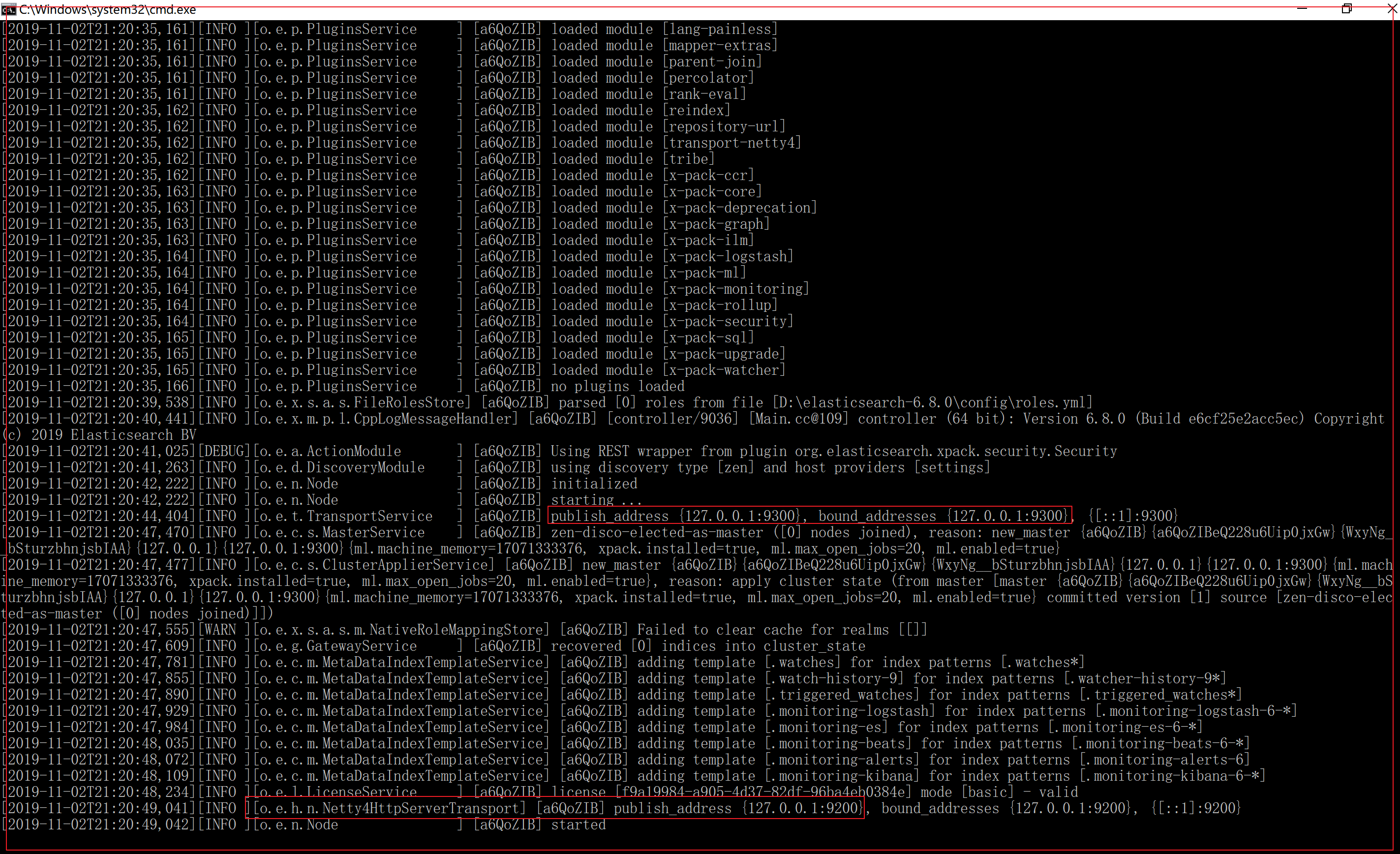
3、启动ES服务 点击Elasticsearch下的bin目录下的Elasticsearch.bat启动,控制台显示的日志信息如下:
==注意:9300是tcp通讯端口,集群间和TCP 客户端都执行该端口,9200是http协议的RESTful接口 。==
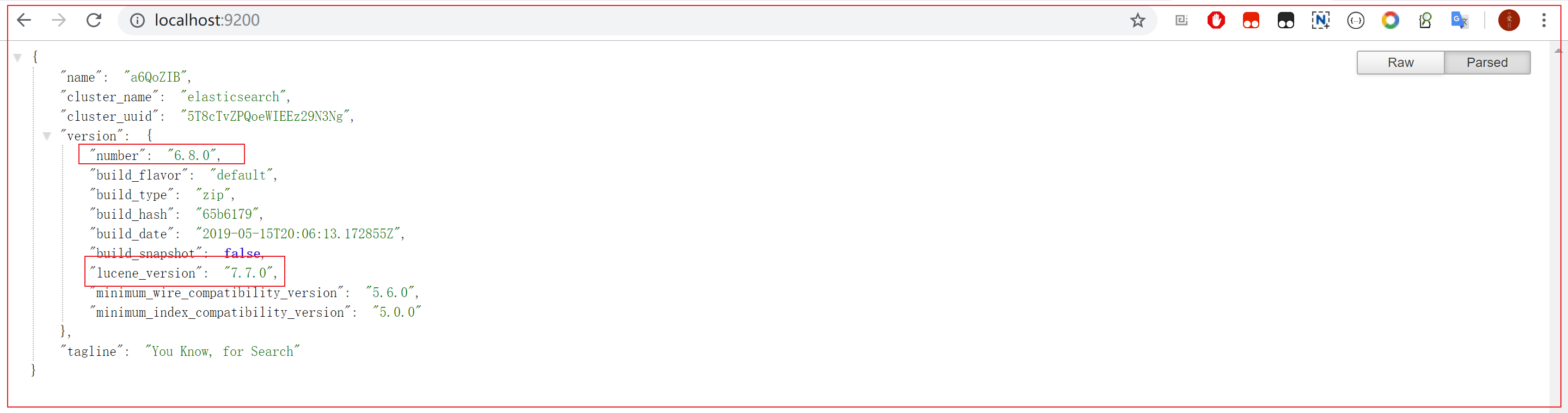
通过浏览器访问Elasticsearch服务器,看到如下返回的json信息,代表服务启动成功:
ElasticSearch6.8.0默认占用本机内存1个G,如果不足,建议改小一点。经测试125m足够开发测试使用。
修改配置文件D:\elasticsearch-6.8.0\config\jvm.options
注意:Elasticsearch是使用java开发的,且本版本的es需要的jdk版本要是1.8及以上,所以安装Elasticsearch之前保证JDK1.8+安装完毕,并正确的配置好JDK环境变量,否则启动Elasticsearch失败。
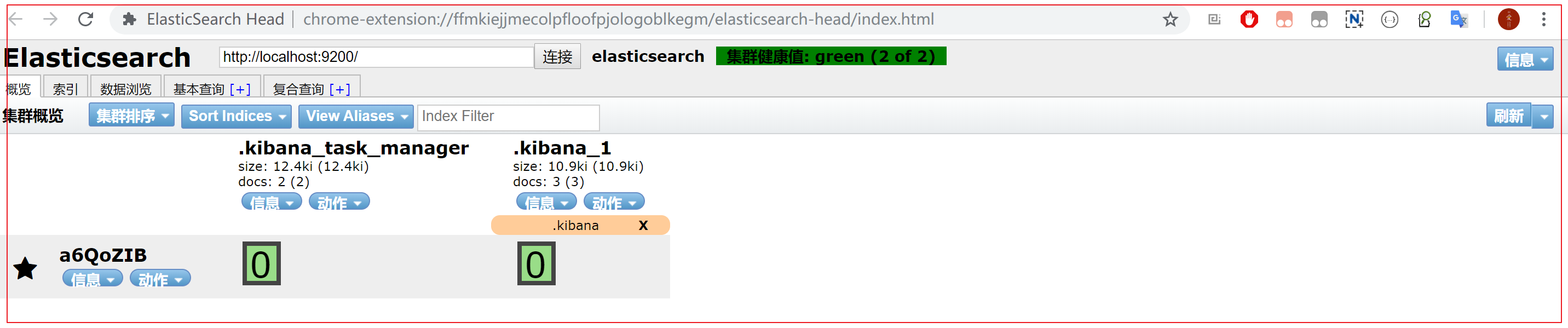
2.2 安装ES插件ElasticSearch-head
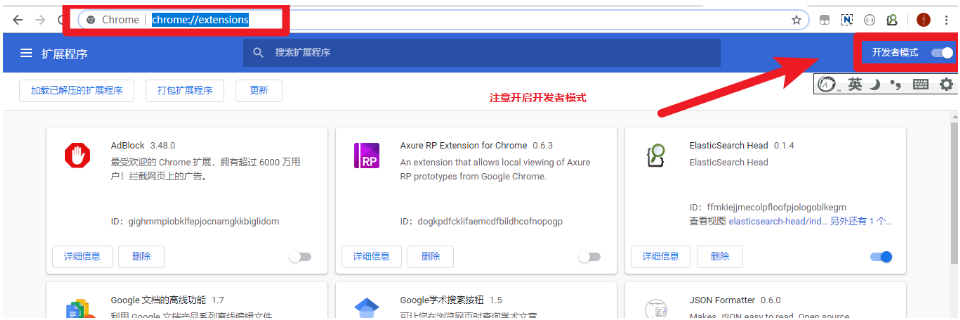
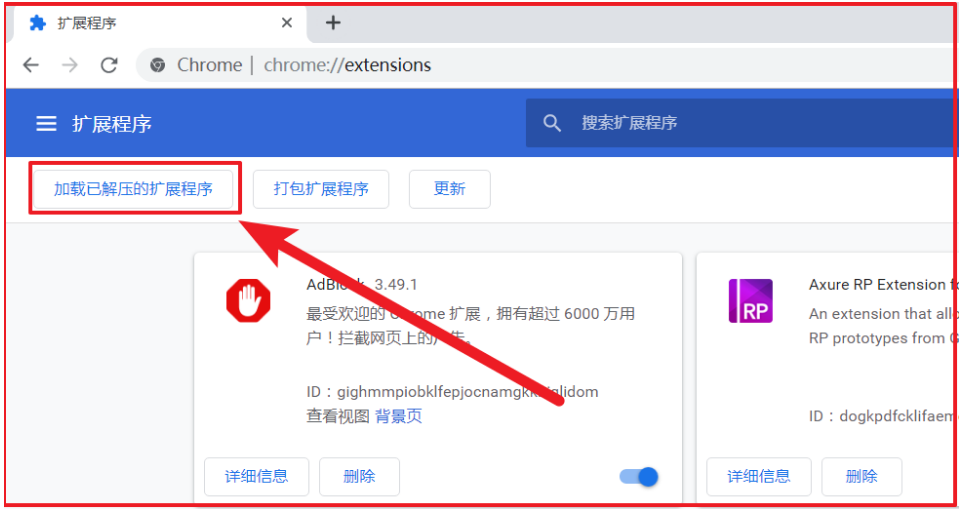
在Chrome浏览器地址栏中输入:chrome://extensions/
打开Chrome扩展程序的开发者模式
将资料中的ElasticSearch-head-Chrome插件.crx拖入浏览器的插件页面:
解压crx插件,通过加载已解压的扩展程序来加载
最后即可安装成功
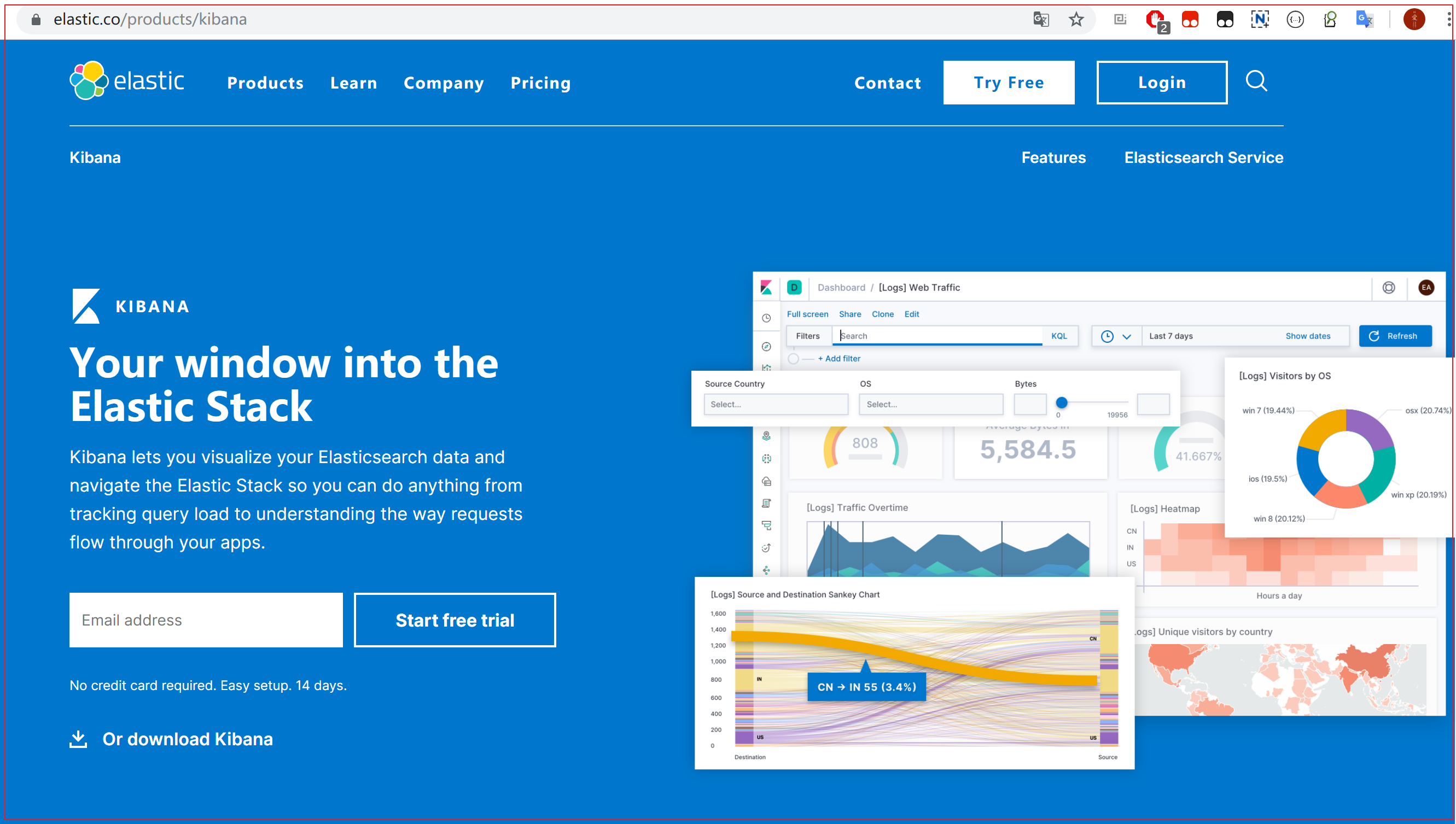
2.3 安装Kibana 1、什么是Kibana Kibana是ElasticSearch的数据可视化和实时分析的工具,利用Elasticsearch的聚合功能,生成各种图表,如柱形图,线状图,饼图等。
https://www.elastic.co/cn/products/kibana
2、安装配置
2.1 解压即安装成功
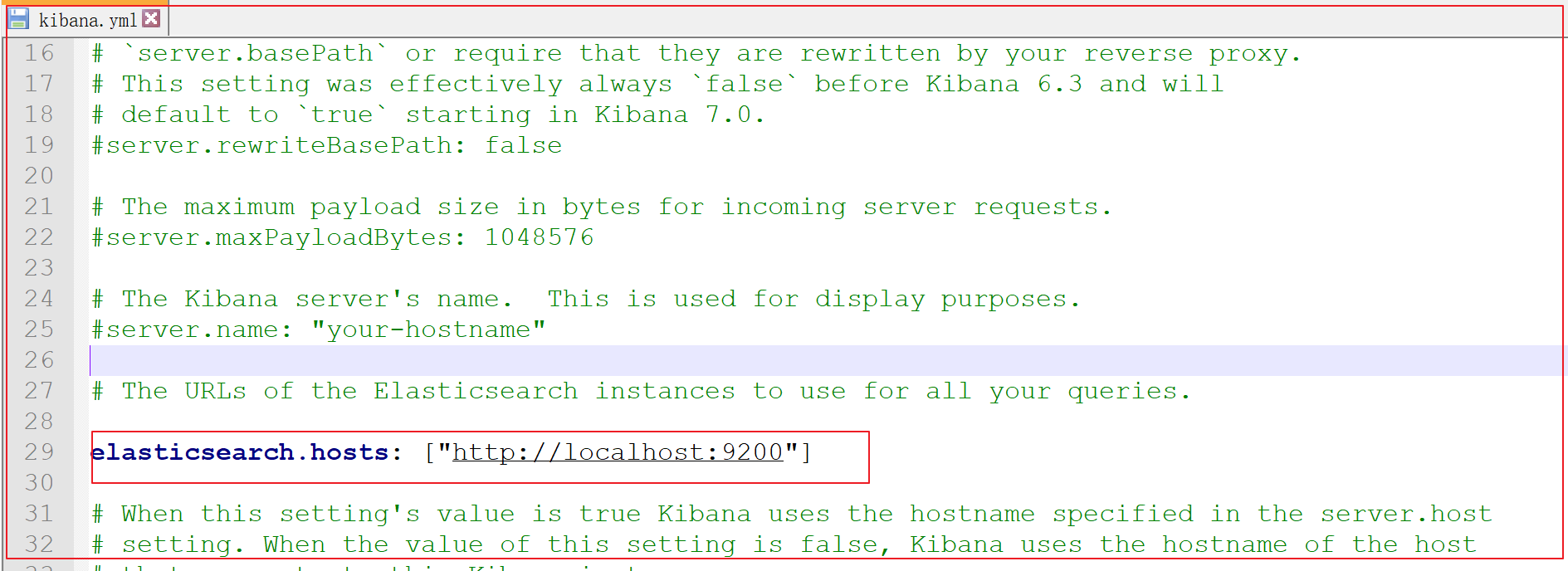
2.2 进入安装目录下的config目录的kibana.yml文件
修改elasticsearch服务器的地址:
1 elasticsearch.url: "http://localhost:9200"
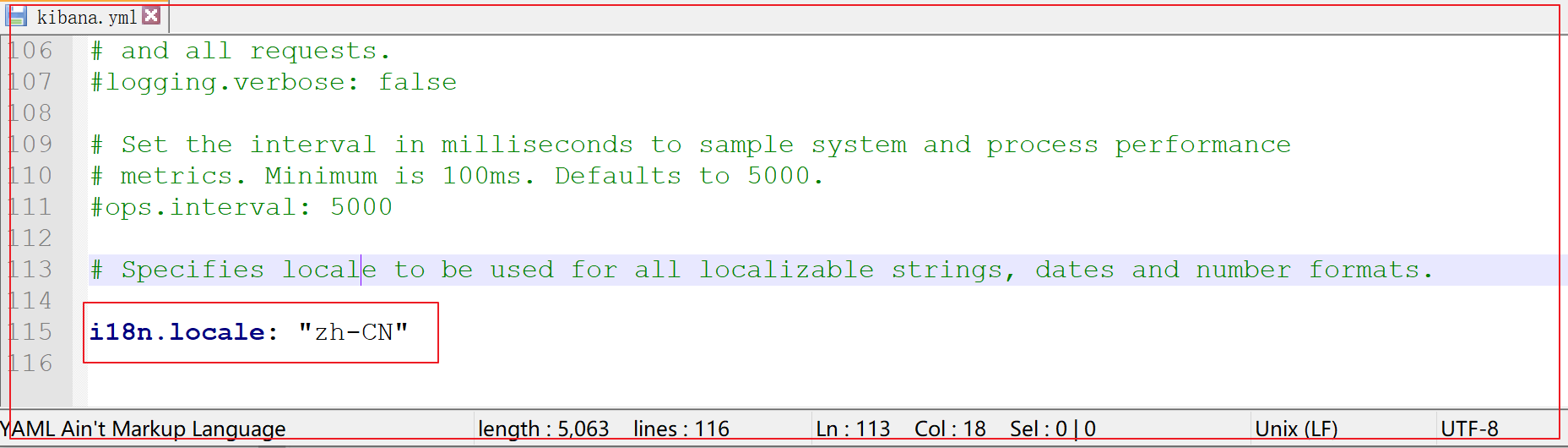
修改kibana配置支持中文:
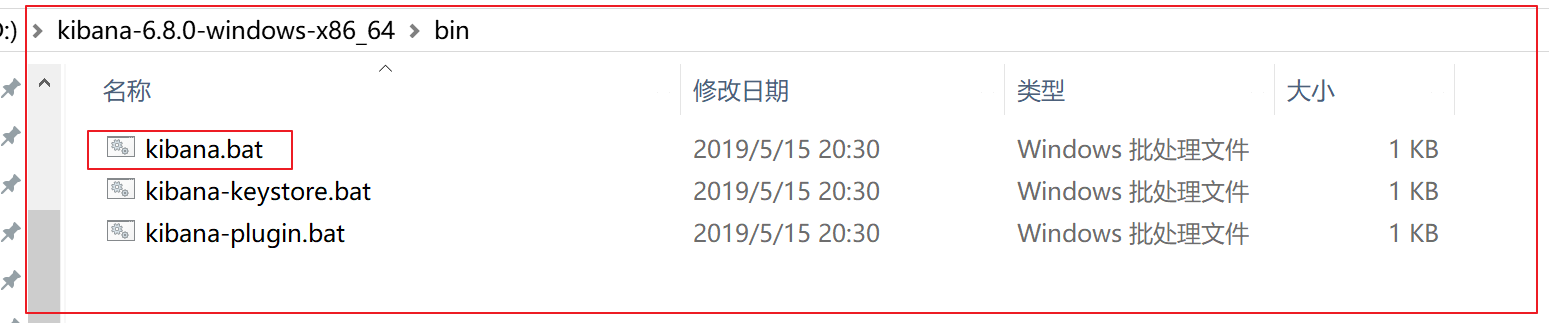
4、运行访问 4.1 进入安装目录下的bin目录
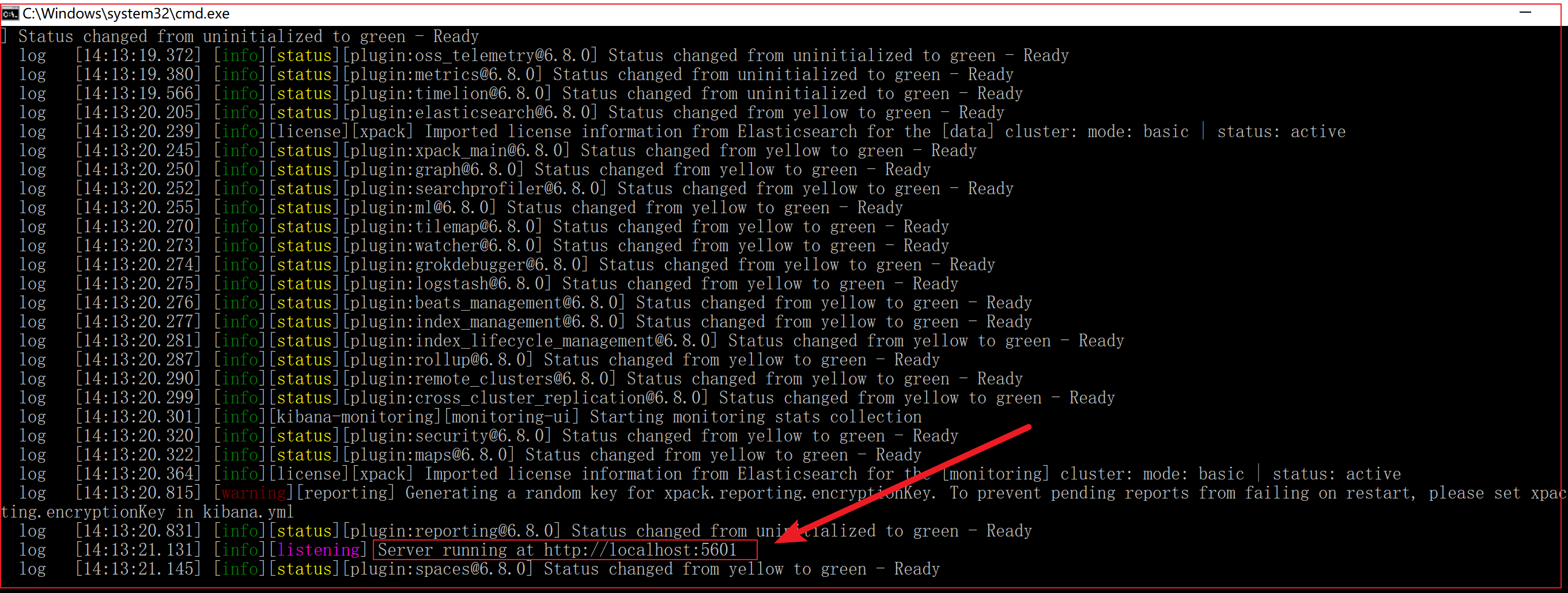
4.2 双击运行,启动成功:
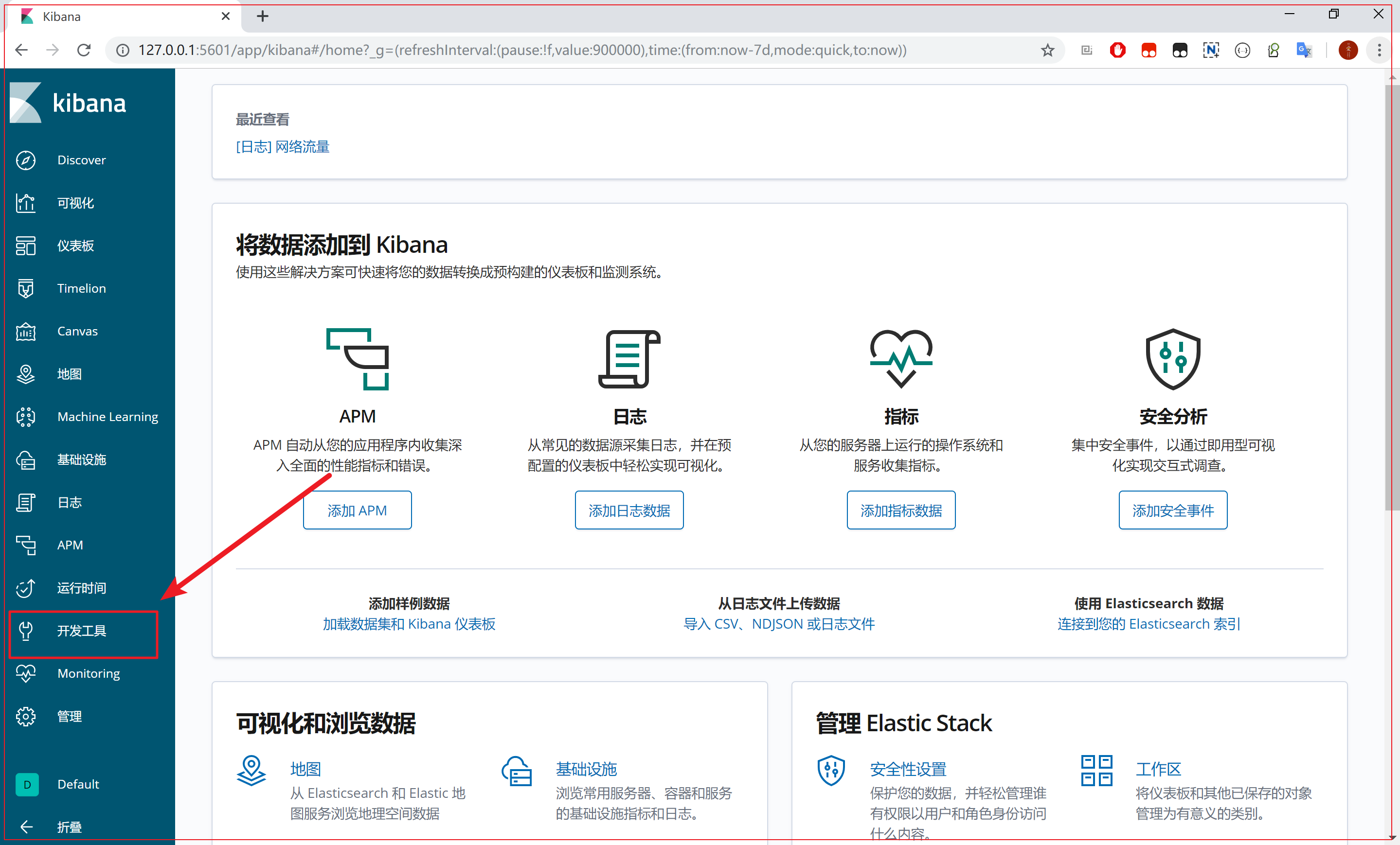
4.3 发现kibana的监听端口是5601,我们访问:http://127.0.0.1:5601
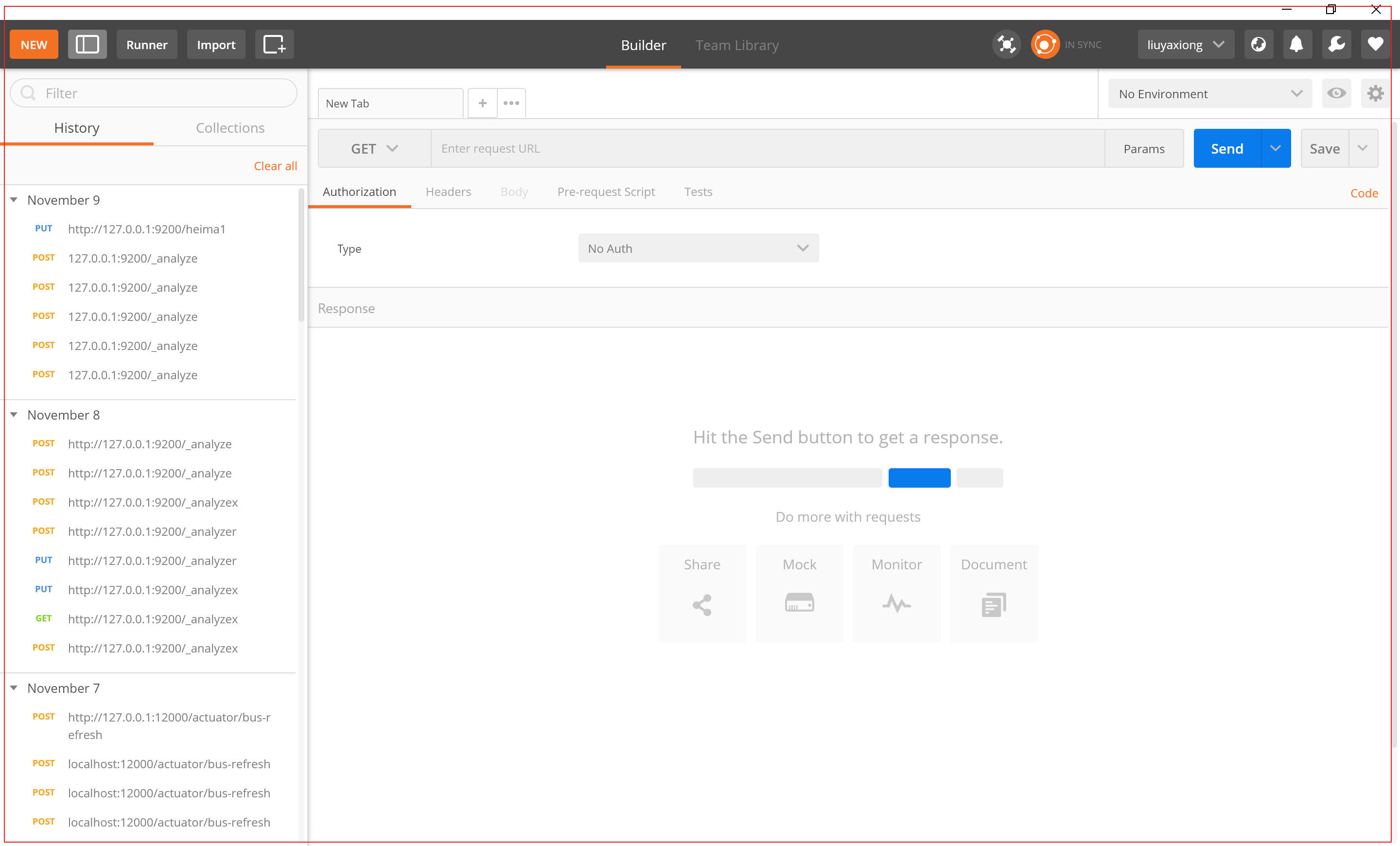
2.4 安装Postman Postman中文版是Postman这款强大网页调试工具的windows客户端,提供功能强大的Web API 和 HTTP 请求调试。软件功能强大,界面简洁明晰、操作方便快捷,设计得很人性化。Postman中文版能够发送任何类型的HTTP 请求 (GET, HEAD, POST, PUT..),不仅能够表单提交,且可以附带任意类型请求体。
1、下载Postman工具 Postman官网:https://www.getpostman.com
课程资料中已经提供了安装包
2、注册Postman工具
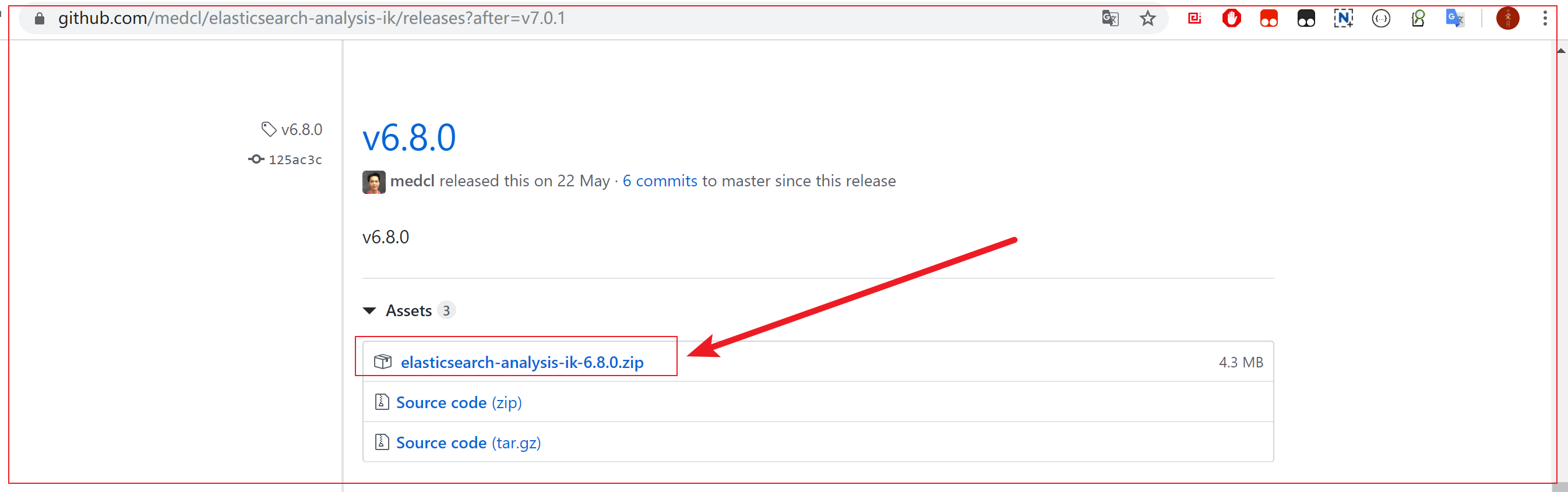
2.5 集成IK分词器 Lucene的IK分词器早在2012年已经没有维护了,现在我们要使用的是在其基础上维护升级的版本,并且开发为Elasticsearch的集成插件了,与Elasticsearch一起维护升级,版本也保持一致。
GitHub仓库地址:https://github.com/medcl/elasticsearch-analysis-ik
下载插件:
1、安装插件 插件已经在资料中准备好了,解压之后,存放到D:\elasticsearch-6.8.0\plugins\目录中,即可安装成功插件。
注意:解压的时候,如下文件必须在plugins目录的第一级目录下
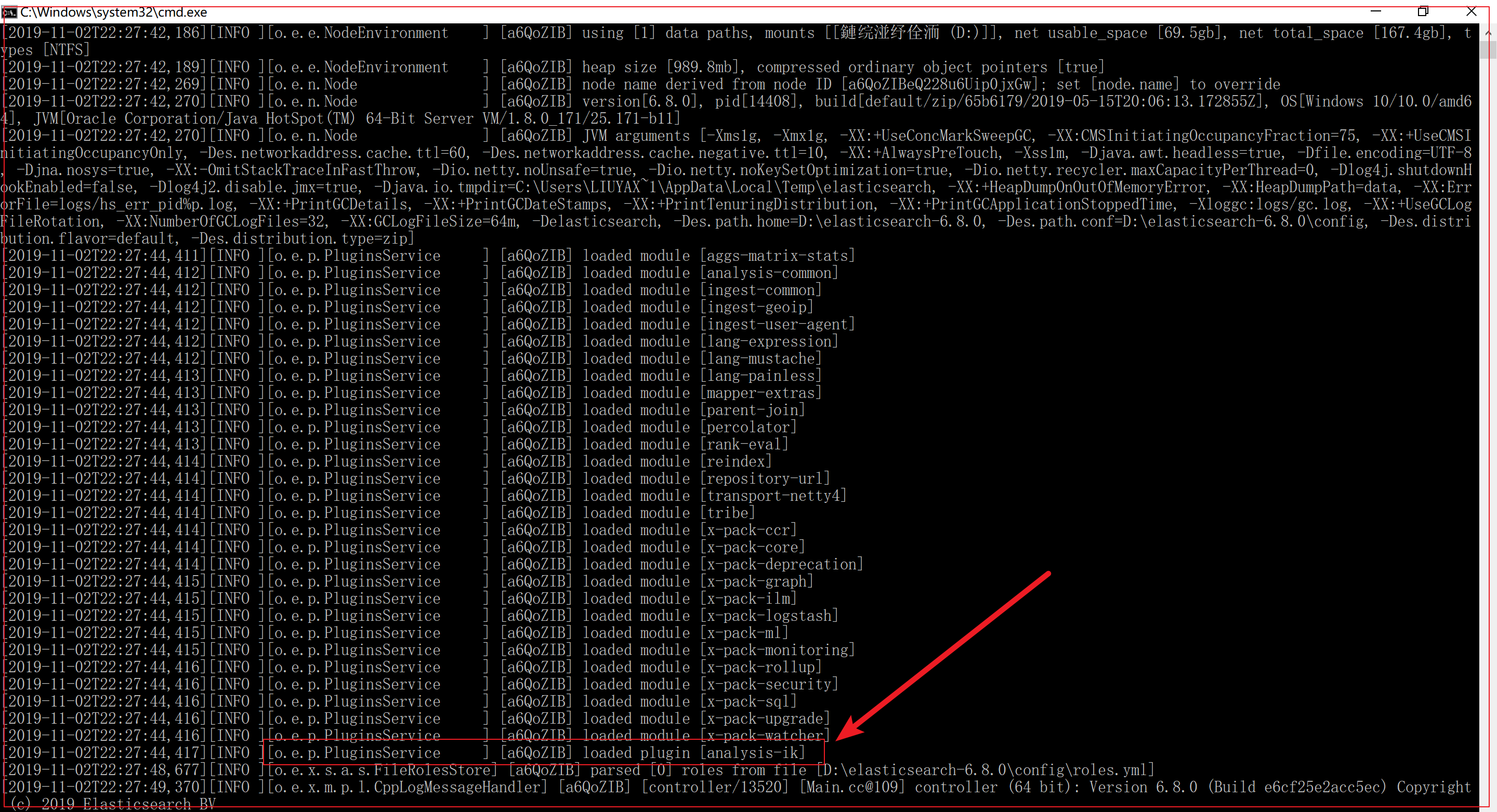
重新启动ElasticSearch之后,看到如下日志代表安装成功
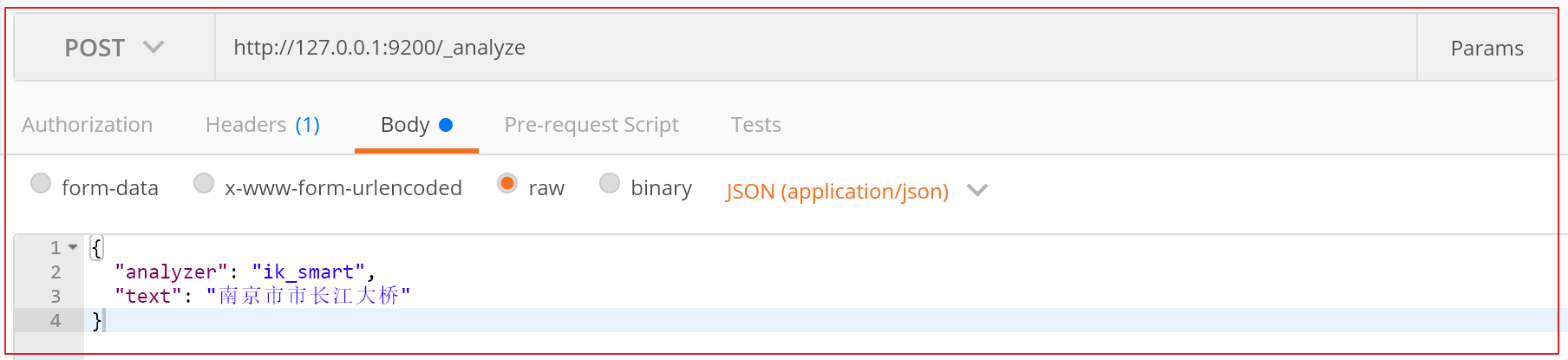
2、测试 IK分词器有两种分词模式:ik_max_word和ik_smart模式。
ik_max_word:会将文本做最细粒度的拆分
ik_smart:会做最粗粒度的拆分,智能拆分
1 2 3 4 5 6 7 请求方式:POST"analyzer" : "ik_smart" ,"text" : "南京市长江大桥"
最细粒度的拆分结果:
1 2 3 4 5 6 7 8 9 10 11 12 13 14 15 16 17 18 19 20 21 22 23 24 25 26 27 28 29 30 31 32 33 34 35 36 37 38 39 40 41 42 43 44 45 46 47 48 49 50 51 52 53 {"tokens" : ["token" : "南京市" ,"start_offset" : 0 ,"end_offset" : 3 ,"type" : "CN_WORD" ,"position" : 0 "token" : "南京" ,"start_offset" : 0 ,"end_offset" : 2 ,"type" : "CN_WORD" ,"position" : 1 "token" : "市长" ,"start_offset" : 2 ,"end_offset" : 4 ,"type" : "CN_WORD" ,"position" : 2 "token" : "市" ,"start_offset" : 2 ,"end_offset" : 3 ,"type" : "CN_CHAR" ,"position" : 3 "token" : "长江大桥" ,"start_offset" : 3 ,"end_offset" : 7 ,"type" : "CN_WORD" ,"position" : 4 "token" : "长江" ,"start_offset" : 3 ,"end_offset" : 5 ,"type" : "CN_WORD" ,"position" : 5 "token" : "大桥" ,"start_offset" : 5 ,"end_offset" : 7 ,"type" : "CN_WORD" ,"position" : 6
智能拆分结果:
1 2 3 4 5 6 7 8 9 10 11 12 13 14 15 16 17 18 {"tokens" : ["token" : "南京市" ,"start_offset" : 0 ,"end_offset" : 3 ,"type" : "CN_WORD" ,"position" : 0 "token" : "长江大桥" ,"start_offset" : 3 ,"end_offset" : 7 ,"type" : "CN_WORD" ,"position" : 1
3、添加扩展词典和停用词典 停用词 :有些词在文本中出现的频率非常高。但对本文的语义产生不了多大的影响。例如英文的a、an、the、of等。或中文的”的、了、呢等”。这样的词称为停用词。停用词经常被过滤掉,不会被进行索引。在检索的过程中,如果用户的查询词中含有停用词,系统会自动过滤掉。停用词可以加快索引的速度,减少索引库文件的大小。
扩展词 :就是不想让哪些词被分开,让他们分成一个词。比如上面的江大桥
南京市长江大桥
南京市,长江大桥
南京,市长,江大桥
江大桥拆分出来,
自定义扩展词库
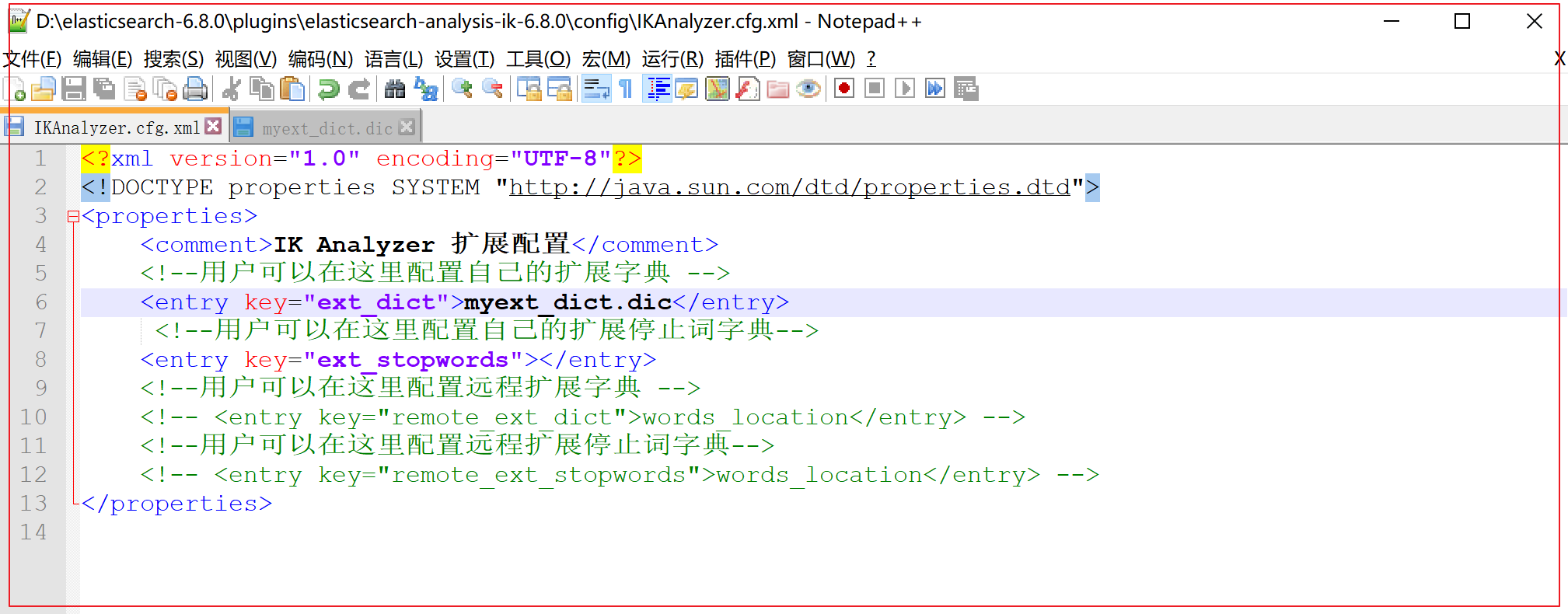
进入到D:\elasticsearch-6.8.0\plugins\elasticsearch-analysis-ik-6.8.0\config目录下, 新增自定义词典myext_dict.dic
输入 :江大桥
将我们自定义的扩展词典文件,配置到IKAnalyzer.cfg.xml文件中
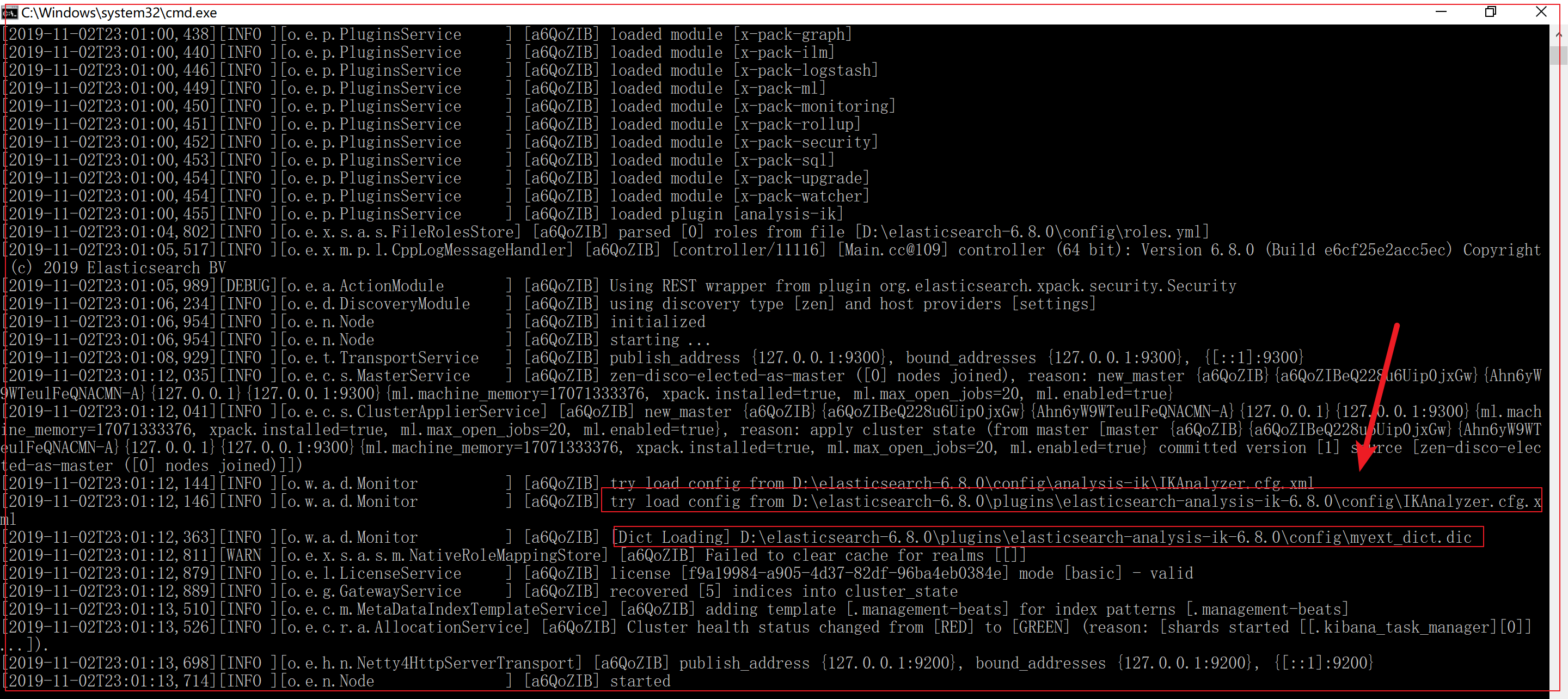
然后重启:
进行测试:
1 2 3 4 5 6 7 8 9 10 11 12 13 14 15 16 17 18 19 20 21 22 23 24 25 {"tokens" : ["token" : "南京市" ,"start_offset" : 0 ,"end_offset" : 3 ,"type" : "CN_WORD" ,"position" : 0 "token" : "市长" ,"start_offset" : 3 ,"end_offset" : 5 ,"type" : "CN_WORD" ,"position" : 1 "token" : "江大桥" ,"start_offset" : 5 ,"end_offset" : 8 ,"type" : "CN_WORD" ,"position" : 2
第三章 核心概念 Elasticsearch是面向文档(document oriented)的,这意味着它可以存储整个对象或文档(document)。然而它不仅仅是存储,还会索引(index)每个文档的内容使之可以被搜索。在Elasticsearch中,你可以对文档(而非成行成列的数据)进行索引、搜索、排序、过滤。Elasticsearch比传统关系型数据库如下:
1 2 3 4 5 索引库(indexes )------------->type )------------------>ocument )-------------->ield )----------------->mappings )-------------->
详细说明:
概念
说明
索引库(indexes)
索引库包含一堆相关业务,结构相似的文档document数据,比如说建立一个商品product索引库,里面可能就存放了所有的商品数据。
类型(type)
type是索引库中的一个逻辑数据分类,一个type下的document,都有相同的field,类似于数据库中的表。比如商品type,里面存放了所有的商品document数据。6.0版本以后一个index只能有1个type,6.0版本以前每个index里可以是一个或多个type。7.0以后,没有type这个概念了
文档(document)
文档是es中的存入索引库最小数据单元,一个document可以是一条客户数据,一条商品数据,一条订单数据,通常用JSON数据结构表示。document存在索引库下的type类型中。
字段(field)
Field是Elasticsearch的最小单位。一个document里面有多个field,每个field就是一个数据字段
映射配置(mappings)
对type文档结构的约束叫做映射(mapping),用来定义document的每个字段的约束。如:字段的数据类型、是否分词、是否索引、是否存储等特性。type是模拟mysql中的table概念。表是有结构的,也就是表中每个字段都有约束信息;
第四章 基本操作 说明文档地址: https://www.elastic.co/guide/en/elasticsearch/reference/current/index.html
实际开发中,有五种方式操作Elasticsearch服务:
第一类:发送http请求(RESTful风格)操作:9200端口
使用Postman发送请求直接操作。
使用ElasticSearch-head-master图形化界面插件操作
使用Elastic官方数据可视化的平台Kibana进行操作
第二类:通过Java代码操作:9300端口
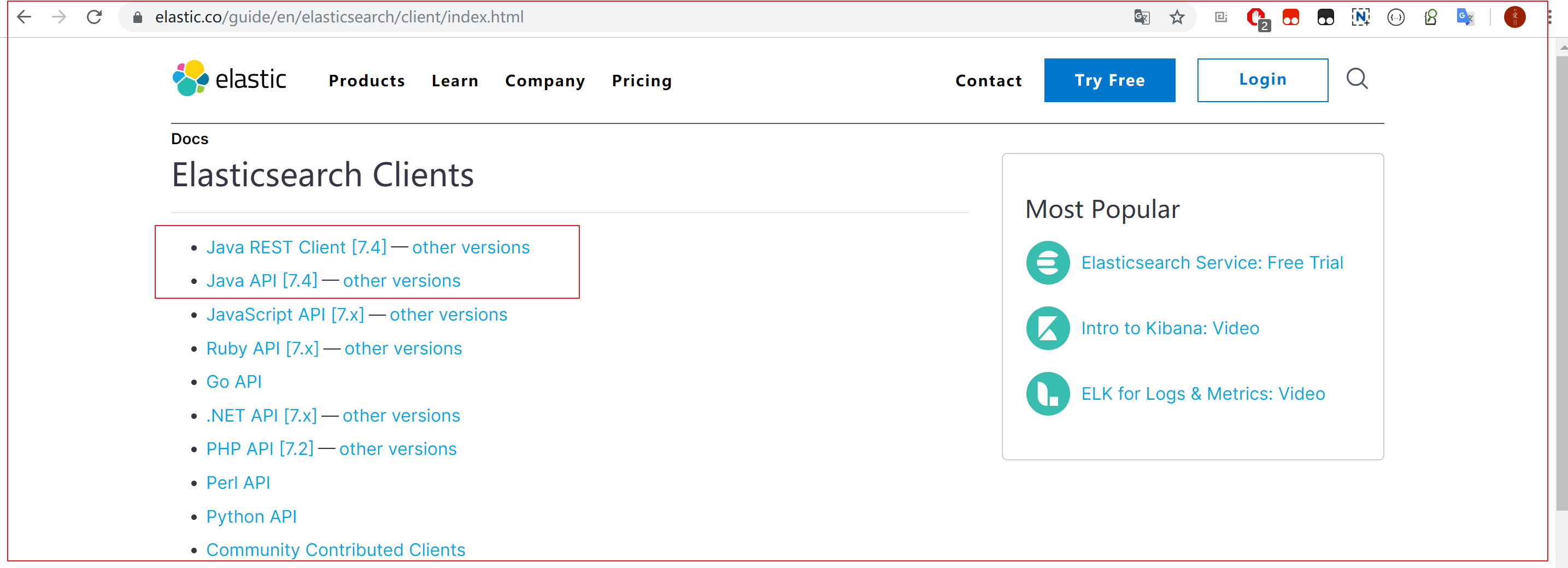
Elasticsearch提供的Java API 客户端进行操作。
Spring Data ElasticSearch 持久层框架进行操作。
关系型数据库
新增数据库(show databases;)
删除数据库
新增表,删除表,查询表(show tables;)
文档的增删改查,分页查询,排序…
4.1 索引库操作 Elasticsearch采用Rest风格API,因此其API就是一次http请求,你可以用任何工具发起http请求
1.创建索引库 发送请求:
1
2
3
# 在kibana中,不用写地址和端口,/heima是简化写法,真实请求地址是:http://127.0.0.1:9200/heima
响应结果:
1 2 3 4 5 {"acknowledged" : true ,"shards_acknowledged" : true ,"index" : "heima"
“acknowledged” : true, 代表操作成功
注意:创建索引库的分片数默认5片,在7.0.0之后的ElasticSearch版本中,默认分片数变为1片;
2.查看索引库 发送请求:
响应结果:
1 2 3 4 5 6 7 8 9 10 11 12 13 14 15 16 17 18 {"heima" : {"aliases" : { },"mappings" : { },"settings" : {"index" : {"creation_date" : "1573610302775" ,"number_of_shards" : "5" ,"number_of_replicas" : "1" ,"uuid" : "6Ffe20CIT76KchAcvqE6NA" ,"version" : {"created" : "6080099" "provided_name" : "heima"
响应内容解释:
1 2 3 4 5 6 7 8 9 10 11 12 13 14 15 16 17 18 {"heima【索引库名】" : {"aliases【别名】" : { },"mappings【映射】" : { },"settings【索引库设置】" : {"index【索引】" : {"creation_date【创建时间】" : "1573610302775" ,"number_of_shards【索引库分片数】" : "5" ,"number_of_replicas【索引库副本数】" : "1" ,"uuid【唯一标识】" : "6Ffe20CIT76KchAcvqE6NA" ,"version【版本】" : {"created" : "6080099" "provided_name【索引库名称】" : "heima"
3.删除索引库 发送请求:
响应结果:
1 { "acknowledged" : true }
4.2 类型(type)及映射(mapping)操作 有了索引库,等于有了数据库中的database。接下来就需要索引库中的类型了,也就是数据库中的表。创建数据库表需要设置字段约束,索引库也一样,在创建索引库的类型时,需要知道这个类型下有哪些字段,每个字段有哪些约束信息,这就叫做映射(mapping)
1.配置映射 给heima这个索引库添加了一个名为goods的类型,并且在类型中设置了4个字段:
title:商品标题
subtitle: 商品子标题
images:商品图片
price:商品价格
发送请求:
1
2
3
4
5
6
7
8
9
10
11
12
13
14
15
16
17
18
19
20
21
22
PUT /heima/goods/_mapping"properties" : {"title" :{"type" : "text" ,"analyzer" : "ik_max_word" "subtitle" :{"type" : "text" ,"analyzer" : "ik_max_word" "images" :{"type" : "keyword" ,"index" : false "price" :{"type" : "float" ,"index" : true
响应结果:
1 2 3 {"acknowledged" : true
内容解释:
1
2
3
4
5
6
7
8
9
10
11
12
PUT /索引库名/_mapping/类型名称 或 索引库名/类型名称/_mapping"properties" : {"字段名称" :{"type【类型】" : "类型" ,"index【是否索引】" : true ,"store【是否存储】" : true ,"analyzer【分析器】" : "分词器"
类型名称:就是前面将的type的概念,类似于数据库中的表
type:类型,Elasticsearch中支持的数据类型非常丰富,说几个关键的:
String类型,又分两种:
text:可分词
keyword:不可分词,数据会作为完整字段进行匹配
Numerical:数值类型,分两类
基本数据类型:long、interger、short、byte、double、float、half_float
浮点数的高精度类型:scaled_float
Date:日期类型
Array:数组类型
Object:对象
index:是否索引,默认为true,也就是说你不进行任何配置,所有字段都会被索引。
true:字段会被索引,则可以用来进行搜索。默认值就是true
false:字段不会被索引,不能用来搜索
store:是否将数据进行独立存储,默认为false
原始的文本会存储在_source里面,默认情况下其他提取出来的字段都不是独立存储的,是从_source里面提取出来的。当然你也可以独立的存储某个字段,只要设置store:true即可,获取独立存储的字段要比从_source中解析快得多,但是也会占用更多的空间,所以要根据实际业务需求来设置,默认为false。
analyzer:分词器,这里的ik_max_word即使用ik分词器
2.查看映射 发送请求:
1
2
# 请求方法:GET
响应结果:
1 2 3 4 5 6 7 8 9 10 11 12 13 14 15 16 17 18 19 20 21 {"heima" : {"mappings" : {"goods" : {"properties" : {"images" : {"type" : "keyword" ,"index" : false "price" : {"type" : "float" "subtitle" : {"type" : "text" ,"analyzer" : "ik_max_word" "title" : {"type" : "text" ,"analyzer" : "ik_max_word"
3.一次创建索引库及配置映射(常用) 刚才的案例中,我们是把创建索引库和类型分开来做,其实也可以在创建索引库的同时,直接制定索引库中的类型
发送请求:
1
2
3
4
5
6
7
8
9
10
11
12
13
14
15
16
17
18
19
20
21
22
23
24
25
26
27
PUT /heima1"settings" : {},"mappings" : {"goods" :{"properties" : {"title" :{"type" : "text" ,"analyzer" : "ik_max_word" "subtitle" :{"type" : "text" ,"analyzer" : "ik_max_word" "images" :{"type" : "keyword" ,"index" : false "price" :{"type" : "float" ,"index" : true
响应结果:
1 2 3 4 5 {"acknowledged" : true ,"shards_acknowledged" : true ,"index" : "heima1"
请求内容解释:
/索引库名 1 2 3 4 5 6 7 8 9 10 11 12 13 14 15 16 17 PUT /{索引库名称}
4.3 文档操作 文档,即索引库中某个类型下的数据,会根据规则创建索引,将来用来搜索。可以类比做数据库中的每一行数据。
1.新增文档 发送请求:
1 2 3 4 5 6 POST /heima/goods"title" :"小米手机" ,"images" :"http://image.leyou.com/12479122.jpg" ,"price" :2699.00
响应结果:
1 2 3 4 5 6 7 8 9 10 11 12 13 14 {"_index" : "heima" ,"_type" : "goods" ,"_id" : "EwVLY24BL4R5dXuhZ--1" ,"_version" : 1 ,"result" : "created" ,"_shards" : {"total" : 2 ,"successful" : 1 ,"failed" : 0 "_seq_no" : 0 ,"_primary_term" : 1
响应结果解析:
1 2 3 4 5 6 7 8 9 10 11 12 13 14 {"_index【索引库】" : "heima" ,"_type【类型】" : "goods" ,"_id【主键id】" : "EwVLY24BL4R5dXuhZ--1" ,"_version【版本】" : 1 ,"result【操作结果】" : "created" ,"_shards【分片】" : {"total【总数】" : 2 ,"successful【成功】" : 1 ,"failed【失败】" : 0 "_seq_no" : 0 ,"_primary_term" : 1
可以看到结果显示为:created,是创建成功了。
另外,需要注意的是,在响应结果中有个_id字段,这个就是这条文档数据的唯一标示,以后的增删改查都依赖这个id作为唯一标示。可以看到id的值为:EwVLY24BL4R5dXuhZ–1,这里我们新增时没有指定id,所以是ES帮我们随机生成的id。
2.查看文档 根据rest风格,新增是put,查询是get(post也可以用来做查询),不过查询一般都需要条件,这里我们把刚刚生成数据的id带上。
发送请求:
1 GET /heima/goods/EwVLY24BL4R5dXuhZ--1
响应结果:
1 2 3 4 5 6 7 8 9 10 11 12 13 14 {"_index" : "heima" ,"_type" : "goods" ,"_id" : "EwVLY24BL4R5dXuhZ--1" ,"_version" : 1 ,"_seq_no" : 0 ,"_primary_term" : 1 ,"found" : true ,"_source" : {"title" : "小米手机" ,"images" : "http://image.leyou.com/12479122.jpg" ,"price" : 2699.0
响应结果解析:
1 2 3 4 5 6 7 8 9 10 11 12 13 14 {"_index【索引库】" : "heima" ,"_type【类型】" : "goods" ,"_id【主键id】" : "EwVLY24BL4R5dXuhZ--1" ,"_version【版本】" : 1 ,"_seq_no" : 0 ,"_primary_term" : 1 ,"found【查询结果】" : true ,"_source【源文档信息】" : {"title" : "小米手机" ,"images" : "http://image.leyou.com/12479122.jpg" ,"price" : 2699.0
_source:源文档信息,所有的数据都在里面。_id:这条文档的唯一标示found:查询结果,返回true代表查到,false代表没有
3.自定义id新增文档 发送请求:
1 2 3 4 5 6 POST /heima/goods/1"title" :"小米手机" ,"images" :"http://image.leyou.com/12479122.jpg" ,"price" :2699.00
响应结果:
1 2 3 4 5 6 7 8 9 10 11 12 13 14 {"_index" : "heima" ,"_type" : "goods" ,"_id" : "1" ,"_version" : 1 ,"result" : "created" ,"_shards" : {"total" : 2 ,"successful" : 1 ,"failed" : 0 "_seq_no" : 0 ,"_primary_term" : 1
主键id变为指定的id
请求内容解析:
1 2 3 4 5 6 POST /heima/goods/{自定义注解id}"title" :"小米手机" ,"images" :"http://image.leyou.com/12479122.jpg" ,"price" :2699.00
4.修改文档 新增时,主键不变则会将原有内容覆盖。
发送请求:
1 2 3 4 5 6 POST /heima/goods/1"title" :"超米手机" ,"images" :"http://image.leyou.com/12479122.jpg" ,"price" :3899.00
响应结果:
1 2 3 4 5 6 7 8 9 10 11 12 13 14 {"_index" : "heima" ,"_type" : "goods" ,"_id" : "1" ,"_version" : 2 ,"result" : "updated" ,"_shards" : {"total" : 2 ,"successful" : 1 ,"failed" : 0 "_seq_no" : 1 ,"_primary_term" : 1
可以看到result结果是:updated,显然是更新数据
5.删除文档 1、删除一条 删除一个文档也不会立即从磁盘上移除,它只是被标记成已删除。Elasticsearch将会在你之后添加更多索引的时候才会在后台进行删除内容的清理。
发送请求 :
响应结果 :
1 2 3 4 5 6 7 8 9 10 11 12 13 14 {"_index" : "heima" ,"_type" : "goods" ,"_id" : "1" ,"_version" : 3 ,"result" : "deleted" ,"_shards" : {"total" : 2 ,"successful" : 1 ,"failed" : 0 "_seq_no" : 2 ,"_primary_term" : 1
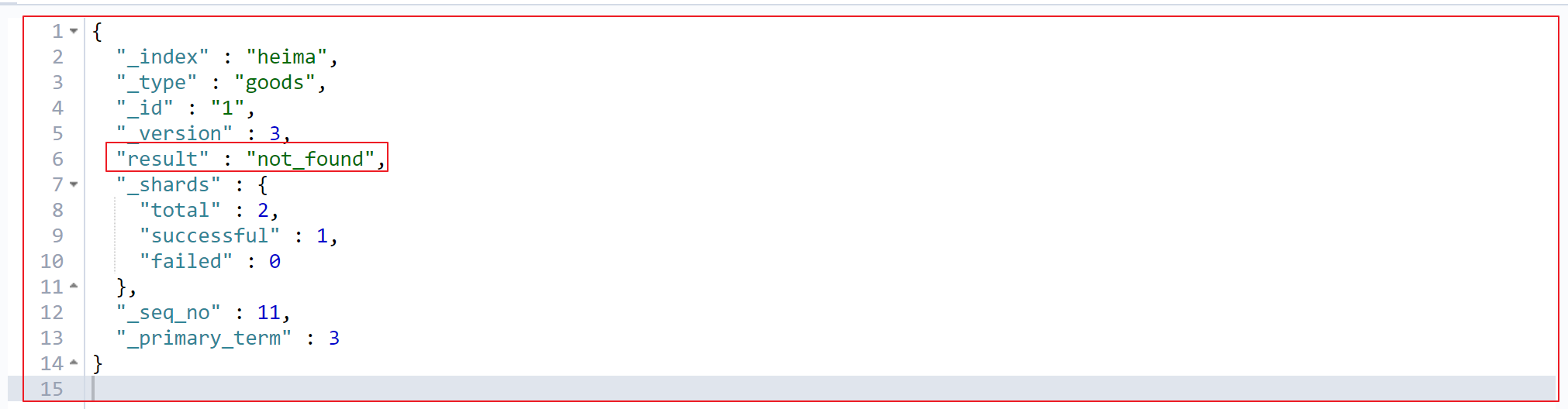
可以看到result结果是:deleted,数据被删除。如果删除不存在的问题,result:not_found
2、根据条件删除: 发送请求 :
1 2 3 4 5 6 7 8 POST /heima/_delete_by_query"query" :{"match" :{"title" :"小米"
响应结果 :
1 2 3 4 5 6 7 8 9 10 11 12 13 14 15 16 17 {"took" : 58 ,"timed_out" : false ,"total" : 2 ,"deleted" : 2 ,"batches" : 1 ,"version_conflicts" : 0 ,"noops" : 0 ,"retries" : {"bulk" : 0 ,"search" : 0 "throttled_millis" : 0 ,"requests_per_second" : -1.0 ,"throttled_until_millis" : 0 ,"failures" : [ ]
响应结果解析 :
1 2 3 4 5 6 7 8 9 10 11 12 13 14 15 16 17 {"took【耗时】" : 58 ,"timed_out" : false ,"total【总数】" : 2 ,"deleted【删除总数】" : 2 ,"batches" : 1 ,"version_conflicts" : 0 ,"noops" : 0 ,"retries" : {"bulk" : 0 ,"search" : 0 "throttled_millis" : 0 ,"requests_per_second" : -1.0 ,"throttled_until_millis" : 0 ,"failures" : [ ]
6.发送请求批量操作_bulk Bulk 操作是将文档的增删改查一些列操作,通过一次请求全都做完。减少网络传输次数。相当于,将多个新增、修改、删除的请求写到一次请求当中。
注意:bulk的请求体与其他的请求体稍有不同!
请求语法:
1 2 3 4 5 6 POST /heima/goods/_bulk
语法解析:
每行一定要以换行符(\n)结尾,包括最后一行
action/metadata 部分,指定做什么操作
action代表操作的动作,必须是如下的动作之一
create:如果文档不存在,那么就创建
index:创建一个新的文档或者替换现有文档
update:部分更新文档
delete:删除一个文档,这种操作不带请求体
metadata,是文档的元数据,包括索引(_index),类型(_type),id(_id)…等
request body 请求体,正常的新增文档的请求体内容(注意,不要带换行符)
隔离:每个操作互不影响。操作失败的行会返回其失败信息。
实际用法:bulk请求一次不要太大,否则积压到内存中,性能会下降。所以,一次请求几千个操作、大小控制在5M-15M之间正好。
发送请求 :
1 2 3 4 5 6 7 8 9 10 11 12 POST /heima/goods/_bulk"index" :{"_index" : "heima" ,"_type" : "goods" }}"title" :"大米手机" ,"images" :"http://image.leyou.com/12479122.jpg" ,"price" :3288 }"index" :{"_index" : "heima" ,"_type" : "goods" }}"title" :"小米手机" ,"images" :"http://image.leyou.com/12479122.jpg" ,"price" :2699 }"index" :{"_index" : "heima" ,"_type" : "goods" }}"title" :"小米电视4A" ,"images" :"http://image.leyou.com/12479122.jpg" ,"price" :4288 }"index" :{"_index" : "heima" ,"_type" : "goods" }}"title" : "华为手机" ,"images" : "http://image.leyou.com/12479122.jpg" ,"price" : 5288 ,"subtitle" : "小米" }"index" :{"_index" : "heima" ,"_type" : "goods" }}"title" :"apple手机" ,"images" :"http://image.leyou.com/12479122.jpg" ,"price" :5899.00 }
注意:
请求体的内容不要换行
请注意 delete 动作不能有请求体
谨记最后一个换行符不要落下。
响应结果 :
1 2 3 4 5 6 7 8 9 10 11 12 13 14 15 16 17 18 19 20 21 22 23 24 25 {"took" : 41 ,"errors" : false ,"items" : ["index" : {"_index" : "heima" ,"_type" : "goods" ,"_id" : "FFTEhm4BO0vjk-su75eC" ,"_version" : 1 ,"result" : "created" ,"_shards" : {"total" : 2 ,"successful" : 1 ,"failed" : 0 "_seq_no" : 0 ,"_primary_term" : 1 ,"status" : 201
每个子请求都是独立执行,因此某个子请求的失败不会对其他子请求的成功与否造成影响。 如果其中任何子请求失败,最顶层的 error 标志被设置为 true ,并且在相应的请求报告出错误明细。
status属性:代表响应状态码
第五章 请求体查询 Elasticsearch提供了一个基于JSON的,在请求体内编写查询语句的查询方式。称之为请求体查询。 Elasticsearch 使用它以简单的 JSON接口来展现 Lucene 功能的绝大部分。这种查询语言相对于使用晦涩难懂的查询字符串的方式,更灵活、更精确、易读和易调试。
这种查询还有一种称呼:Query DSL (Query Domain Specific Language),领域特定语言。
5.1.基本查询 1、查询所有(match_all) 发送请求:
1 2 3 4 5 6 POST /heima/_search"query" : {"match_all" : {}
请求内容解析:
1 2 3 4 5 6 7 8 9 10 11 请求方法:POST// 127.0 .0.1 :9200 /索引库名/ _search/{索引库}/ _search"query" :{"查询类型" :{"查询条件" :"查询条件值"
这里的query代表一个查询对象,里面可以有不同的查询属性
查询类型:
例如:match_all(代表查询所有), match,term , range 等等
查询条件:查询条件会根据类型的不同,写法也有差异
响应结果
1 2 3 4 5 6 7 8 9 10 11 12 13 14 15 16 17 18 19 20 21 22 23 24 25 26 27 28 29 30 31 32 33 34 35 36 37 38 39 40 41 42 43 44 45 {"took" : 1 ,"timed_out" : false ,"_shards" : {"total" : 5 ,"successful" : 5 ,"skipped" : 0 ,"failed" : 0 "hits" : {"total" : 3 ,"max_score" : 1.0 ,"hits" : ["_index" : "heima" ,"_type" : "goods" ,"_id" : "ADWoZ24Bx8DA1HO-R9DD" ,"_score" : 1.0 ,"_source" : {"title" : "小米电视4A" ,"images" : "http://image.leyou.com/12479122.jpg" ,"price" : 4288 "_index" : "heima" ,"_type" : "goods" ,"_id" : "_zWoZ24Bx8DA1HO-R8_D" ,"_score" : 1.0 ,"_source" : {"title" : "小米手机" ,"images" : "http://image.leyou.com/12479122.jpg" ,"price" : 2699 "_index" : "heima" ,"_type" : "goods" ,"_id" : "_jWoZ24Bx8DA1HO-R8_D" ,"_score" : 1.0 ,"_source" : {"title" : "大米手机" ,"images" : "http://image.leyou.com/12479122.jpg" ,"price" : 3288
响应结果解析 :
1 2 3 4 5 6 7 8 9 10 11 12 13 14 15 16 17 18 19 20 21 22 23 24 {"took【查询花费时间,单位毫秒】" : 1 ,"timed_out【是否超时】" : false ,"_shards【分片信息】" : {"total【总数】" : 5 ,"successful【成功】" : 5 ,"skipped【忽略】" : 0 ,"failed【失败】" : 0 "hits【搜索命中结果】" : {"total【命中总数】" : 3 ,"max_score【所有查询结果中,文档的最高得分】" : 1.0 ,"hits【命中结果集合】" : ["_index【索引库】" : "heima" ,"_type【类型】" : "goods" ,"_id【主键】" : "ADWoZ24Bx8DA1HO-R9DD" ,"_score【当前结果匹配得分】" : 1.0 ,"_source【源文档信息】" : {"title" : "小米电视4A" ,"images" : "http://image.leyou.com/12479122.jpg" ,"price" : 4288
2、匹配查询(match) match类型查询,会把查询条件进行分词,然后进行查询,多个词条之间是or的关系
发送请求 :
1 2 3 4 5 6 7 8 POST /heima/_search"query" : {"match" : {"title" : "小米手机"
响应结果 :
1 2 3 4 5 6 7 8 9 10 11 12 13 14 15 16 17 18 19 20 21 22 23 24 25 26 27 28 29 30 31 32 33 34 35 36 37 38 39 40 41 42 43 44 45 46 47 48 49 {"took" : 5 ,"timed_out" : false ,"_shards" : {"total" : 5 ,"successful" : 5 ,"skipped" : 0 ,"failed" : 0 "hits" : {"total" : 3 ,"max_score" : 0.5753642 ,"hits" : ["_index" : "heima" ,"_type" : "goods" ,"_id" : "_zWoZ24Bx8DA1HO-R8_D" ,"_score" : 0.5753642 ,"_source" : {"title" : "小米手机" ,"images" : "http://image.leyou.com/12479122.jpg" ,"price" : 2699 "_index" : "heima" ,"_type" : "goods" ,"_id" : "ADWoZ24Bx8DA1HO-R9DD" ,"_score" : 0.2876821 ,"_source" : {"title" : "小米电视4A" ,"images" : "http://image.leyou.com/12479122.jpg" ,"price" : 4288 "_index" : "heima" ,"_type" : "goods" ,"_id" : "_jWoZ24Bx8DA1HO-R8_D" ,"_score" : 0.2876821 ,"_source" : {"title" : "大米手机" ,"images" : "http://image.leyou.com/12479122.jpg" ,"price" : 3288
在上面的案例中,不仅会查询到电视,而且与小米相关的都会查询到。某些情况下,我们需要更精确查找,我们希望这个关系变成and,可以这样做:
发送请求 :
本例中,只有同时包含小米和手机的词条才会被搜索到。
1 2 3 4 5 6 7 8 9 10 11 POST /heima/_search"query" : {"match" : {"title" : {"query" : "小米手机" ,"operator" : "and"
响应结果 :
1 2 3 4 5 6 7 8 9 10 11 12 13 14 15 16 17 18 19 20 21 22 23 24 25 26 27 {"took" : 4 ,"timed_out" : false ,"_shards" : {"total" : 5 ,"successful" : 5 ,"skipped" : 0 ,"failed" : 0 "hits" : {"total" : 1 ,"max_score" : 0.5753642 ,"hits" : ["_index" : "heima" ,"_type" : "goods" ,"_id" : "_zWoZ24Bx8DA1HO-R8_D" ,"_score" : 0.5753642 ,"_source" : {"title" : "小米手机" ,"images" : "http://image.leyou.com/12479122.jpg" ,"price" : 2699
3、多字段匹配查询(multi_match) multi_match与match类似,不同的是它可以在多个字段中查询。
发送请求 :
本例中,我们在title字段和subtitle字段中查询小米这个词
1 2 3 4 5 6 7 8 9 POST /heima/_search"query" : {"multi_match" : {"query" : "小米" ,"fields" : ["title" ,"subtitle" ]
fields属性:设置查询的多个字段
响应结果 :
1 2 3 4 5 6 7 8 9 10 11 12 13 14 15 16 17 18 19 20 21 22 23 24 25 26 27 28 29 30 31 32 33 34 35 36 37 38 39 40 41 42 43 44 45 46 47 48 49 50 {"took" : 3 ,"timed_out" : false ,"_shards" : {"total" : 5 ,"successful" : 5 ,"skipped" : 0 ,"failed" : 0 "hits" : {"total" : 3 ,"max_score" : 0.6099695 ,"hits" : ["_index" : "heima" ,"_type" : "goods" ,"_id" : "qfHnLG4BWrjRrOzL8Ywa" ,"_score" : 0.6099695 ,"_source" : {"title" : "小米电视4A" ,"images" : "http://image.leyou.com/12479122.jpg" ,"price" : 4288 "_index" : "heima" ,"_type" : "goods" ,"_id" : "qvHyLG4BWrjRrOzL9Yzn" ,"_score" : 0.2876821 ,"_source" : {"title" : "华为手机" ,"images" : "http://image.leyou.com/12479122.jpg" ,"price" : 5288 ,"subtitle" : "小米" "_index" : "heima" ,"_type" : "goods" ,"_id" : "qPHnLG4BWrjRrOzL3Yxl" ,"_score" : 0.2876821 ,"_source" : {"title" : "小米手机" ,"images" : "http://image.leyou.com/12479122.jpg" ,"price" : 2699
4、关键词精确查询(term) term查询,精确的关键词匹配查询,不对象查询条件进行分词
发送请求:
1 2 3 4 5 6 7 8 9 10 POST /heima/_search"query" : {"term" : {"title" : {"value" : "小米"
响应结果:
1 2 3 4 5 6 7 8 9 10 11 12 13 14 15 16 17 18 19 20 21 22 23 24 25 26 27 28 29 30 31 32 33 34 35 36 37 38 {"took" : 0 ,"timed_out" : false ,"_shards" : {"total" : 5 ,"successful" : 5 ,"skipped" : 0 ,"failed" : 0 "hits" : {"total" : 2 ,"max_score" : 0.6931472 ,"hits" : ["_index" : "heima" ,"_type" : "goods" ,"_id" : "CzXDZ24Bx8DA1HO-nNDZ" ,"_score" : 0.6931472 ,"_source" : {"title" : "小米手机" ,"images" : "http://image.leyou.com/12479122.jpg" ,"price" : 2699 "_index" : "heima" ,"_type" : "goods" ,"_id" : "DDXDZ24Bx8DA1HO-nNDZ" ,"_score" : 0.2876821 ,"_source" : {"title" : "小米电视4A" ,"images" : "http://image.leyou.com/12479122.jpg" ,"price" : 4288
5、多关键词精确查询(terms) terms 查询和 term 查询一样,但它允许你指定多值进行匹配。如果这个字段包含了指定值中的任何一个值,那么这个文档满足条件,类似于mysql的in:
发送请求 :
查询价格为2699或4288的商品
1 2 3 4 5 6 7 8 POST /heima/_search"query" : {"terms" : {"price" : [2699 ,4288 ]
响应结果 :
1 2 3 4 5 6 7 8 9 10 11 12 13 14 15 16 17 18 19 20 21 22 23 24 25 26 27 28 29 30 31 32 33 34 35 36 37 38 {"took" : 0 ,"timed_out" : false ,"_shards" : {"total" : 5 ,"successful" : 5 ,"skipped" : 0 ,"failed" : 0 "hits" : {"total" : 2 ,"max_score" : 0.6931472 ,"hits" : ["_index" : "heima" ,"_type" : "goods" ,"_id" : "CzXDZ24Bx8DA1HO-nNDZ" ,"_score" : 0.6931472 ,"_source" : {"title" : "小米手机" ,"images" : "http://image.leyou.com/12479122.jpg" ,"price" : 2699 "_index" : "heima" ,"_type" : "goods" ,"_id" : "DDXDZ24Bx8DA1HO-nNDZ" ,"_score" : 0.2876821 ,"_source" : {"title" : "小米电视4A" ,"images" : "http://image.leyou.com/12479122.jpg" ,"price" : 4288
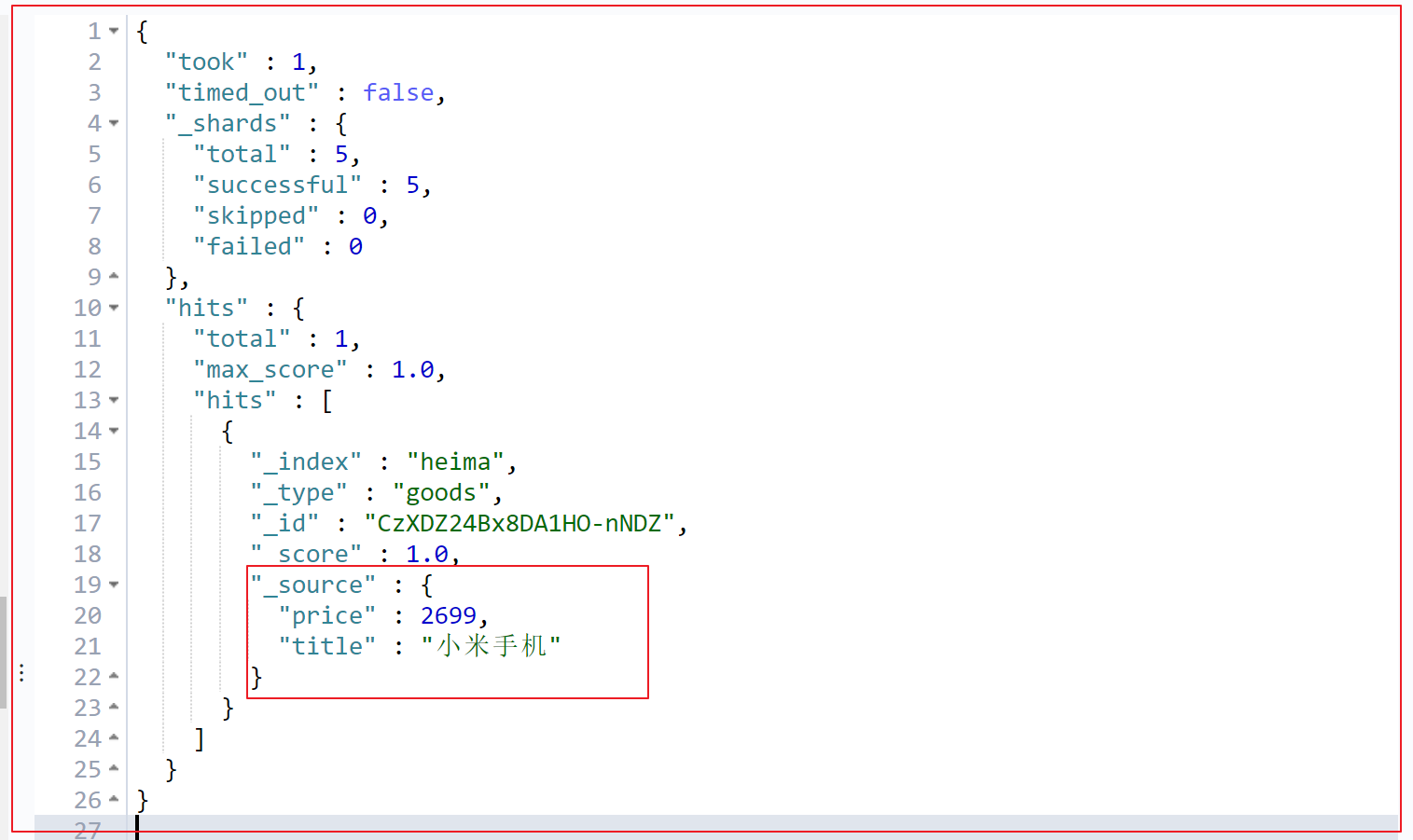
5.2.结果过滤 默认情况下,elasticsearch在搜索的结果中,会把文档中保存在_source的所有字段都返回。如果我们只想获取其中的部分字段,我们可以添加_source的过滤
1、指定字段 指定查询结果中,只显示title和price两个字段
发送请求 :
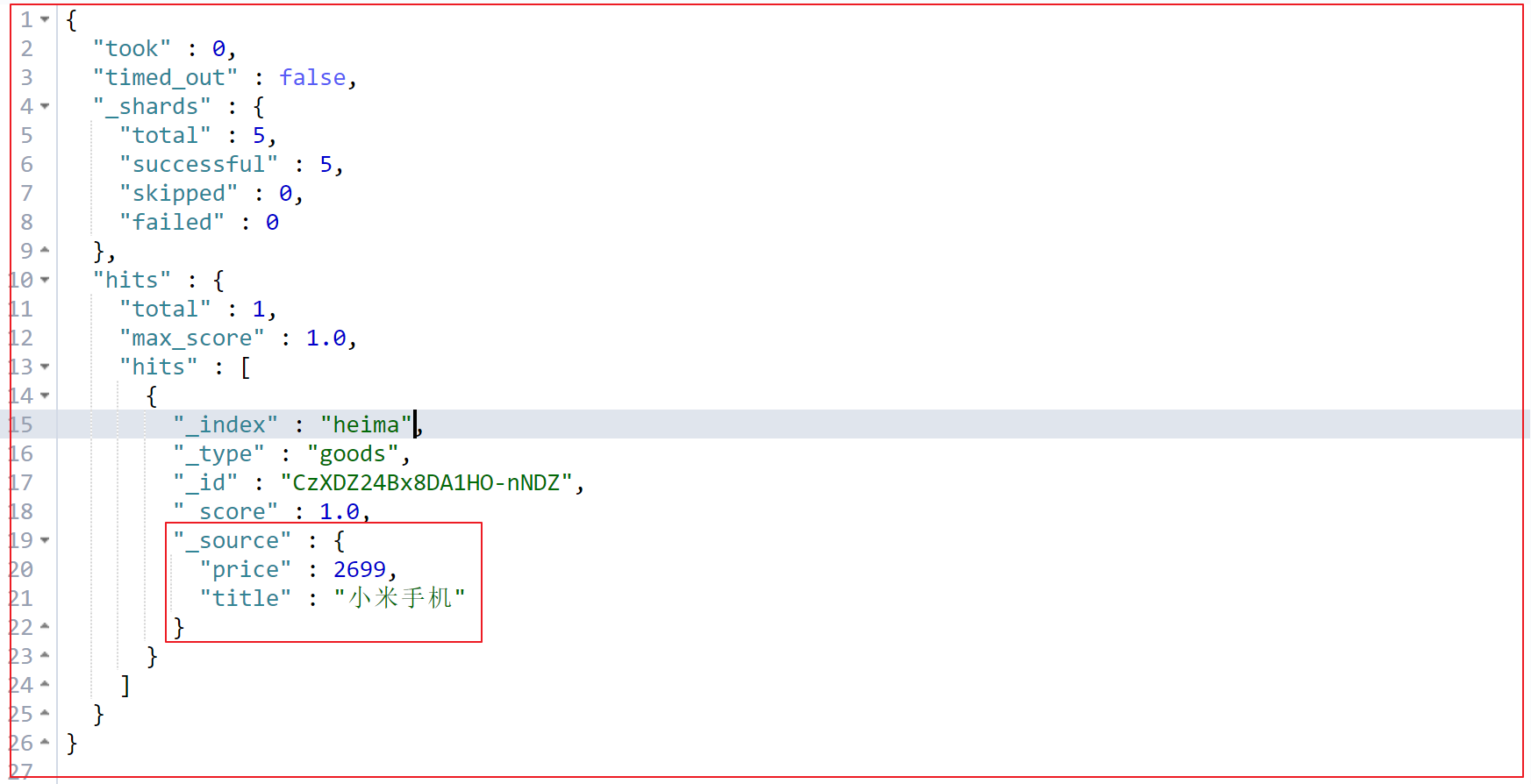
1 2 3 4 5 6 7 8 9 POST /heima/_search"_source" : ["title" ,"price" ],"query" : {"term" : {"price" : 2699
响应结果 :
2、过滤指定字段:includes和excludes 我们也可以通过:
includes:来指定想要显示的字段
excludes:来指定不想要显示的字段
二者都是可选的。
发送请求 :
1 2 3 4 5 6 7 8 9 10 11 POST /heima/_search"_source" : {"includes" :["title" ,"price" ]"query" : {"term" : {"price" : 2699
1 2 3 4 5 6 7 8 9 10 11 POST /heima/_search"_source" : {"excludes" : ["images" ]"query" : {"term" : {"price" : 2699
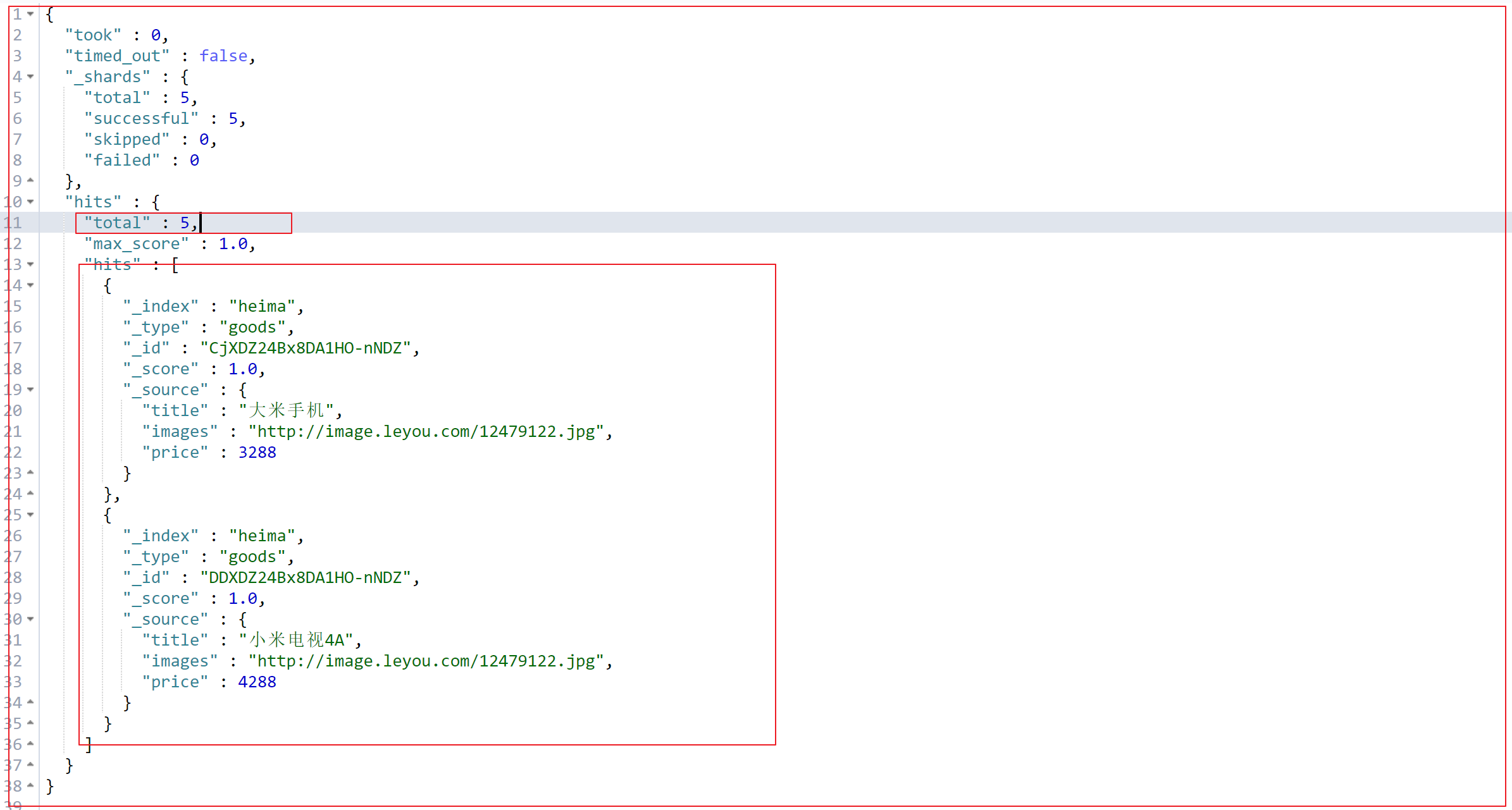
响应结果 :
5.3.高级查询 1、布尔组合(bool) bool把各种其它查询通过must(必须 )、must_not(必须不)、should(应该)的方式进行组合
发送请求 :
1 2 3 4 5 6 7 8 9 10 post /heima/_search"query" :{"bool" :{"must" : { "match" : { "title" : "小米" }},"must_not" : { "match" : { "title" : "电视" }},"should" : { "match" : { "title" : "手机" }}
响应结果 :
1 2 3 4 5 6 7 8 9 10 11 12 13 14 15 16 17 18 19 20 21 22 23 24 25 26 27 {"took" : 11 ,"timed_out" : false ,"_shards" : {"total" : 5 ,"successful" : 5 ,"skipped" : 0 ,"failed" : 0 "hits" : {"total" : 1 ,"max_score" : 0.5753642 ,"hits" : ["_index" : "heima" ,"_type" : "goods" ,"_id" : "qPHnLG4BWrjRrOzL3Yxl" ,"_score" : 0.5753642 ,"_source" : {"title" : "小米手机" ,"images" : "http://image.leyou.com/12479122.jpg" ,"price" : 2699
2、范围查询(range) range 查询找出那些落在指定区间内的数字或者时间。range查询允许以下字符:
操作符
说明
gt == (greater than)
大于>
gte == (greater than equal)
大于等于>=
lt == (less than)
小于<
lte == (less than equal)
小于等于<=
发送请求 :
查询价格大于等于2699,且小于4000元的所有商品。
1 2 3 4 5 6 7 8 POST /heima/_search"query" : {"range" : {"price" : {"gte" : 2699 ,"lt" : 4000 }
响应结果 :
1 2 3 4 5 6 7 8 9 10 11 12 13 14 15 16 17 18 19 20 21 22 23 24 25 26 27 28 29 30 31 32 33 34 35 36 37 38 {"took" : 1 ,"timed_out" : false ,"_shards" : {"total" : 5 ,"successful" : 5 ,"skipped" : 0 ,"failed" : 0 "hits" : {"total" : 2 ,"max_score" : 1.0 ,"hits" : ["_index" : "heima" ,"_type" : "goods" ,"_id" : "CjXDZ24Bx8DA1HO-nNDZ" ,"_score" : 1.0 ,"_source" : {"title" : "大米手机" ,"images" : "http://image.leyou.com/12479122.jpg" ,"price" : 3288 "_index" : "heima" ,"_type" : "goods" ,"_id" : "CzXDZ24Bx8DA1HO-nNDZ" ,"_score" : 1.0 ,"_source" : {"title" : "小米手机" ,"images" : "http://image.leyou.com/12479122.jpg" ,"price" : 2699
3、模糊查询(fuzzy) fuzzy自动将拼写错误的搜索文本,进行纠正,纠正以后去尝试匹配索引中的数据。它允许用户搜索词条与实际词条出现偏差,但是偏差的编辑距离不得超过2:
发送请求 :
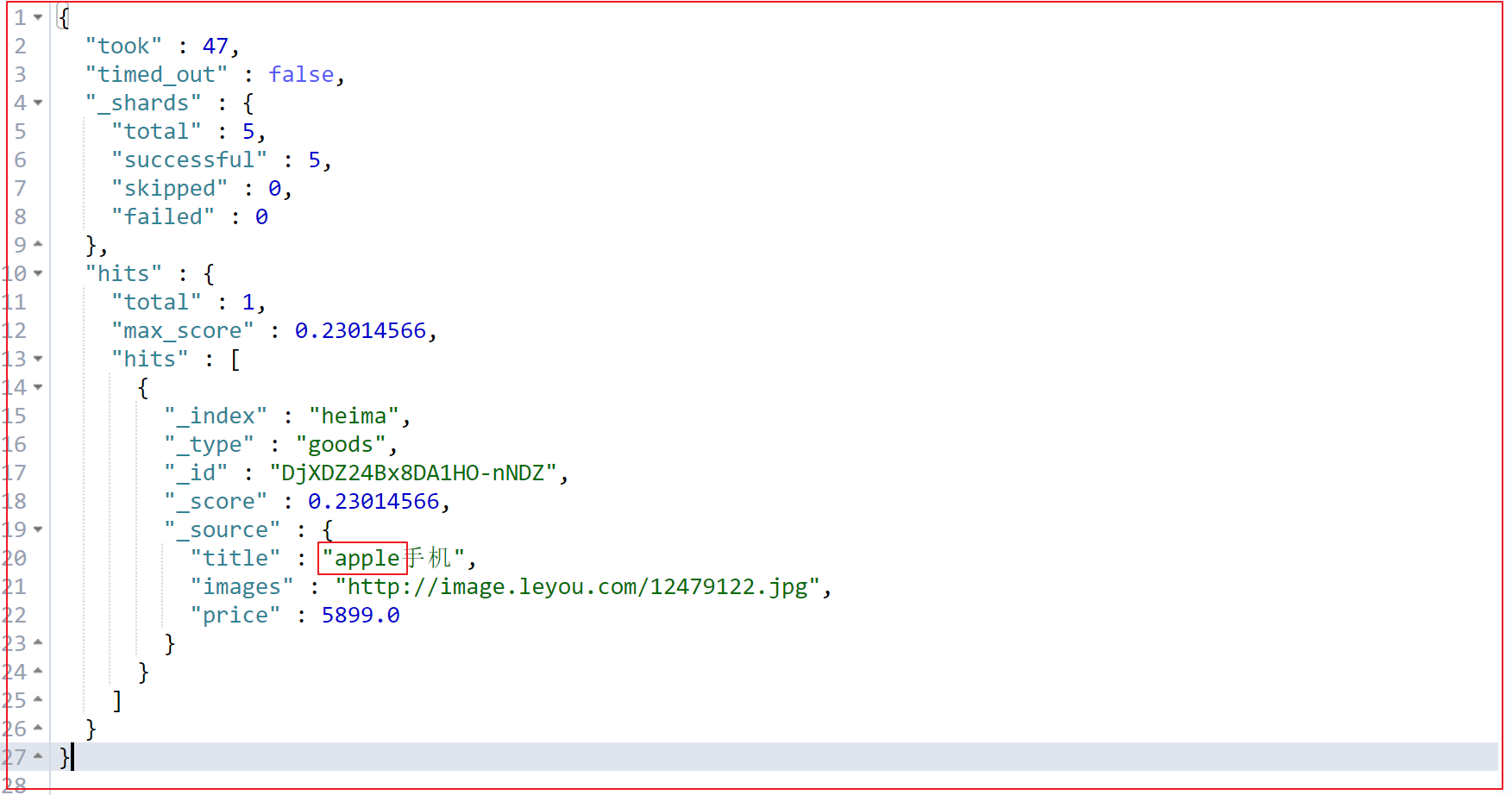
如下查询,也能查询到apple手机
1 2 3 4 5 6 7 8 POST /heima/_search"query" : {"fuzzy" : {"title" : "appla"
响应结果 :
修改偏差值 :
你搜索关键词的偏差,默认就是2,我们可以通过fuzziness修改。
1 2 3 4 5 6 7 8 9 10 11 POST /heima/_search"query" : {"fuzzy" : {"title" : {"value" : "applaa" ,"fuzziness" : 2
5.4.查询排序 1、单字段排序 sort 可以让我们按照不同的字段进行排序,并且通过order指定排序的方式。desc降序,asc升序。
发送请求 :
1 2 3 4 5 6 7 8 9 10 11 POST /heima/_search"query" : {"match_all" : {}"sort" : ["price" : {"order" : "desc" }
响应结果 :
1 2 3 4 5 6 7 8 9 10 11 12 13 14 15 16 17 18 19 20 21 22 23 24 25 26 27 28 29 30 31 32 33 34 35 36 37 38 39 40 41 42 43 44 45 46 47 48 49 50 51 52 53 54 55 56 57 58 59 60 61 62 63 64 65 66 67 68 69 70 71 72 73 74 75 76 77 78 79 80 81 82 83 84 85 86 87 {"took" : 0 ,"timed_out" : false ,"_shards" : {"total" : 5 ,"successful" : 5 ,"skipped" : 0 ,"failed" : 0 "hits" : {"total" : 5 ,"max_score" : null ,"hits" : ["_index" : "heima" ,"_type" : "goods" ,"_id" : "DjXDZ24Bx8DA1HO-nNDZ" ,"_score" : null ,"_source" : {"title" : "apple手机" ,"images" : "http://image.leyou.com/12479122.jpg" ,"price" : 5899.0 "sort" : [5899.0 "_index" : "heima" ,"_type" : "goods" ,"_id" : "DTXDZ24Bx8DA1HO-nNDZ" ,"_score" : null ,"_source" : {"title" : "华为手机" ,"images" : "http://image.leyou.com/12479122.jpg" ,"price" : 5288 ,"subtitle" : "小米" "sort" : [5288.0 "_index" : "heima" ,"_type" : "goods" ,"_id" : "DDXDZ24Bx8DA1HO-nNDZ" ,"_score" : null ,"_source" : {"title" : "小米电视4A" ,"images" : "http://image.leyou.com/12479122.jpg" ,"price" : 4288 "sort" : [4288.0 "_index" : "heima" ,"_type" : "goods" ,"_id" : "CjXDZ24Bx8DA1HO-nNDZ" ,"_score" : null ,"_source" : {"title" : "大米手机" ,"images" : "http://image.leyou.com/12479122.jpg" ,"price" : 3288 "sort" : [3288.0 "_index" : "heima" ,"_type" : "goods" ,"_id" : "CzXDZ24Bx8DA1HO-nNDZ" ,"_score" : null ,"_source" : {"title" : "小米手机" ,"images" : "http://image.leyou.com/12479122.jpg" ,"price" : 2699 "sort" : [2699.0
2、多字段排序 假定我们想要结合使用 price和 _score(得分) 进行查询,并且匹配的结果首先按照价格排序,然后按照相关性得分排序:
发送请求 :
1 2 3 4 5 6 7 8 9 10 POST /heima/_search"query" :{"match_all" :{}"sort" : ["price" : { "order" : "desc" }},"_score" : { "order" : "desc" }}
响应结果 :
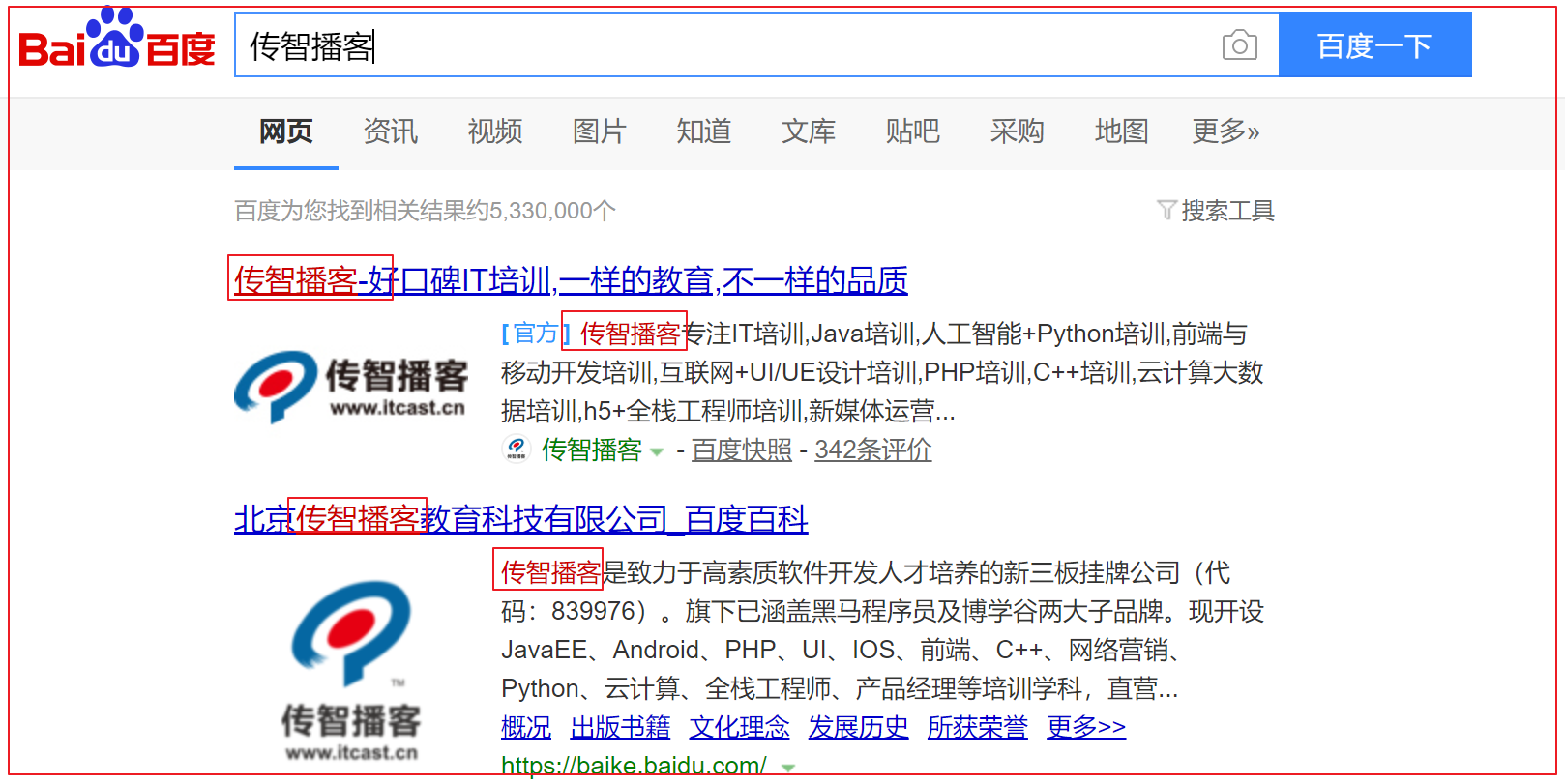
5.5.高亮查询(Highlighter) 什么是高亮显示 在进行关键字搜索时,搜索出的内容中的关键字会显示不同的颜色,称之为高亮
百度搜索关键字”传智播客”
京东商城搜索”笔记本”
高亮显示的html分析 通过开发者工具查看高亮数据的html代码实现:
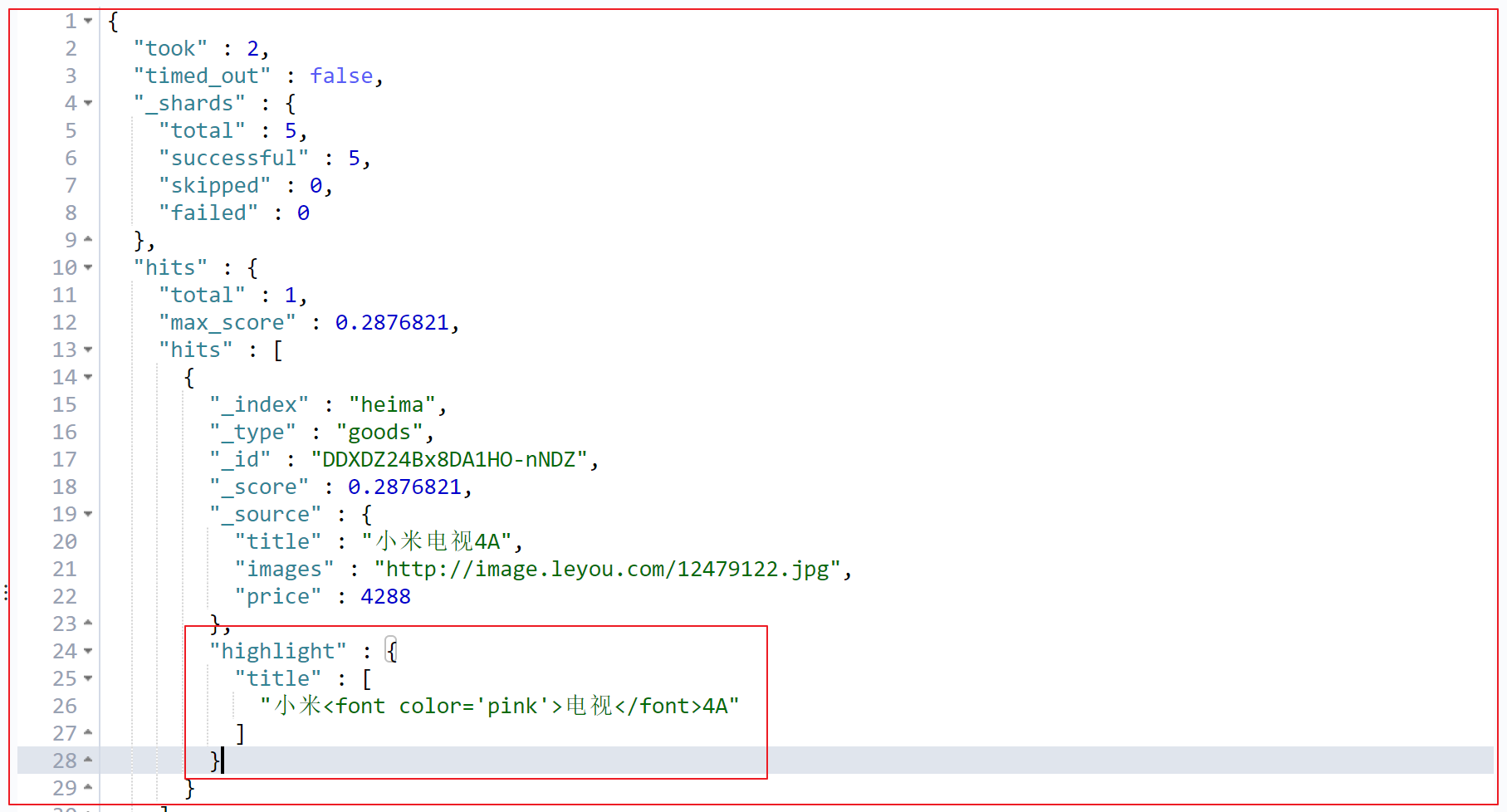
高亮查询请求 ElasticSearch可以对查询内容中的关键字部分,进行标签和样式(高亮)的设置。
在使用match查询的同时,加上一个highlight属性:
pre_tags:前置标签
post_tags:后置标签
fields:需要高亮的字段
title:这里声明title字段需要高亮,后面可以为这个字段设置特有配置,也可以空
发送请求 :
1 2 3 4 5 6 7 8 9 10 11 12 13 14 15 POST /heima/_search"query" : {"match" : {"title" : "电视" "highlight" : {"pre_tags" : "<font color='pink'>" ,"post_tags" : "</font>" ,"fields" : {"title" : {}
响应结果 :
5.6.分页查询 发送请求 :
1
2
3
4
5
6
7
8
POST /heima/_search"query" : {"match_all" : {}"size" : 2 ,"from" : 0
size:每页显示多少条
from:当前页的起始索引,int from = (当前页 - 1) * 每页条数
响应结果 :
总结:
理解Elasticsearch的作用
分布式全文检索引擎,全文检索引擎的核心倒排索引技术,先创建索引在进行搜索的一个过程
理解分词器的作用:将查询的条件拆分成关键词,用关键词去索引表中匹配查询文档
能够安装Elasticsearch服务
能够使用Elasticsearch集成IK分词器
理解Elasticsearch的相关概念:索引库的概念,类型的概念(7.0之后消失了)、文档、字段、映射
能够使用Kibana操作Elasticsearch == mysql数据库