使用Quartz.NET完成热词统计,web server和 WCF的使用
OA项目第八天 热词统计简介 我们在搜索的时候,比如百度,我们刚打个a在搜索框,那么它会自动弹出什么爱奇艺,阿里巴巴等相关热词,那么这个是怎么做的呢?我们按照以下的步骤来看
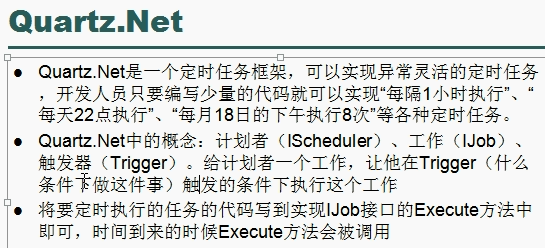
这样一来就简单明了了,需要准备的工作就是创建数据库,每隔一段时间统计,那么这个每隔一段时间执行,这个我们怎么去做呢。我们使用的是一个开源的项目Quartz.NET.
Quartz.NET
这里是它的官网地址:https://www.quartz-scheduler.net/
在我们建立好汇总表( KeyWordsRank),明细表(SearchDetails)后,就可以开始了。注意这里这两个表的主键ID我们用的是GUID,这样一来会比自增的数字ID性能更好。为了方便测试,我们直接在业务层写sql数据查询,这样只是偷偷懒,千万不要这样做。
1
2
3
4
5
6
7
8
9
10
11
12
13
14
15
16
17
18
19
20
21
public partial class KeyWordsRankService : BaseService <KeyWordsRank >, IKeyWordsRankService public bool DeleteAllKeyWordsRank (string sql = "truncate table KeyWordsRank" ;return this .CurrentDBSession.ExecuteSql(sql) > 0 ;public bool InsertKeyWordsRank (string sql = "insert into KeyWordsRank(Id,KeyWords,SearchCount) select uuid(),KeyWords,count(*) from SearchDetails where DateDiff(SearchDateTime,sysdate())<=7 group by SearchDetails.KeyWords" ;return this .CurrentDBSession.ExecuteSql(sql) > 0 ;public List<string > GetAvailableTags (string tempsstring sql = "select keywords from KeyWordsRank where keywords like @temps" ;return this .CurrentDBSession.ExecuteSql<string >(sql, new MySqlParameter("@temps" , temps + "%" ));
Quartz.NET的用法可以参照官网的快速入门,这里就不叙述了,新建一个类继承IJob,实现它的方法,这个方法就是我们具体执行的工作
1
2
3
4
5
6
7
8
9
10
11
12
13
14
15
public class IndexJob : IJob new OAProject.BLL.KeyWordsRankService();public Task Execute (IJobExecutionContext context )return t;
我们新建一个控制太程序来执行这个方法,当热最好我们做成windows服务(话说我这是跑在linux上的咋办),
这都是直接改的官网的快速入门。这里为了看效果我是做了每10s执行一次,实际工作当热不能这样做
1
2
3
4
5
6
7
8
9
10
11
12
13
14
15
16
17
18
19
20
21
22
23
24
25
26
27
28
29
30
31
32
33
34
35
36
37
38
39
40
41
42
43
44
45
46
47
48
49
50
51
52
53
54
55
56
57
58
59
60
61
62
63
64
65
66
67
68
69
70
71
72
73
74
75
76
77
78
79
80
81
82
83
84
85
86
87
88
class Program static void Main (string [] argsnew ConsoleLogProvider());"Press any key to close the application" );private static async Task RunProgramRunExample (try new NameValueCollection"quartz.serializer.type" , "binary" }new StdSchedulerFactory(props);await factory.GetScheduler();await scheduler.Start();"job1" , "group1" )"trigger1" , "group1" )10 )await scheduler.ScheduleJob(job, trigger);if (Console.Read() == 48 ) await scheduler.Shutdown();private class ConsoleLogProvider : ILogProvider public Logger GetLogger (string namereturn (level, func, exception, parameters) =>if (level >= LogLevel.Info && func != null )"[" + DateTime.Now.ToLongTimeString() + "] [" + level + "] " + func(), parameters);return true ;public IDisposable OpenNestedContext (string messagethrow new NotImplementedException();public IDisposable OpenMappedContext (string key, string value throw new NotImplementedException();
这里的业务类,调用的是是我们dbsession里面直接写的方法,实际工作千万别这样
1
2
3
4
5
6
7
8
9
10
11
12
13
14
15
16
17
18
19
20
21
22
23
24
25
26
public partial class DBSession : IDBSession public DbContext Dbget =>DAL.DBcontextFactory.CreatDbContext();public int ExecuteSql (string sql, params SqlParameter[] parsreturn Db.Database.ExecuteSqlCommand(sql, pars);public List <T > ExecuteSql <T >(string sql, params MySqlParameter[] parsreturn Db.Database.SqlQuery<T>(sql, pars).ToList(); public bool SaveValueChange (return Db.SaveChanges()>0 ;
但是这里会出现一些问题,首先我们必须在app.config里面从新配置点好程序集等等,不然会报错,要是配置好之后还出错那就是还必须引用EF,
1 2 3 4 5 6 7 8 <appSettings > <add key ="AssemblyPath" value ="OAProject.DAL" /> <add key ="NameSpace" value ="OAProject.DAL" /> </appSettings > <connectionStrings > <add name ="OAEntities" connectionString ="metadata=res://*/Model1.csdl|res://*/Model1.ssdl|res://*/Model1.msl;provider=MySql.Data.MySqlClient;provider connection string=" server=服务器id;user id=Long;password=密码;persistsecurityinfo=True;database=OA" " providerName ="System.Data.EntityClient" /> </connectionStrings >
热词展示
我们使用https://jqueryui.com/autocomplete/,jquery ui的自动完成,效果就跟百度的搜索展示的热词一摸一样。这里要说的以点就是后端接收的请求字符串是term
web server Web Server中文名称叫网页服务器或web服务器 。WEB服务器 也称为WWW(WORLD WIDE WEB)服务器,主要功能是提供网上信息浏览服务。主要web server产品有:kangle,nginx,apache。前面所说的都跟我们这里没关系哈哈哈。一句话,实现不同机器,不同平台下的应用程序之间的通信 。
VS中创建WebServer比较简单,在Web项目中右键引用,添加服务引用,把地址填上就行,要是同一个解决方案的话那就点击发现,就能找到解决方案中的WebServer.看一看到如下的方法
1
2
3
4
5
6
7
8
9
10
11
12
13
14
15
16
17
18
19
20
21
22
23
24
25
namespace WebServerTest WebService(Namespace = "http://tempuri.org/" ) ]WebServiceBinding(ConformsTo = WsiProfiles.BasicProfile1_1) ]System.ComponentModel.ToolboxItem(false) ]public class WebService1 : System.Web.Services.WebService WebMethod ]public string HelloWorld (return "Hello World" ;WebMethod ]public int Sum (int a,int breturn a + b;
winform的店家按钮调用
1
2
3
4
5
private void button3_Click (object sender, EventArgs enew WebService1SoapClient();1 , 2 ).ToString());
接下来我们试试远程调用,百度下什么天气预报的webserver
1
2
3
4
5
6
private void button3_Click (object sender, EventArgs enew WeatherWSSoapClient();this .dataGridView1.DataSource =ds.Tables[0 ];
WCF
跟webserver不同,WCF是面向接口,最重要的一步是添加System.WebModle 引用,不像webserver一样可以直接建,我们需要手动建立一个接口
1 2 3 4 5 6 [ServiceContract ]public interface IUserInfoServer OperationContract ]int Sum (int a, int b
实现这个接口类
1
2
3
4
5
6
7
public class UserInfoServer : IBLL.IUserInfoServer public int Sum (int a, int breturn a + b;
现在新建立一个客户端(这里使用的是控制台程序,记得添加引用,包括System.WebModle的引用)
1
2
3
4
5
6
7
8
9
10
11
class Program static void Main (string [] argsusing (ServiceHost host = new ServiceHost(typeof (BLL.UserInfoServer)))
配置号config
1
2
3
4
5
6
7
8
9
10
11
12
13
14
15
16
17
18
19
20
21
22
23
24
25
26
27
28
29
30
31
32
33
34
35
36
37
38
39
40
41
42
43
<?xml version="1.0" encoding="utf-8" ?> <configuration > <system.web > <compilation debug ="true" /> </system.web > <system.serviceModel > <services > <service name ="BLL.UserInfoServer" > <endpoint address ="" binding ="basicHttpBinding" contract ="IBLL.IUserInfoServer" > <identity > <dns value ="localhost" /> </identity > </endpoint > <host > <baseAddresses > <add baseAddress ="http://127.0.0.1:8000" /> </baseAddresses > </host > </service > </services > <behaviors > <serviceBehaviors > <behavior > <serviceMetadata httpGetEnabled ="True" httpsGetEnabled ="True" /> <serviceDebug includeExceptionDetailInFaults ="False" /> </behavior > </serviceBehaviors > </behaviors > </system.serviceModel > </configuration >
接下来我们可以使用微软的测试wcf的客户端,我们先用管理员运行我们的控制台程序
找到Vs的安装路径,找到Common7\IDE\WcfTestClient.exe,双击打开,新建服务即可
自己新建一个WCF客户端
我们可以用微软的工具来自己生成一个客户端(就是一个类),首先在新建一个控制台应用程序,找到路径,用vs提示命令符,进入路径,执行svcutil http://localhost:8000/?wsdl/o:UserInfoServeClient.cs,然后点击这个项目的显示所有文件,修改下生成的UserInfoServeClient.cs,比如注释下已经有的接口,没用的方法等等,看下配置有没有错误,引用好需要引用的。最后直接当普通类一样调用即可(当然服务必须开启)